
Working with Peering Routers
Routers Subtab
The Routers subtab is where routers may be added and managed. Routers are divided into two lists - those with Peer Groups, and those without.
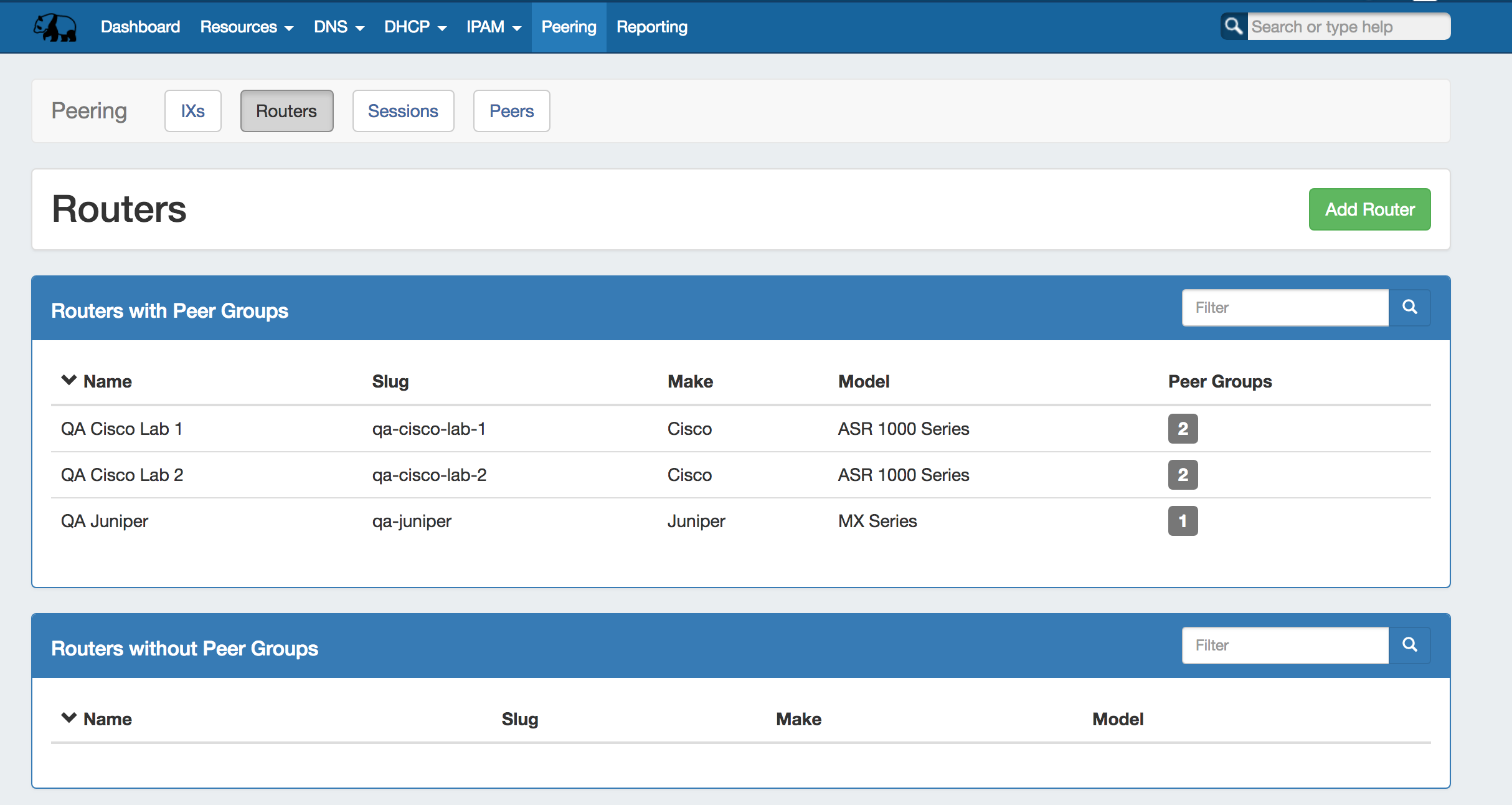
Add a Router
Add a new router by clicking the "Add Router" button, which will direct to a page to input the router details.
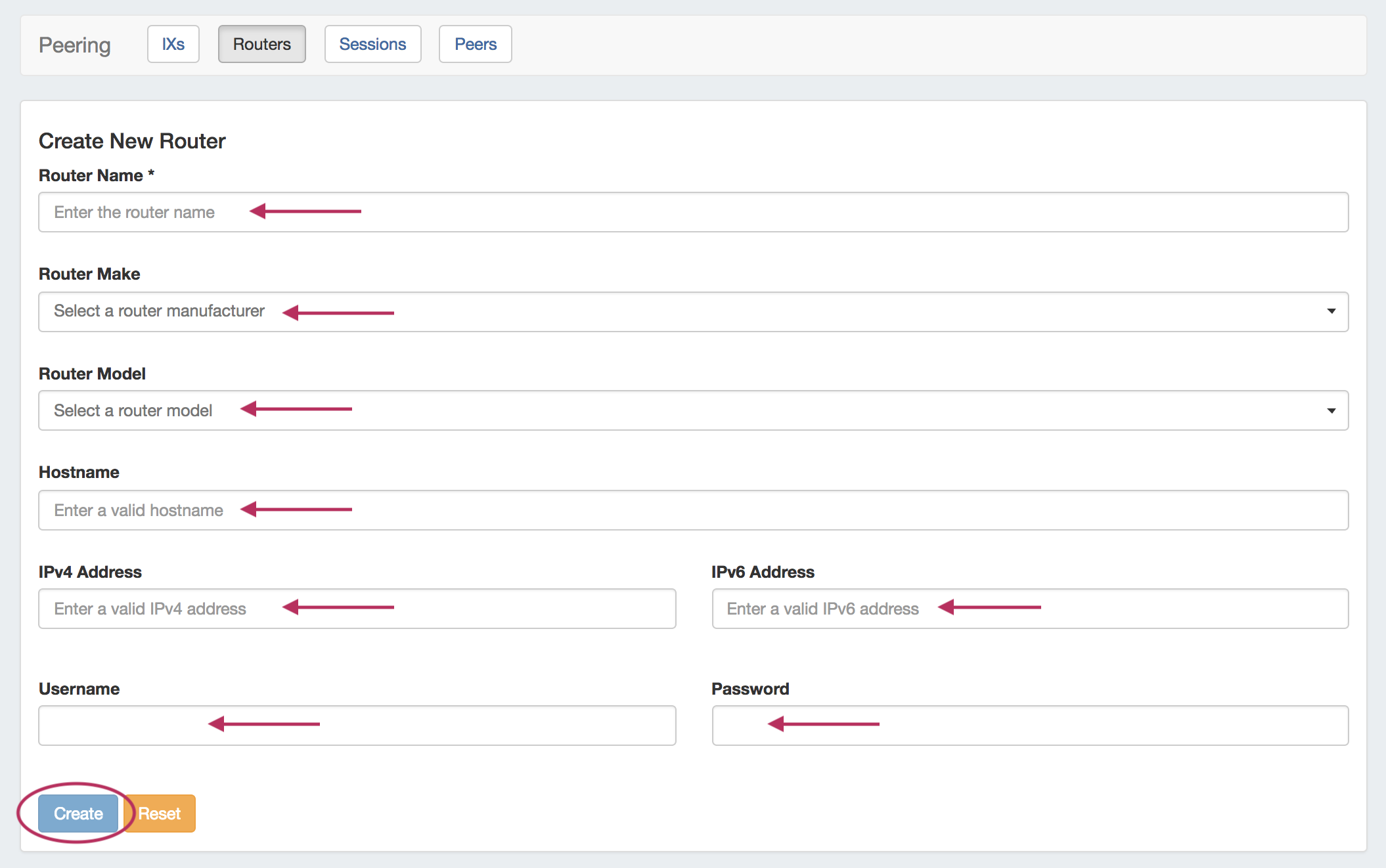
Session Details Page
Clicking on a router entry in the router list will open the router details page.
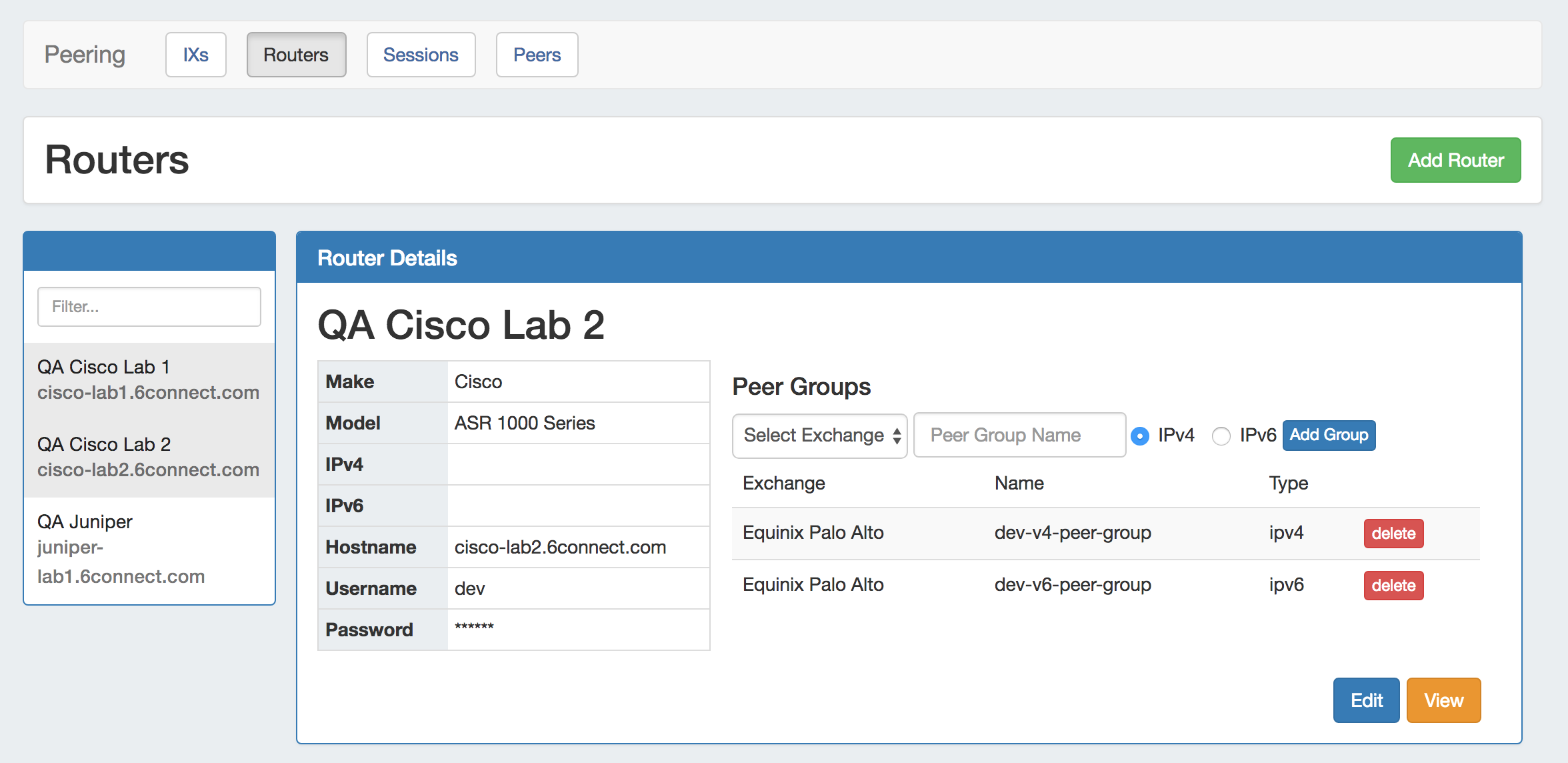
From here, routers may be added as well, or you can use the filterable list in the left sidebar to select a router to view.
The router details area gives basic router information, which you may edit via the "Edit" button. You may also add and delete and Peer Groups associated with the router.