
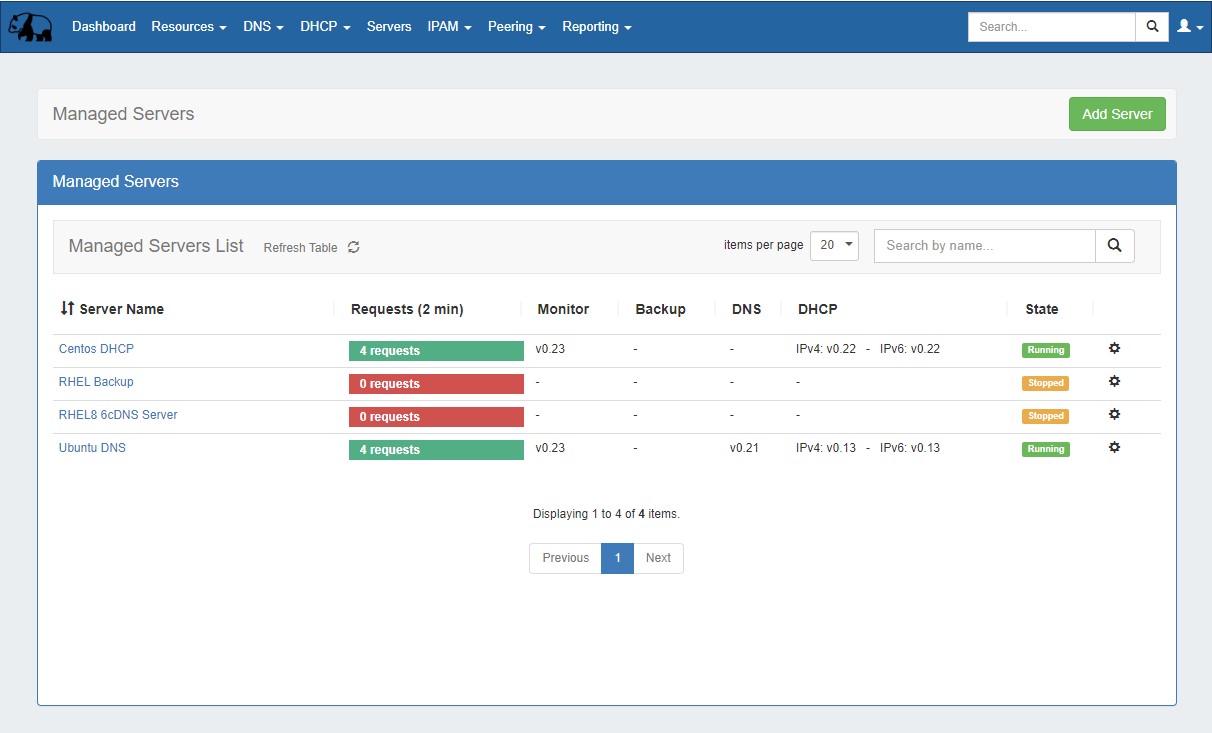
The Managed Servers tab allows for DNS, DHCP, and Backup VM servers to be created, installed, managed, and monitored from within ProVision.
Managed Servers is handled via two main areas of the GUI: the Managed Servers Tab and in Admin → Admin Settings - Managed Servers sub-tab. Managed servers actions are also available via APIv2 and the command line.
Requirements
Note: Python3, Docker, and Rabbit MQ services are used to support and run Managed Servers. Local customers planning on utilizing managed servers will need to either install these services, or contact support for assistance to accommodate specific network needs.
Required installations are already included for hosted customers.
Managed Servers Overview
ProVision's Managed Servers tab allows for DNS (Knot-based), DHCP(Kea-based), and Backup VMs to be created, managed and monitored from within ProVision, either from the GUI or command line.
Managed Server, Monitoring, and Backup Features
Permissions
Managed Servers uses a "6c servers" user group, under which automatic or manual "server users" are created. The "6c servers" user group gives permissions to all 6c server resources.
The "server users" are necessary to allow access and permissions for the managed server(s). When new server is created with an empty user (instead of a user-provided existing user) a random new user is automatically created under that group. Only that server user has permission to update the associated managed server.
Managed Servers Administration
The "Managed Servers" sub-tab under Admin Settings includes modules for global setup of Monitoring Settings, Update Settings, Monitoring Services, RabbitMQ settings, and Managed Backups Settings.
These settings provide the "default" values for servers created from the Managed Servers Tab.
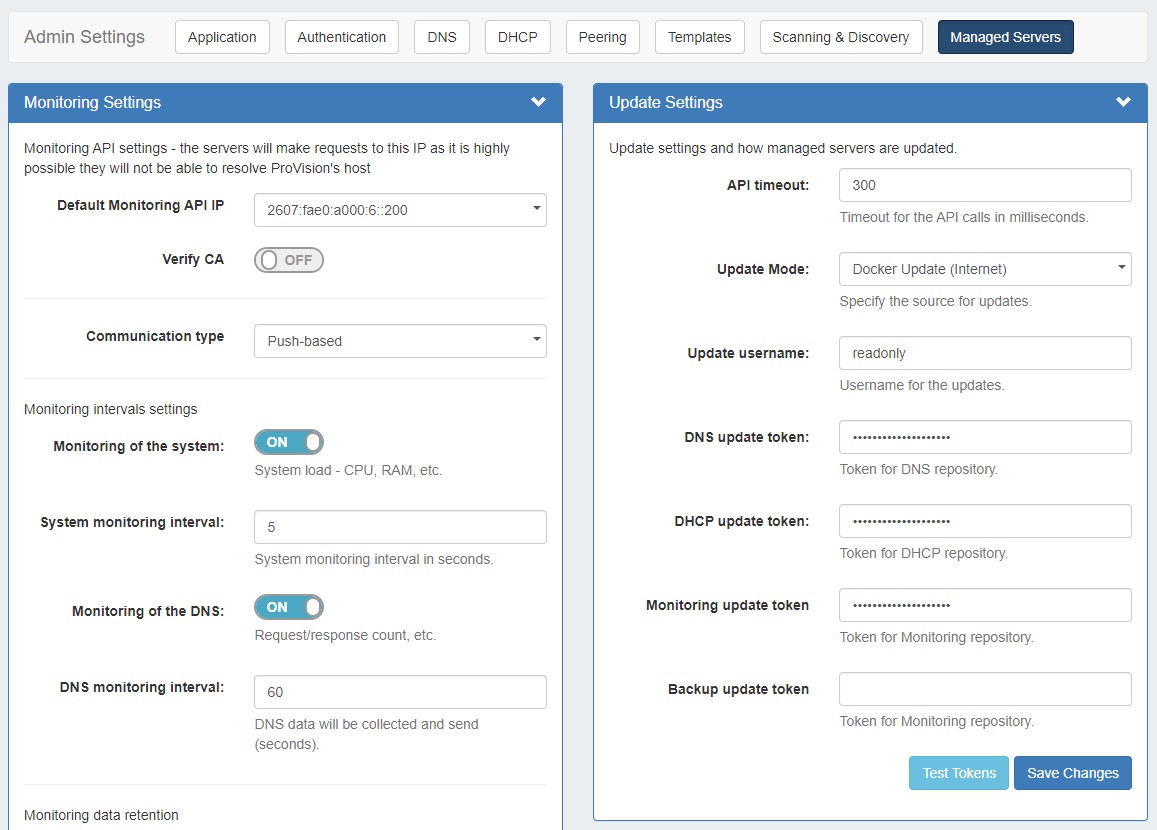
After making any settings updates, be sure to click "Save Changes" under the updated module.
For additional details, see Managed Servers Settings.
Managed Servers API
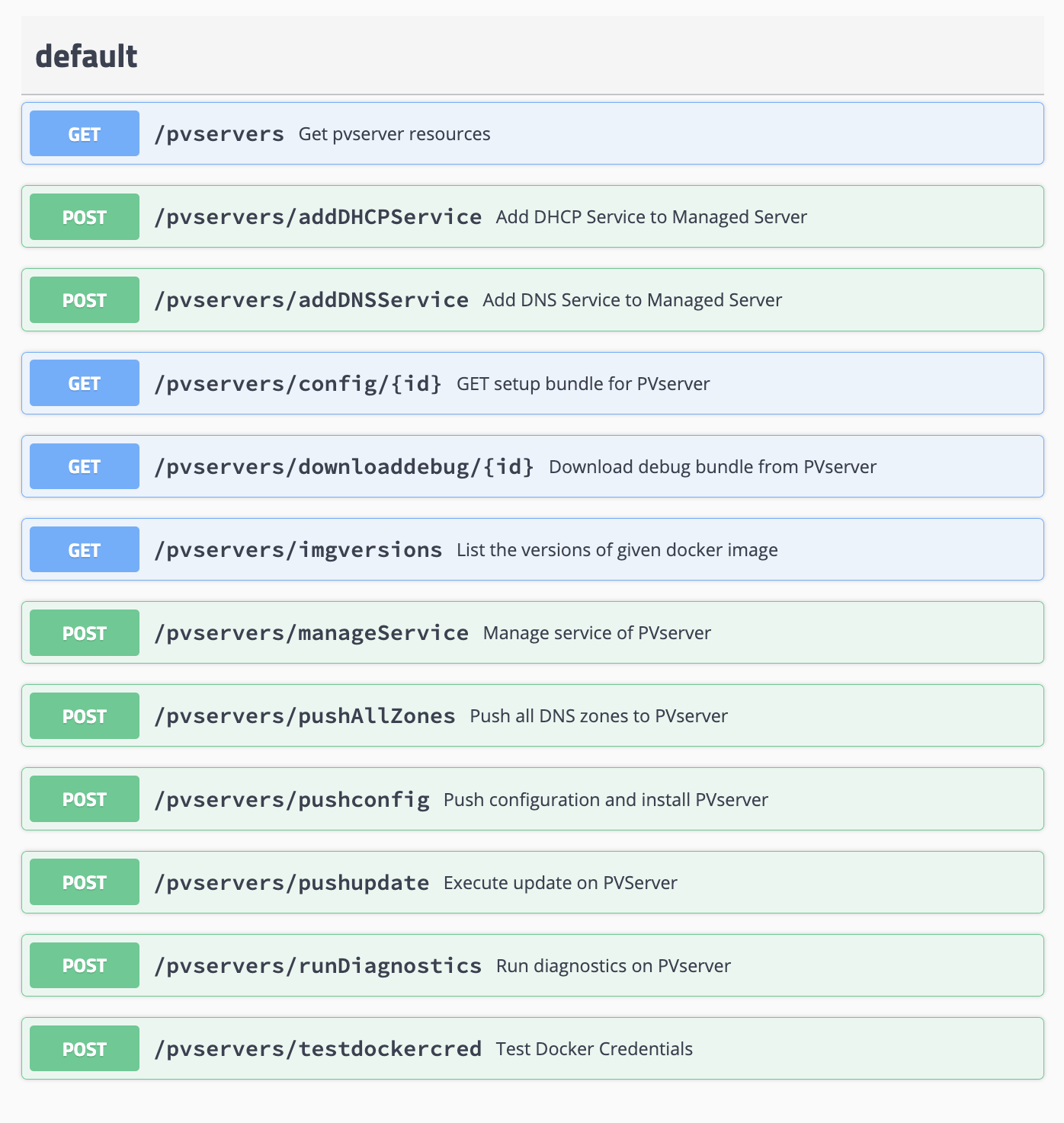
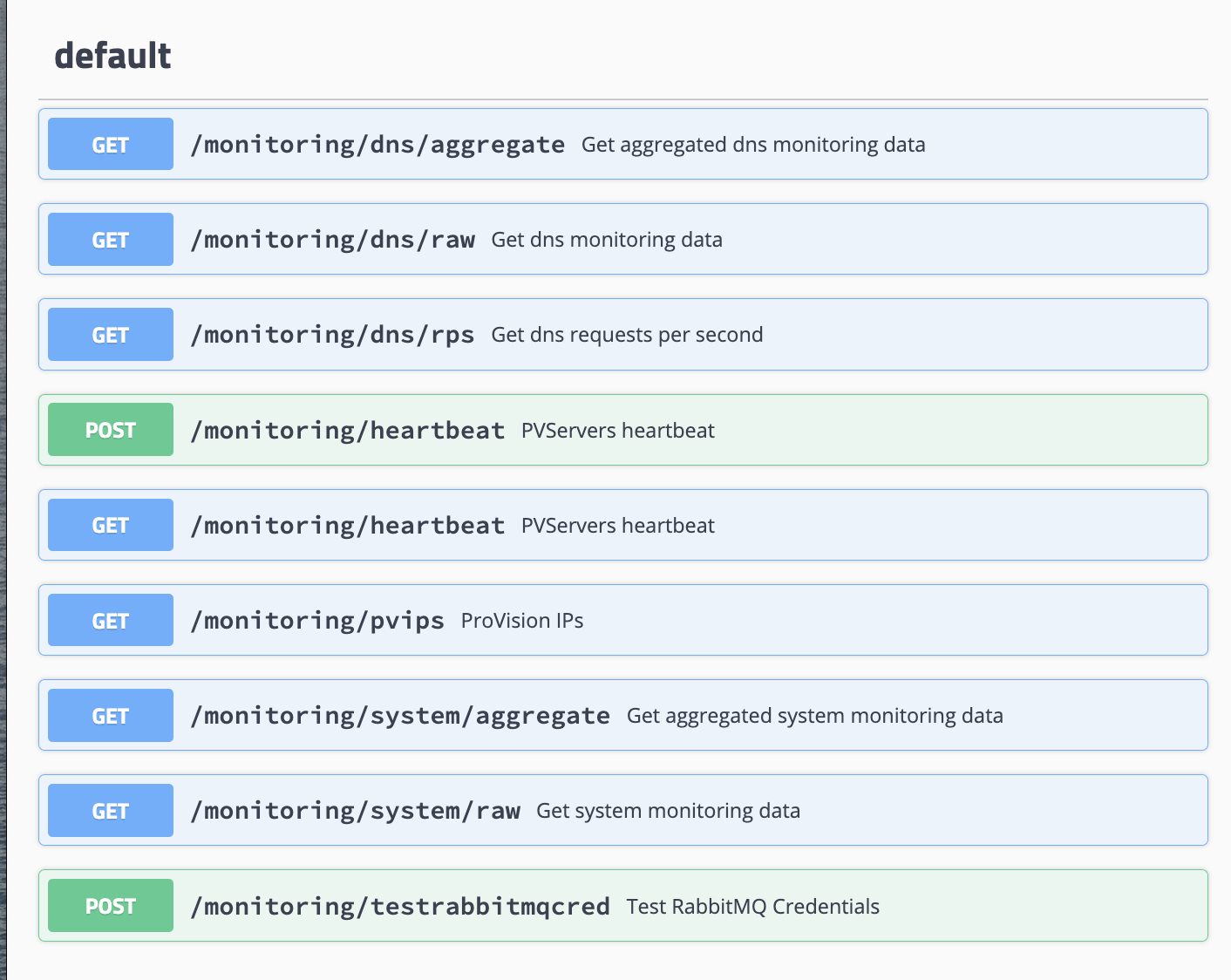
APIv2 endpoints are available for Managed Servers and Managed Server Monitoring.
To view these endpoints from your instance, go to the API Tab → APIv2 Swagger Documentation, then click the Swagger links for the family categories "PVServers" and "Monitoring". For information on using the API, see APIv2.
Click here to view a list of Managed Server endpoints...
Managed Servers Endpoints:
Monitoring Endpoints:
Managed Backups Endpoints:

Additional Information
For information on creating a new managed server, working with the managed server list, and viewing monitoring, see the following sections: