
Configuring ACLs
The ACL module applies the specified network lists to the in the configuration for zones inside the group and the servers that belongs to the group, when exporting the group or zone.
Create an ACL View
ACL views may be created under each DNS Group, accessed from the DNS tab DNS Groups sub-tab.
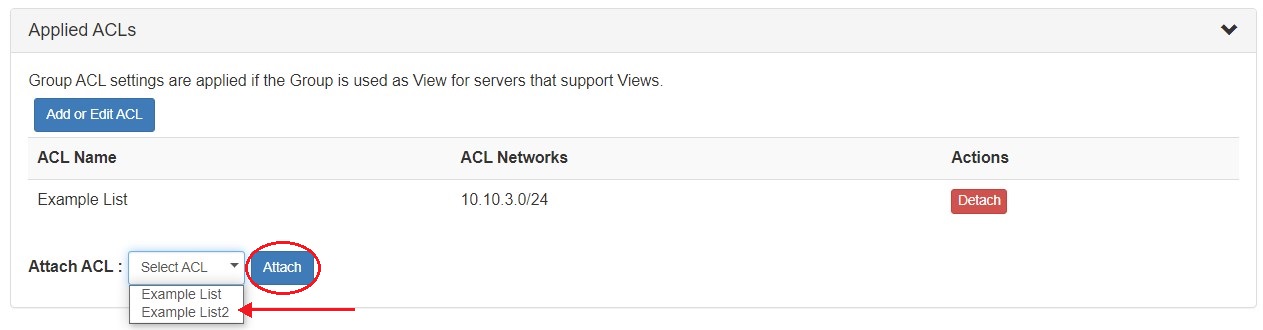
Expand the Group that you want the view applied to, and then expand the section "Applied ACLs" by clicking on the expansion arrow to the right of the section name.
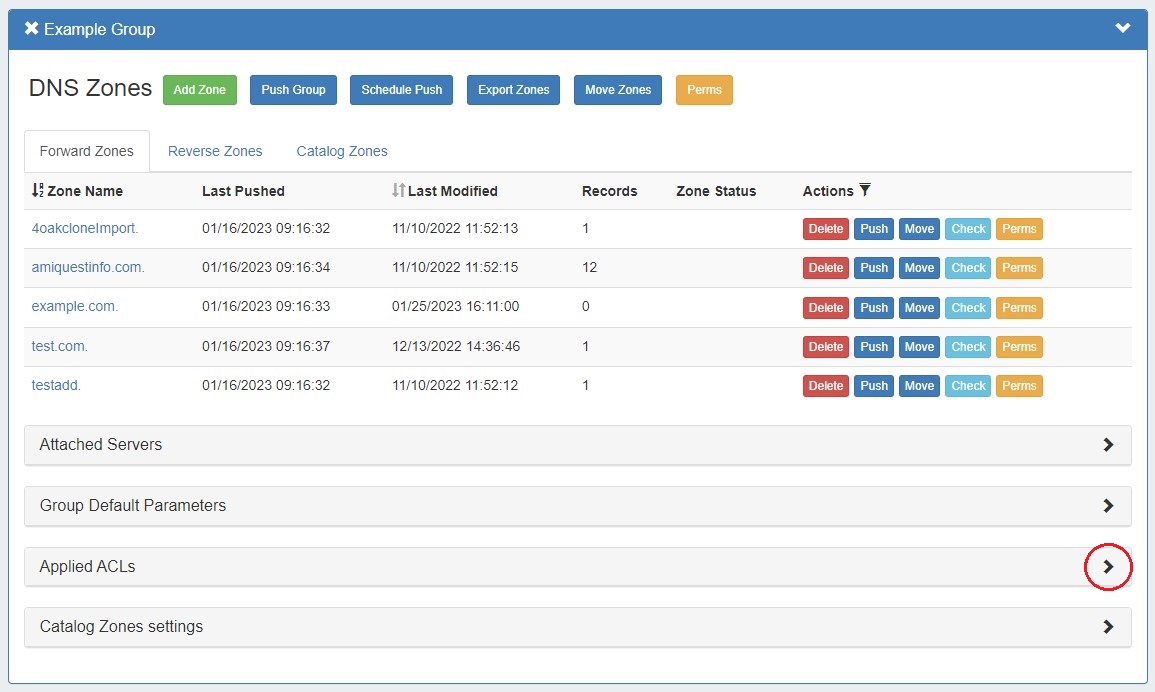
If ACLs already exist, they will be shown under this section.
To add a new list, click the "Add or Edit ACL" button.
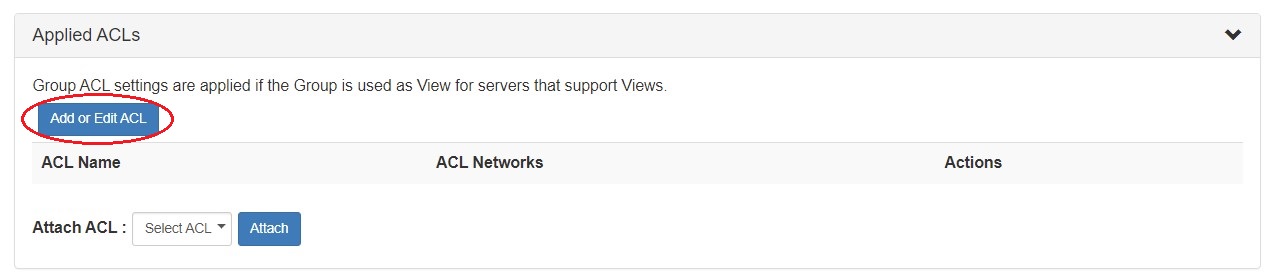
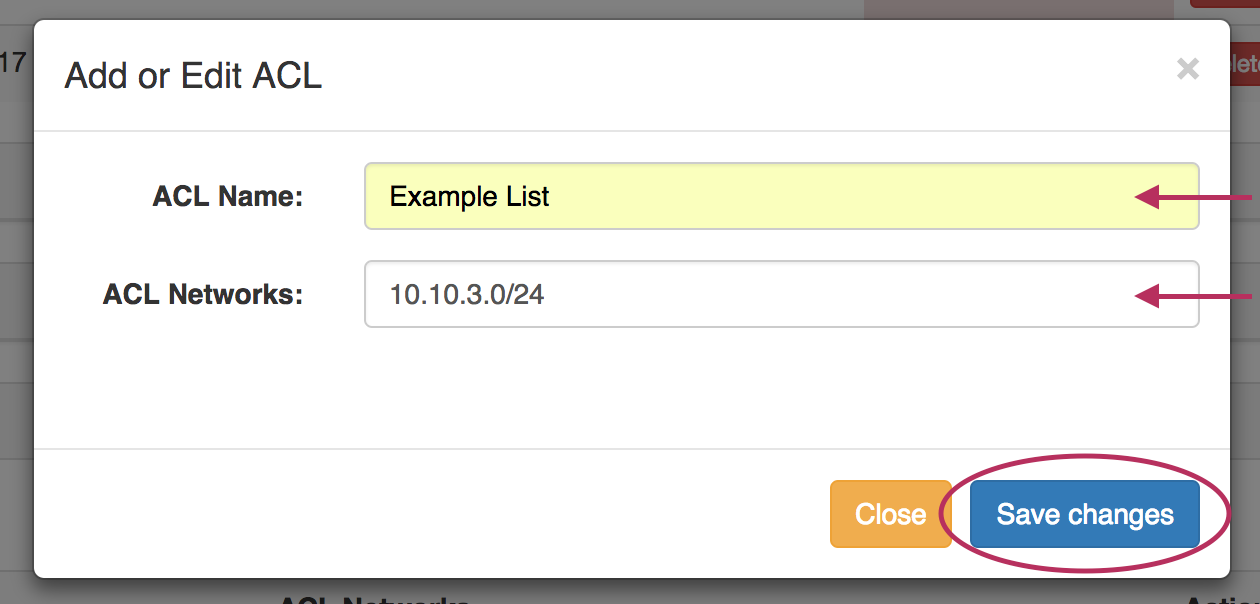
If no ACLs currently exist, the dialog will only show inputs for ACL Name and ACL Networks - enter a Name and Network and click "Save Changes".
If previous ACLs exist, a "Create or Edit" selector will be be available.
Since we are creating a new ACL, just keep this at the default value ("Create New ACL"), and enter in the Name and Network(s) for the new ACL. Separating multiple CIDRs with a comma (,).
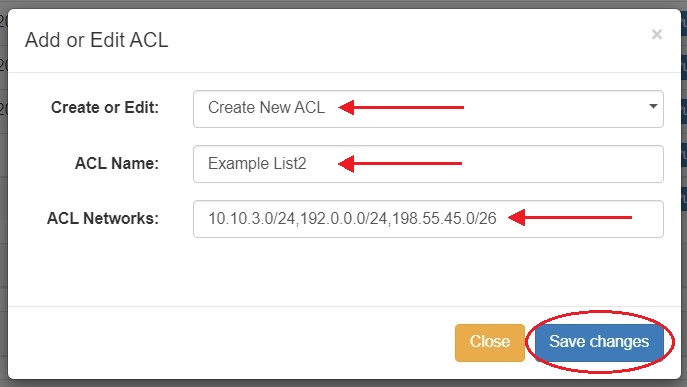
When done, save the ACL by clicking "Save changes". The new ACL will be added to the Group's "Attach ACL" list. Choose the ACL from the dropdown and click "Attach".
Edit an ACL
ACLs may be edited similarly to how they are created. Click the "Add or Edit ACL" button under the "Applied ACLs" module for the DNS Group.
Select the ACL you wish to edit from the "Create or Edit" selector. Then, edit the Name or Network fields as desired.
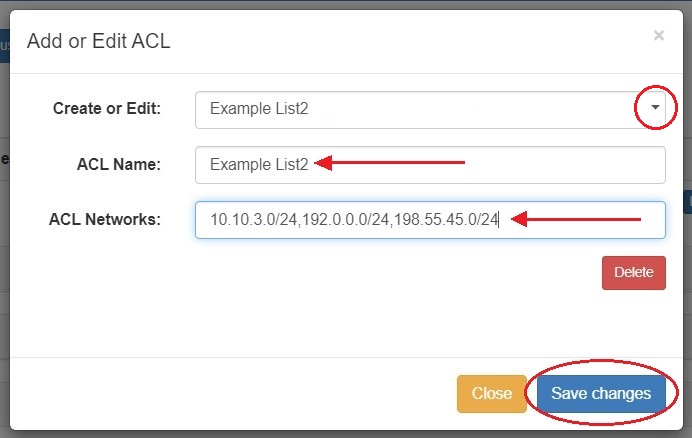
When done, click "Save Changes".
Detach an ACL from a Group
Detaching an ACL removes it from the Group, but the ACL will still exist for re-use in other Groups.
To detach an ACL, expand the "Applied ACLs" section under the desired Group, and click on the "Detach" button under the "Actions" column.
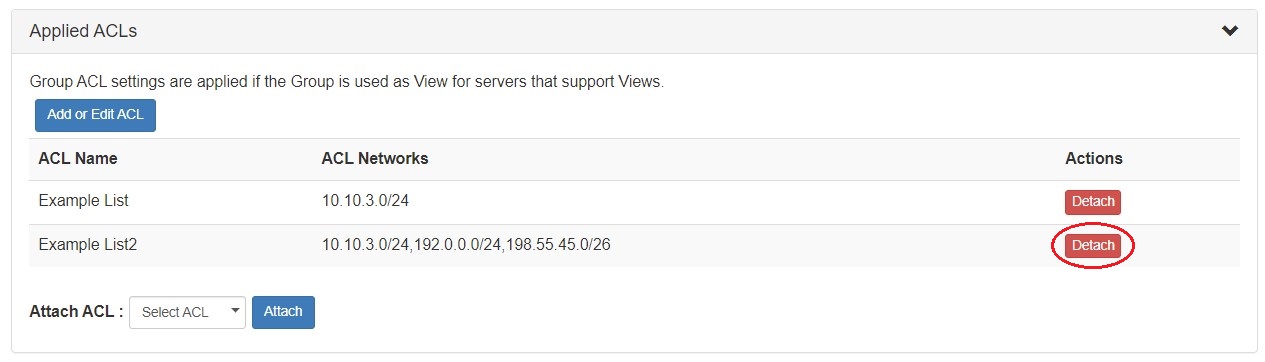
The ACL will be removed from under the Group, but will remain in other Groups it exists under, as well as be selectable from the "Add ACL" window and "Attach ACL" dropdown.
Delete an ACL
ACLs may be deleted through the "Edit ACL" interface. Click the "Add or Edit ACL" button under the "Applied ACLs" module for the DNS Group.
Select the ACL you wish to delete from the "Create or Edit" selector. Then, click the red "Delete" button under the Networks field.
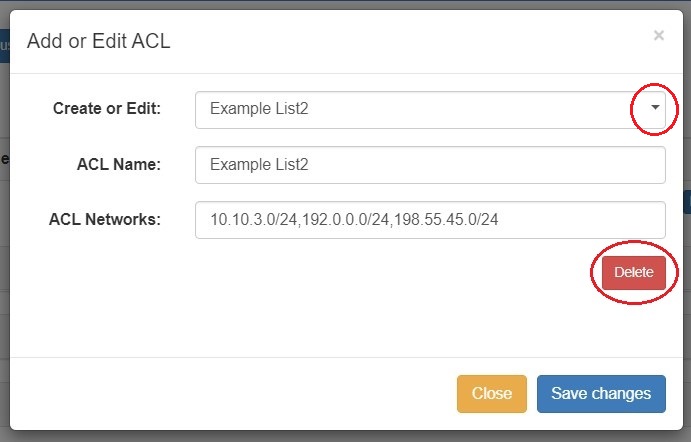
The ACL will be permanently deleted, and will no longer show under any Groups to which it has been attached, nor show in the "Existing ACLs" list.
Add an existing ACL to another Group
Existing ACLs may be added to as many Groups as desired. If ACLs already exist, clicking the "Add or Edit ACL" button will give an additional option to "Create New".
To select a previously created ACL, select it from the "Attach ACL" dropdown and click "Attach".
Additional Information
For additional information on working in DNS, see the following sections: