
Global Permissions apply to the "TLR" or "Top Level Resource" within ProVision. By default, ProVision includes two groups with Global Permissions access - Global Admins and Global Read-Only.
-
Initial Users are typically placed in the "Global Admins" group, and have administrative access to the entire platform.
-
Global Read-Only users have full access to the platform, but with only read permissions.
-
The global default groups cannot be edit or deleted.
Administration of these permissions require Administrative privileges. As an Admin, the user can then assign global permissions to groups and users. Depending on the requirement, the user may also have Resource specific permissions enabled, depending on how their group is configured.
Global Permission Group Details
Global groups are visible under the "Groups" subtab of the Users tab. In addition to the two default Global groups, new Global groups may be created through the Create Group button.

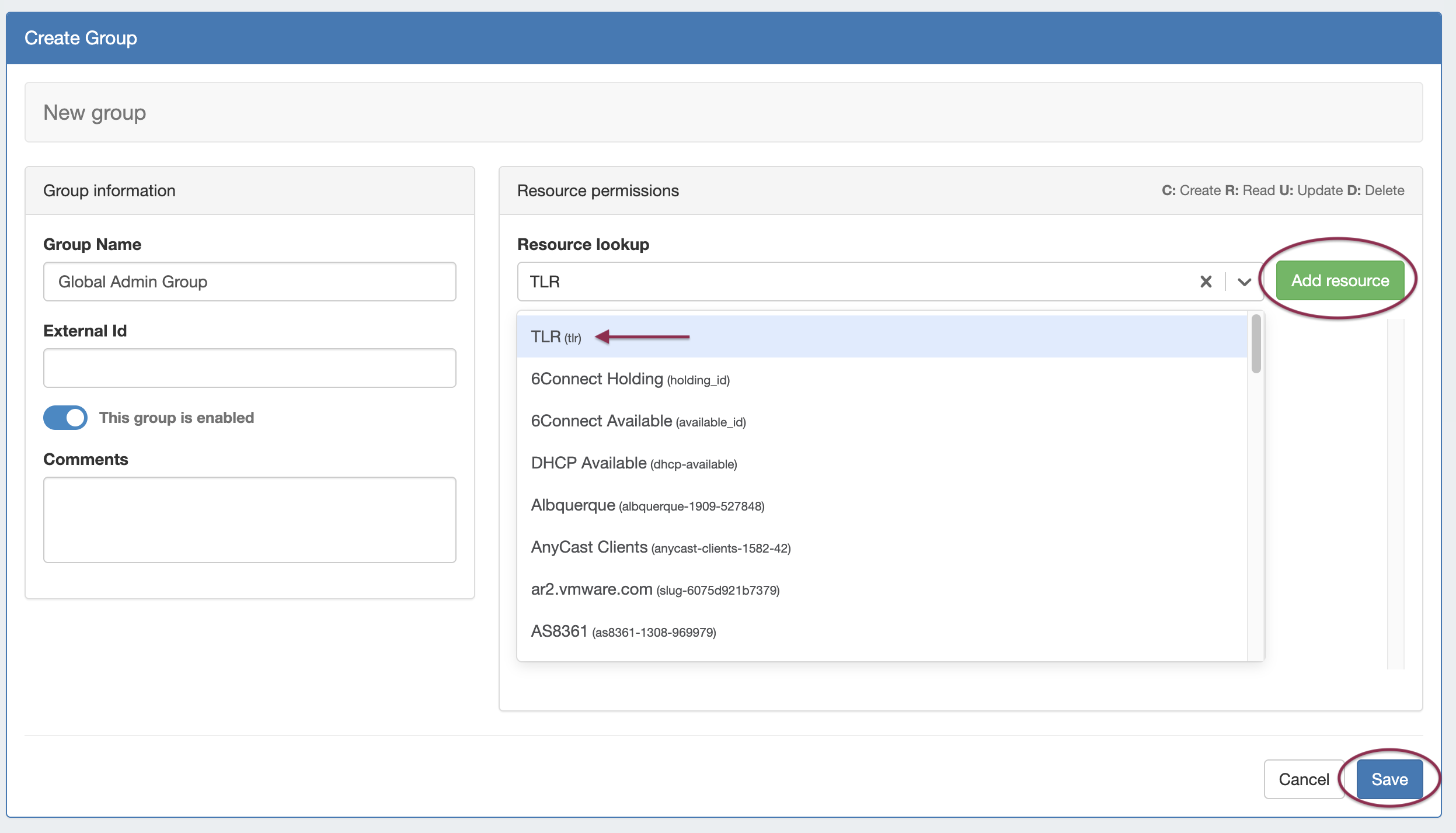
In the Create Group screen, under Resource Permissions, chose the "TLR" Resource (Top Level Resource). Click Add Resource, then enable permissions as desired. When done, click Save.
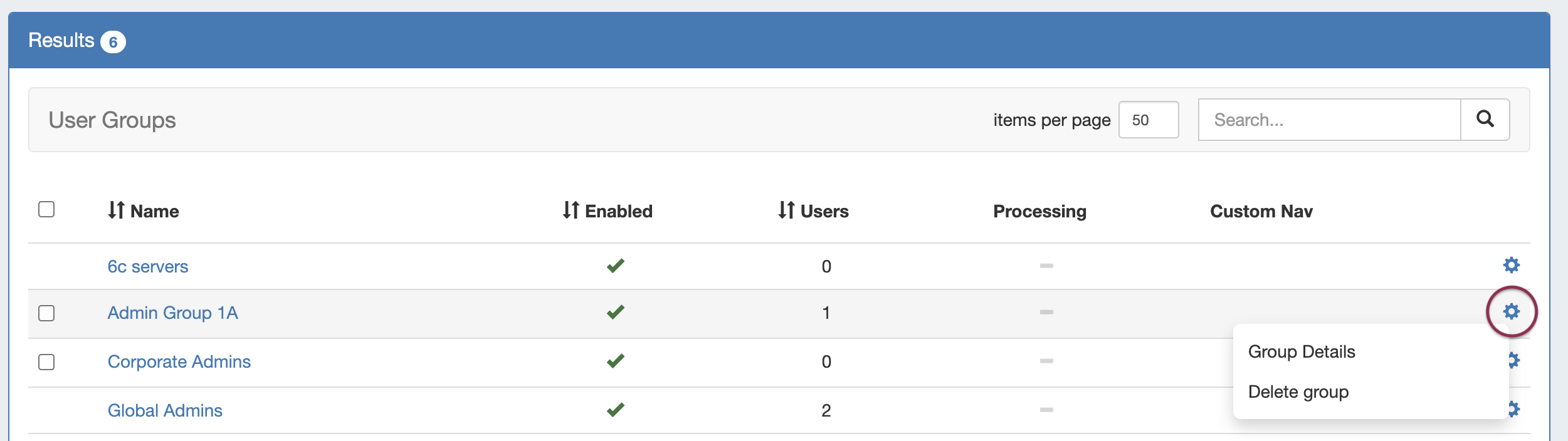
User created global groups may be edited by selecting the Action Menu (Gear Icon) for the group, or clicking on the group name to bring up the group information details.
Group details are the same for Global groups as for non-global groups, excepting that the resource selected is TLR (Top Level Resource). You may choose to edit the name, enable/disable the group, show or hide C/R/U/D permission details, and view users assigned to that group. Be sure to save any changes after editing.
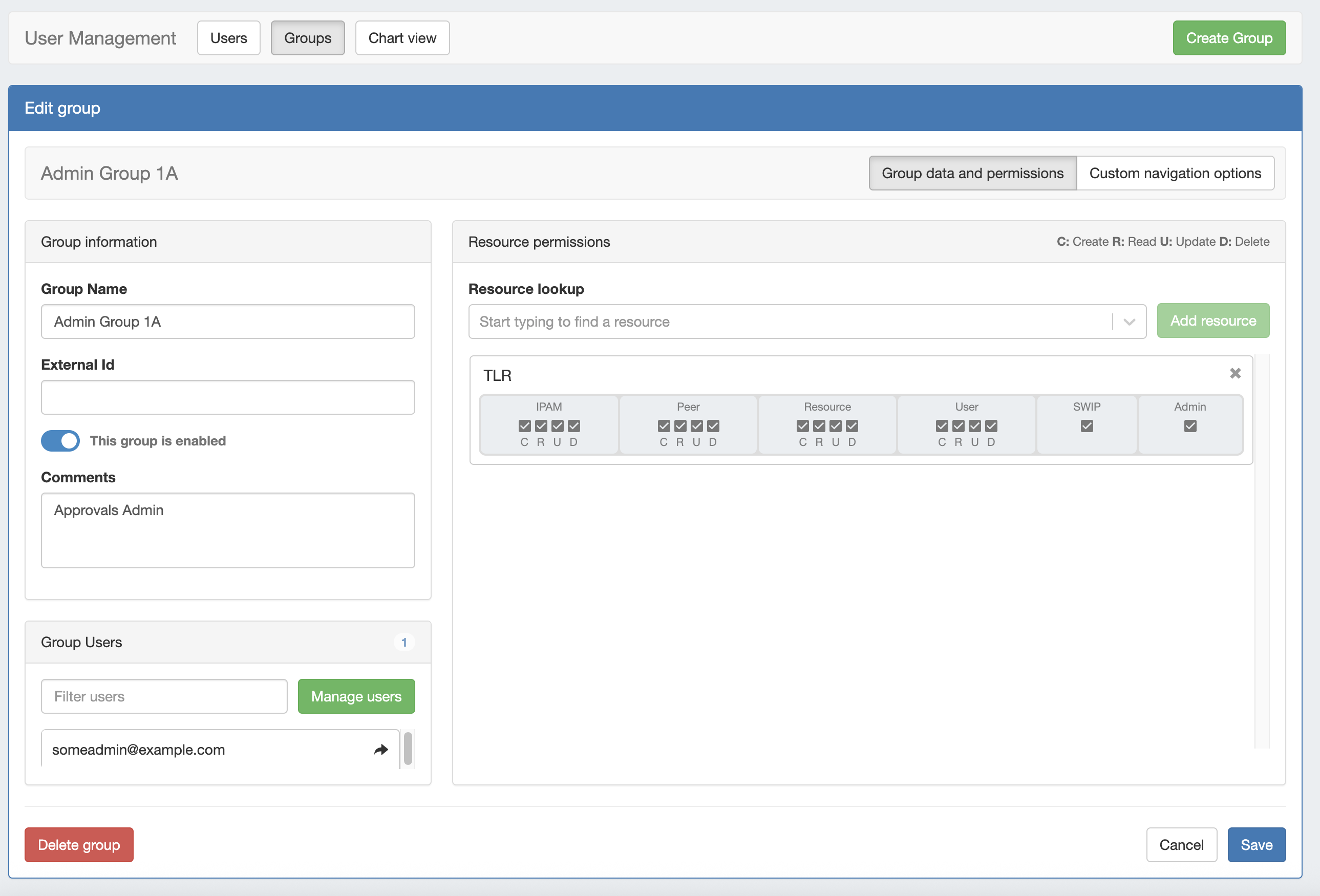
Details on each global permission option is as follows:
|
Global Permission |
Description |
|---|---|
|
Create |
Ability to create records of a certain type |
|
Read |
Ability to read records of a certain type |
|
Update |
Ability to update existing records of a certain type |
|
Delete |
Ability to delete records of a certain type |
|
Functional Area |
Description |
|---|---|
|
IPAM |
IP Address Management functionality - this covers the IPAM Tab in addition to the IPAM "Gadget" that can be present in Resources. |
|
Peer |
Peering functionality - covers the Peering Tab, both the Communication Manager and the Session Manager. |
|
Resource |
Resource functionality - this controls access for Resources depending on either the TLR or the individual Resource(s) selected. DNS zones, records, and servers are included as "Resources". |
|
User |
User/Group management - this controls access for User and Group functions within the administrative area for ProVision. |
|
SWIP* |
This affects the SWIP/RPSL integration for ARIN/RIPE. This way a user can either be enabled to have this capability or not. |
|
Admin* |
This controls whether a user is an administrator for the global ProVision application. Note: This does not confer any additional permissions on a per-resource level. |