
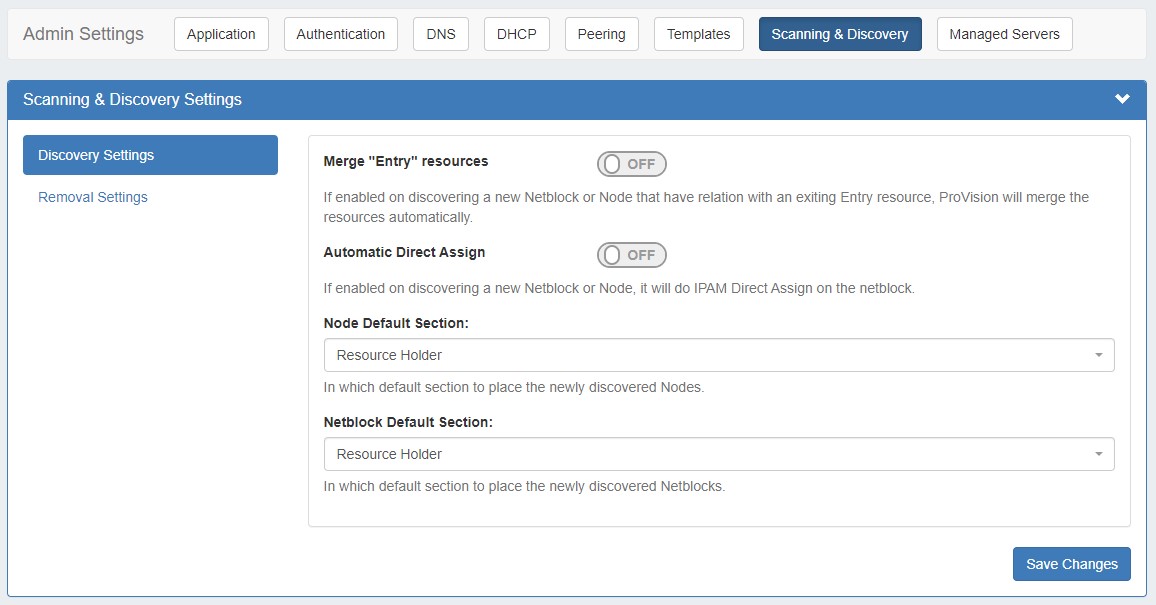
Scanning & Discovery settings are accessed by clicking the "Scanning & Discovery" sub-tab at the top of the Admin Settings page, and are used to support the Scanning tab for local installations. When editing Scanning & Discovery Settings, be sure to click "Save Changes" to ensure edits are saved.
Discovery Settings
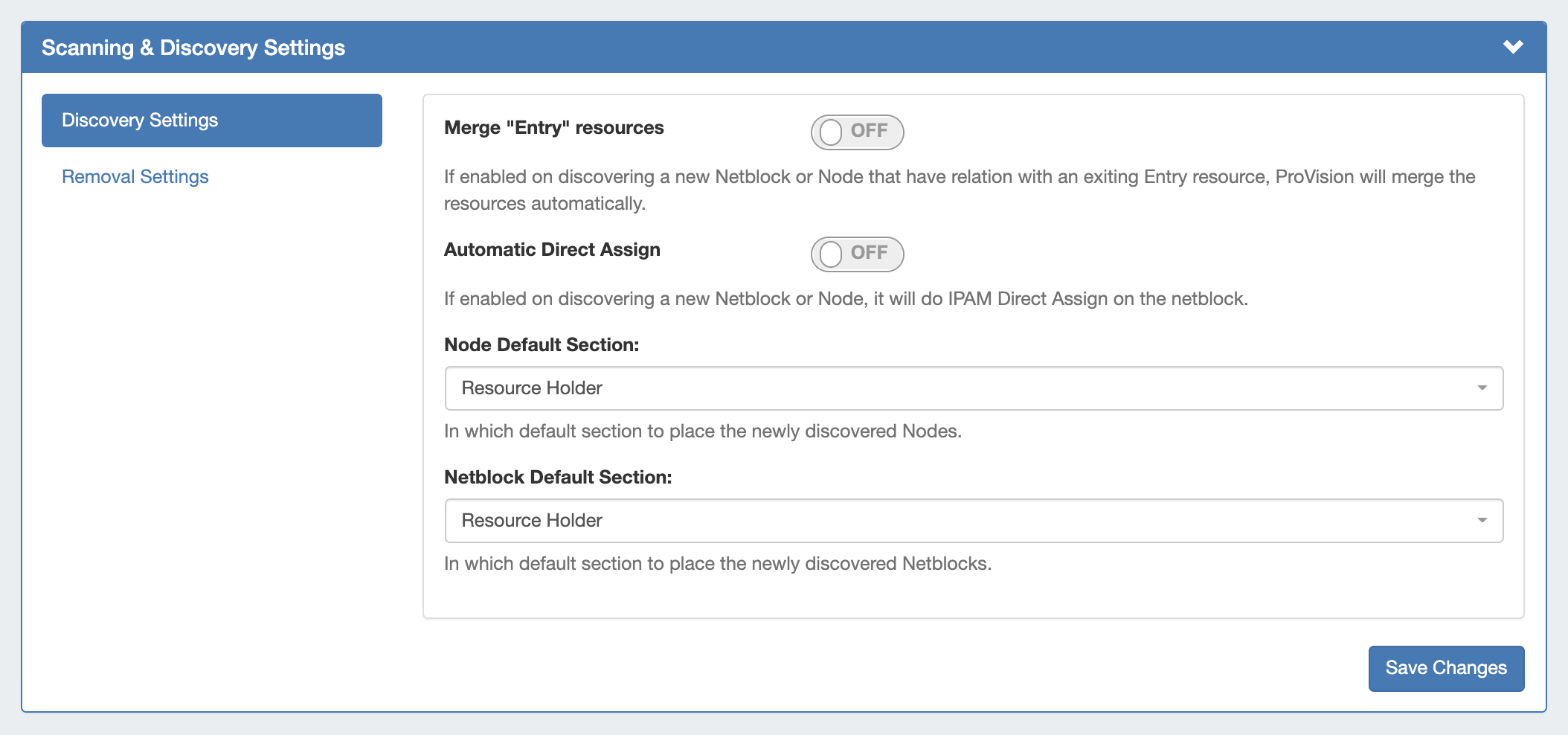
The following Discovery Settings are available:
-
Merge "Entry" resources: If enabled, on discovering a new Netblock or Node that have relation with an exiting Entry resource, ProVision will merge the resources automatically.
-
Automatic Direct Assign: If enabled, on discovering a new Netblock or Node, performs an IPAM Direct Assign on the netblock.
-
Node Default Section: In which default section to place the newly discovered Nodes.
-
Netblock Default Section: In which default section to place the newly discovered Netblocks.
Removal Settings
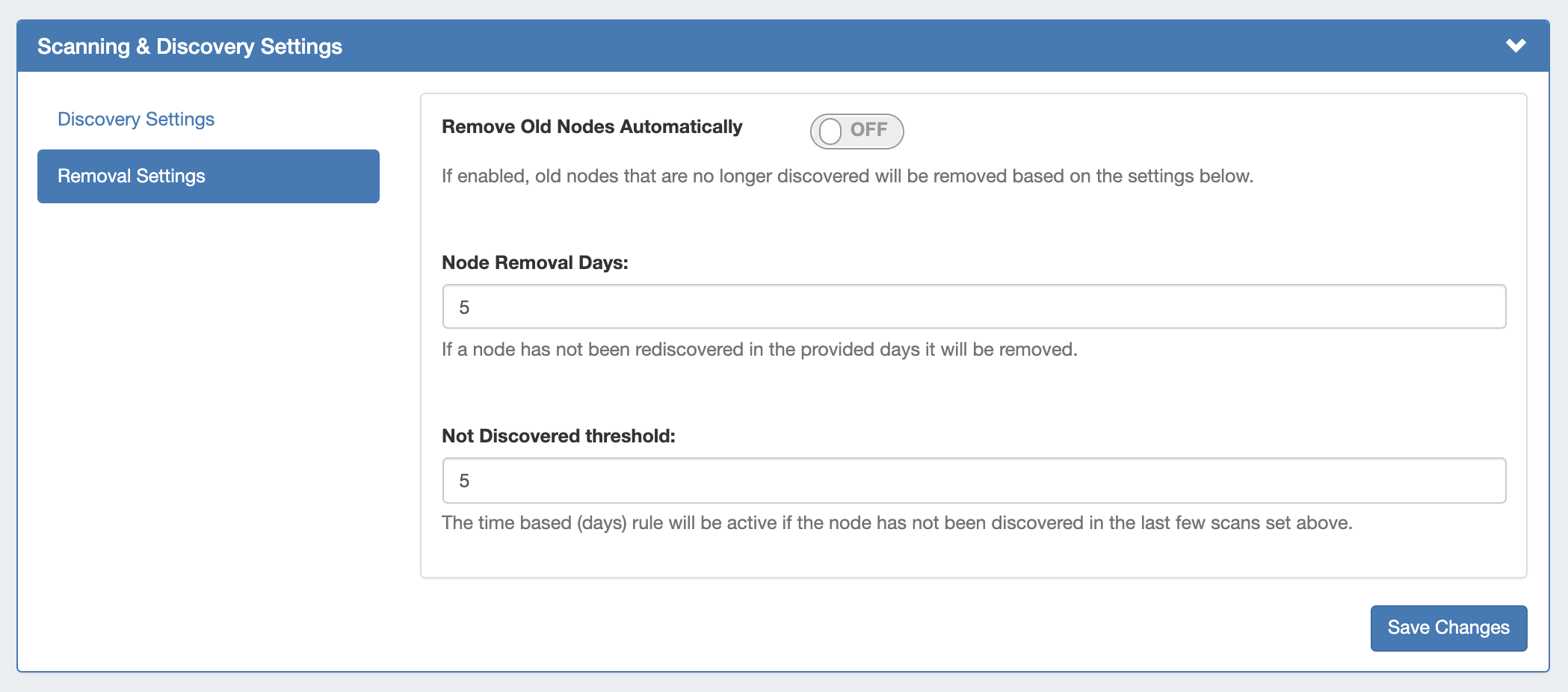
The following Removal Settings are available:
-
Remove Old Nodes Automatically: If enabled, old nodes that are no longer discovered will be removed based on the settings below.
-
Node Removal Days: If a node has not been rediscovered in the provided days, it will be removed.
-
Not Discovered threshold: If the node has not been discovered in the last few scans, it will be removed after the number of threshold days.