When setting up Approvals for the first time, please review the information on the Approvals page to ensure a basic understanding of how Policies, Actions, and User Groups relate together in Approvals.
Before using Approvals, there are three main items to consider:
-
User Group configuration: What users are currently under which ProVision User Groups, and what are their daily tasks?
-
Level of oversight needed: What actions should require approval?
-
Who should be involved: What users should be responsible for reviewing/approving actions, or subject to approval?
When you’re ready to proceed with setting up Approvals, continue through the steps below.
Approvals Setup and Workflow
The high level process to use when first setting up approvals is as follows:
Step 2: Add or Edit ProVision User Groups
Step 2: Add or Edit ProVision User Groups
From here, depending on the answers to the questions in step 1, you may need to do one or more of the following from the Users tab:
-
Edit existing User Groups to add or remove users, in order to combine users who will need similar action types approved.
-
Verify the User Groups have appropriate CRUD permissions set to perform the action(s) to be approved (e.g, you may have previously removed "Create" permissions for a group, but if the intent is now for those users to have "Add" actions approved by an Admin, the submitter will need User Group resource "Create" permissions back!)
-
Create new User Groups specifically for use with Approvals (recommended)
-
Associate users with different, or additional User Groups (remember - users can be associated with multiple groups!)
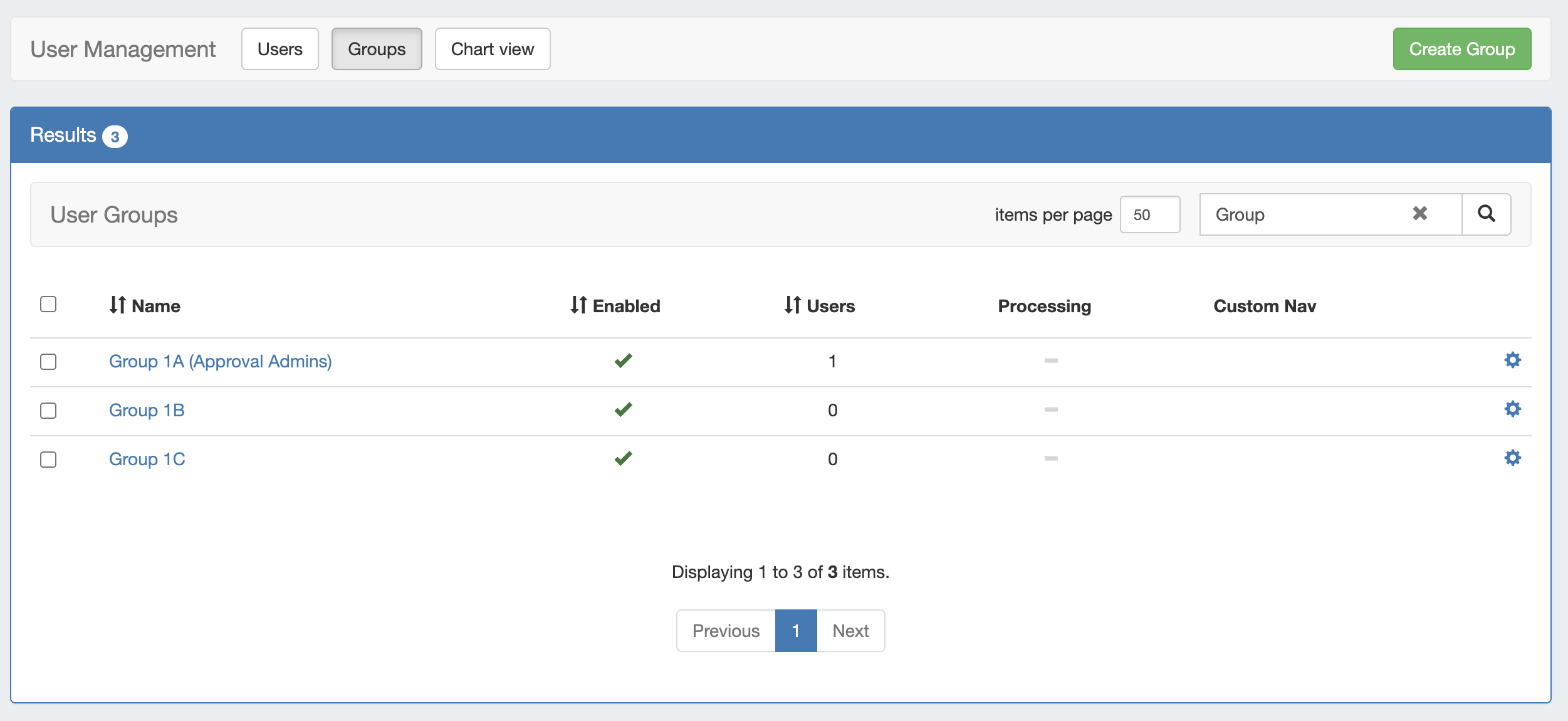
For more information on adding and editing ProVision User Groups, see Users & Permissions, Global Permissions, and Working With Users.
Step 3: Assign Approval Action Settings to Groups
Step 3 : Assign Approval Action Settings to Groups
From the Approvals Tab, navigate to the Permission Groups sub-tab.
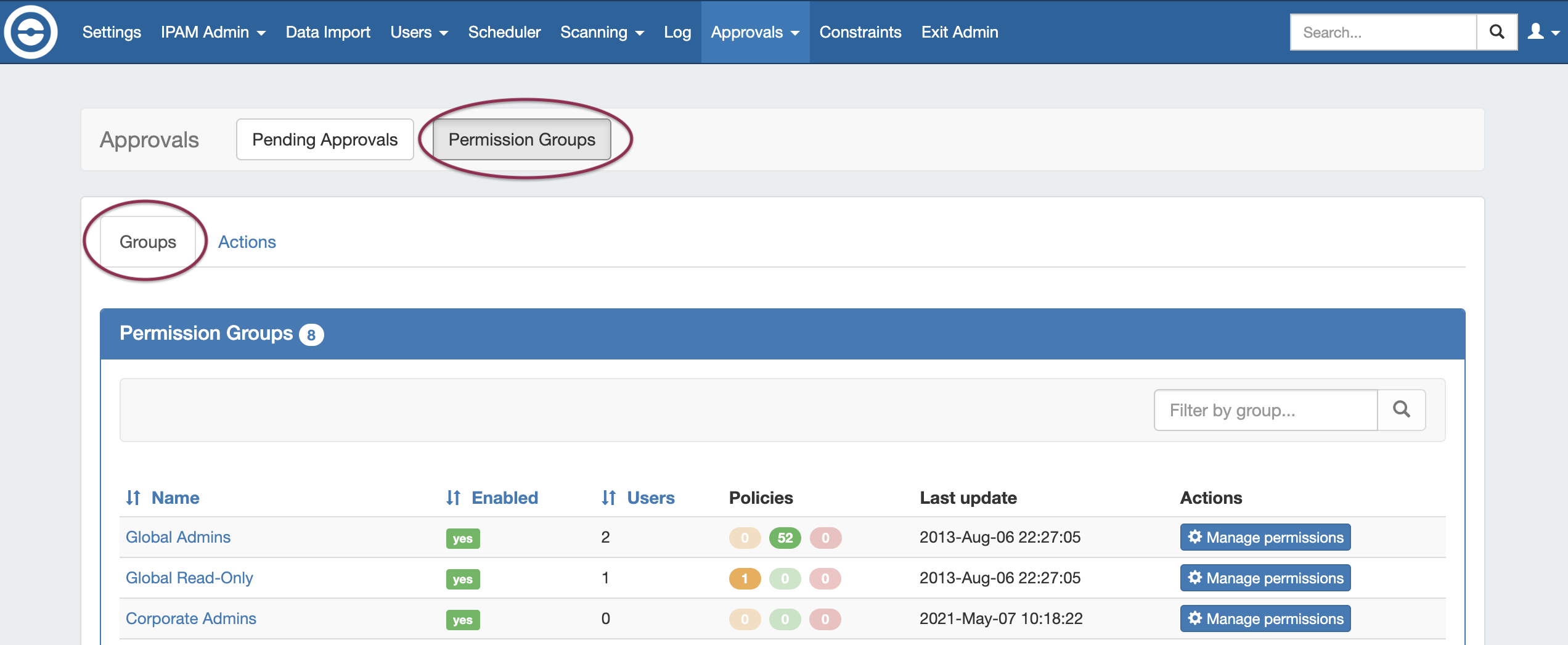
Then, under the Groups page tab, find the ProVision User Group you want to assign a policy to and click Manage Permissions.
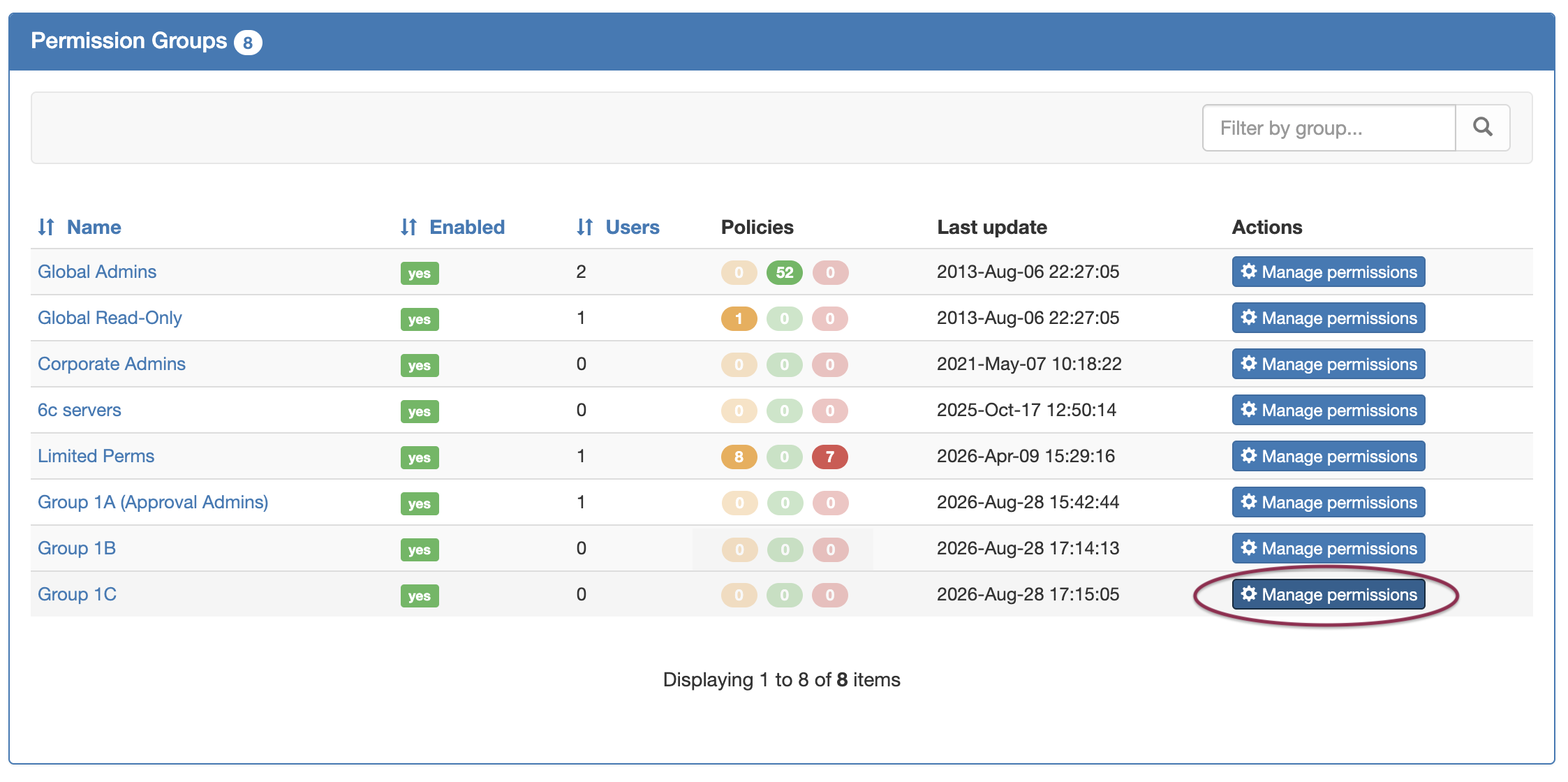
Clicking Manage Permissions for a group brings up a Group Assignment checklist to select which Family-Actions to apply under which policy.
Select a policy tab, then either select individual actions or "quick-select" all actions for a Family (Severs, Groups, Zones, Records) by clicking the checkbox next to the family name, or enable/disable all using the buttons at the top right. You may enter a term in the search box above the actions checklist to filter the list by keyword (such as Delete).
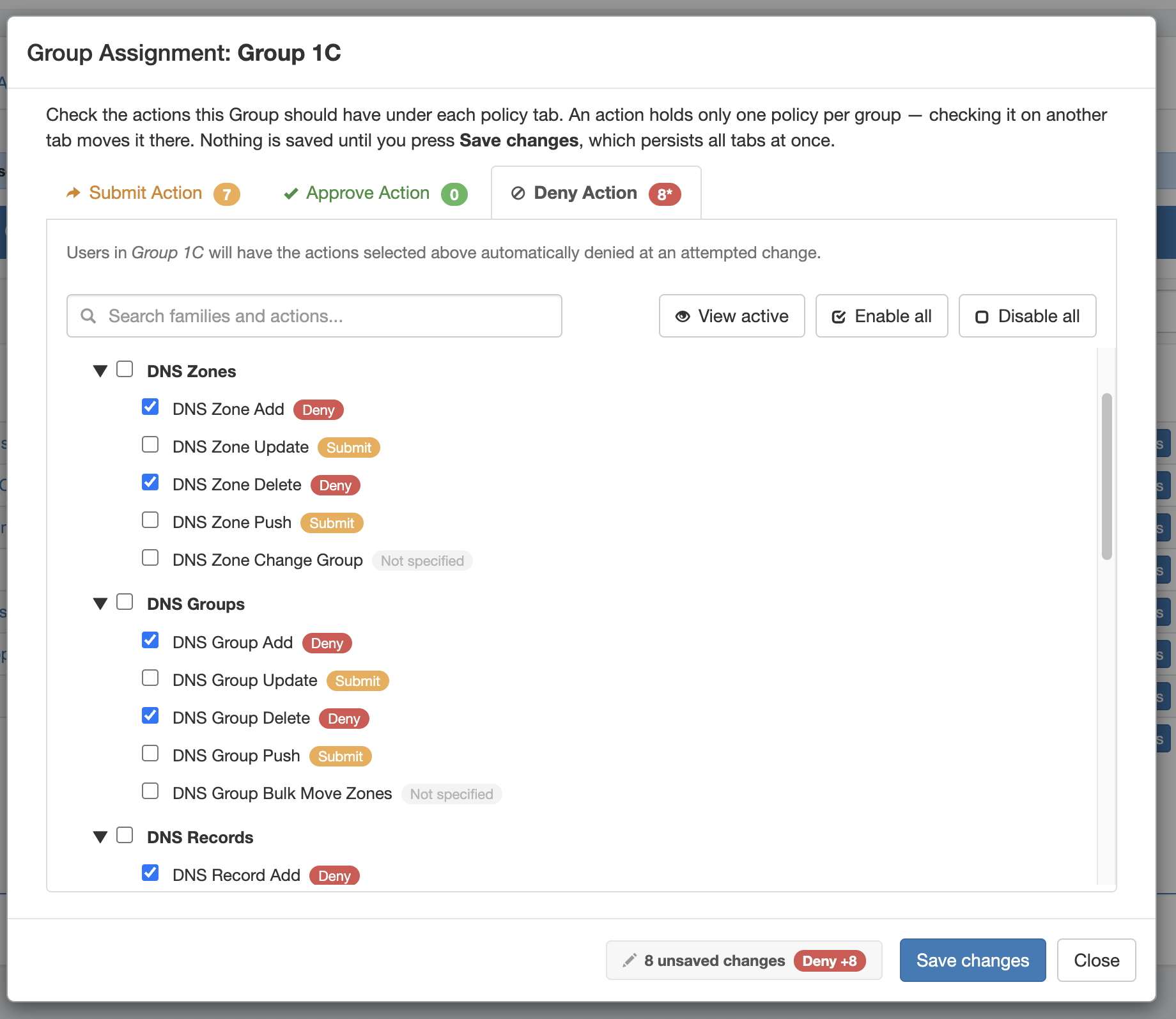
When done, Click Save Changes and repeat as needed for other User Groups.
Step 4: Enable Notifications (Optional)
Step 4: Enable Notifications (Optional)
If using Approvals notifications, enable notifications for the appropriate Permissions Group(s).
From the Approvals Tab, navigate to the Permission Groups sub-tab Groups page tab.
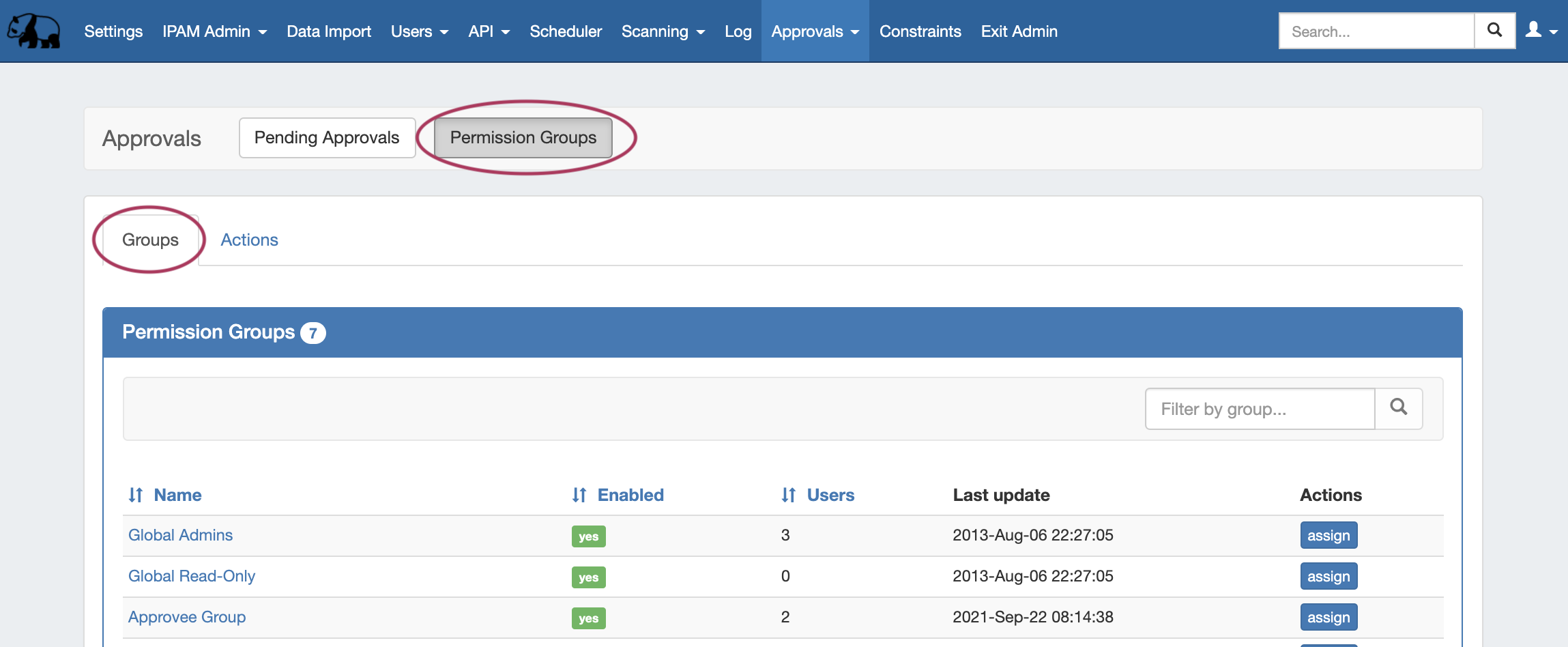
Click on the group name for which you want to set notifications - the Group Permissions Detail page will provide additional information on the group's settings.
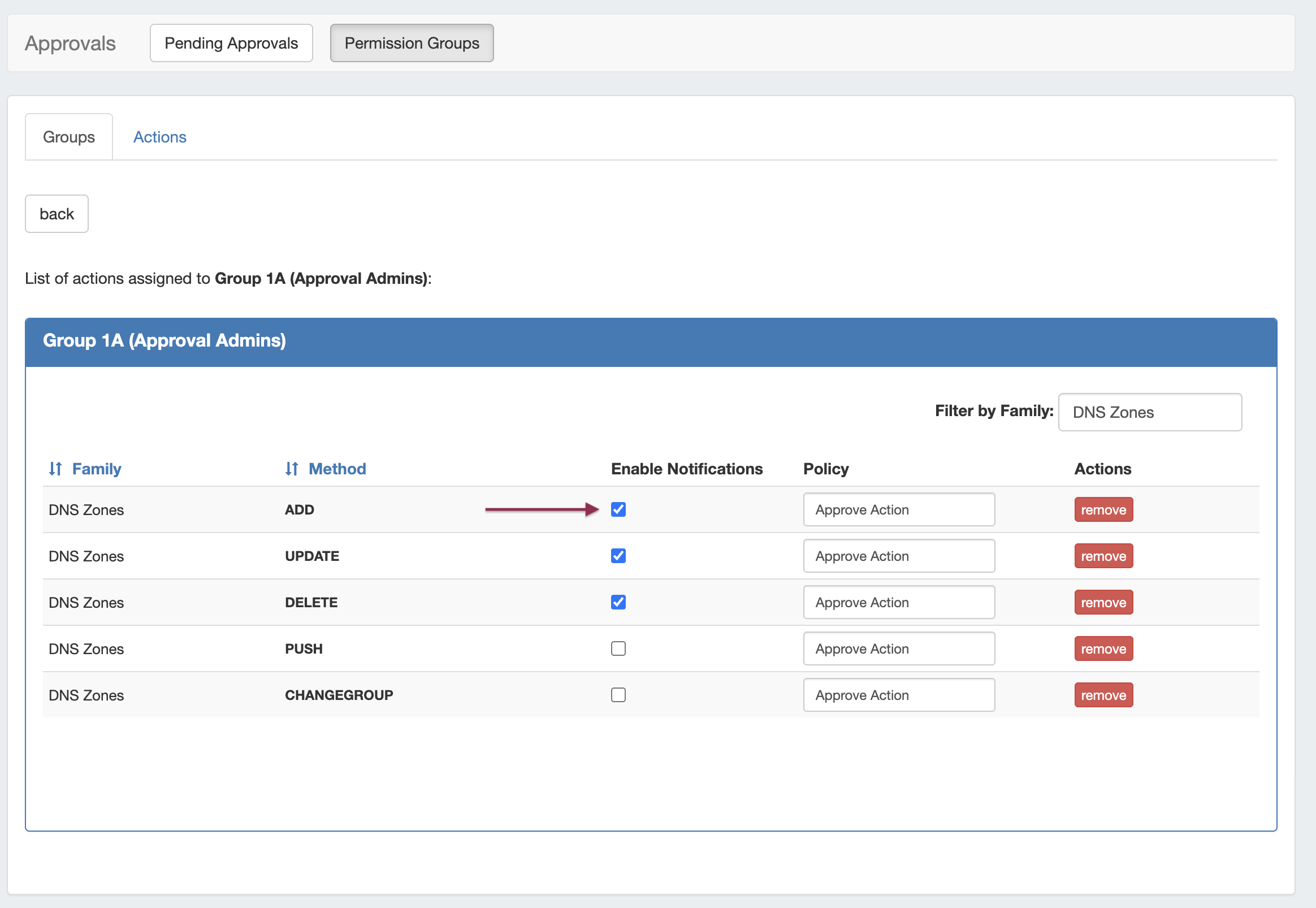
For any Family/Action that you want to enable notifications, click the checkbox under "Enable Notifications". All users of that group will get email notifications when a change of the selected type(s) are made.
Step 5: Set up Approval Scheduler Tasks (Process Subscription Notifications / Delete Old Events)
Step 5: Set up Approval Scheduler Tasks
There are two Approvals-related Scheduler tasks available:
-
Approvals - Process Subscription: The "Approvals - Process Subscription" task processes approval request events and handles the sending of notification emails to subscribed Approvals Groups.
-
This task must be created, enabled, and running on a regular interval in order for Approval Notification emails to be sent.
-
it is recommended to create this to run at short, regular intervals appropriate to the needs of the users receiving the emails (every 5-10 minutes), and with no end date.
-
-
Approvals - Delete events older than 1 month: Set up this task to occasionally clear out old and obsolete Approval request events. This task deletes any Approvals history events older than 30 days.
-
It is recommended to set this task to run monthly with no end date, to clear out obsolete approvals items, reduce data storage space needs, and reduce approvals page load time.
-
To set up either of these events:
-
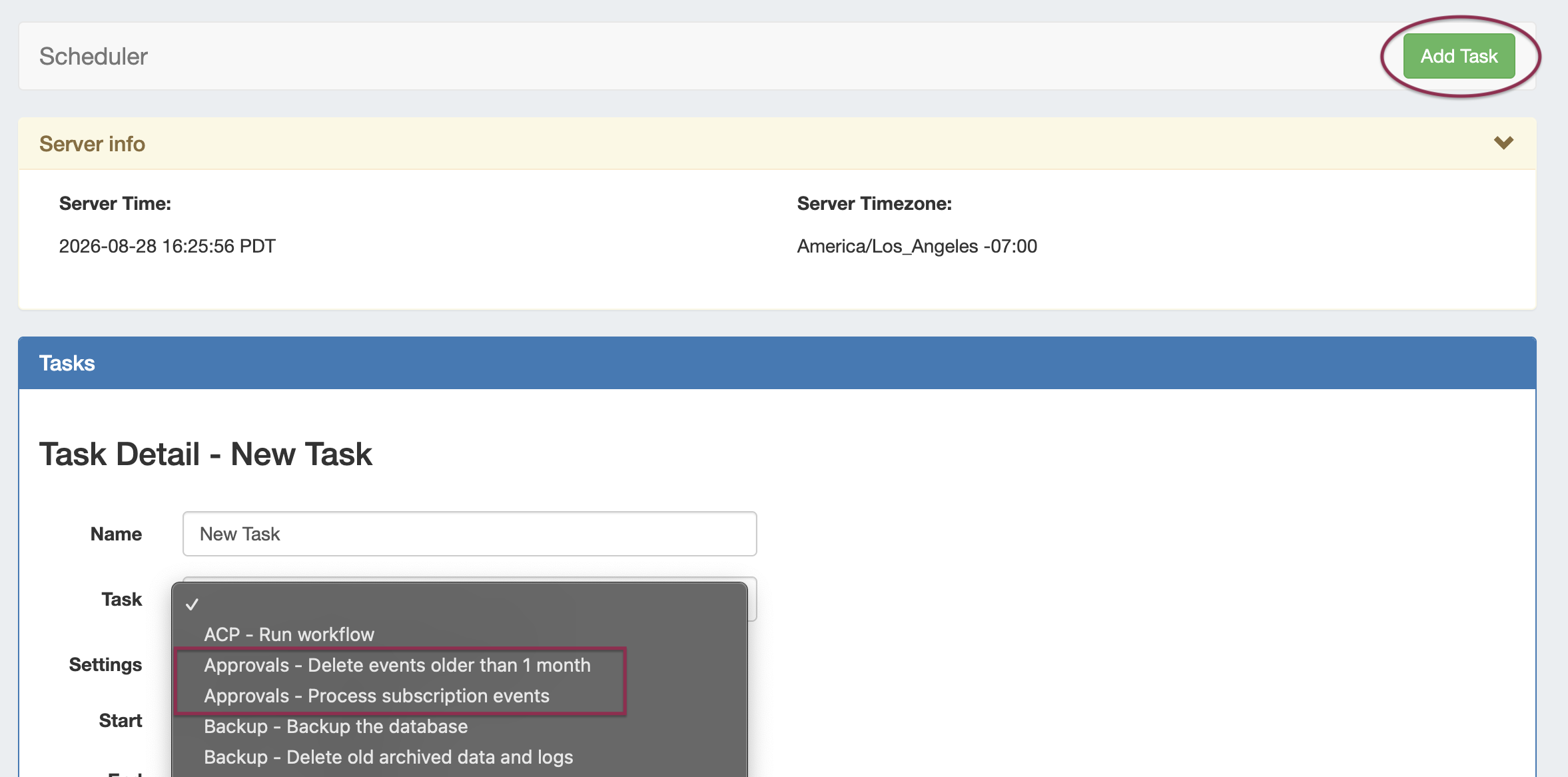
Go to the Admin → Scheduler tab and click Add Task to set up the Scheduler tasks for Approvals.
-
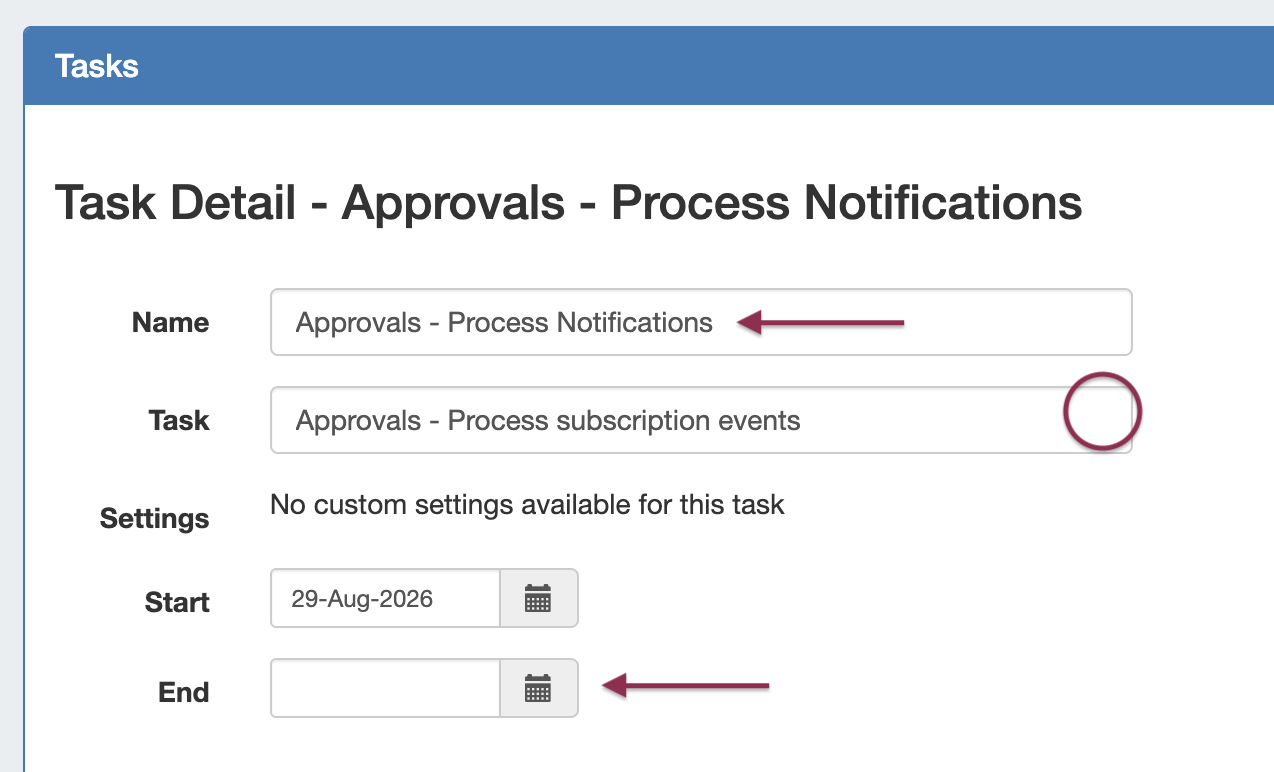
Enter a display name for the task
-
Click in the Task field to select the appropriate task (Approvals - Delete events older than 1 month or Approvals - Process Subscription Events)
-
Enter a Start/End Date - We recommend leaving the end date blank in order to create as a “forever” task.
-
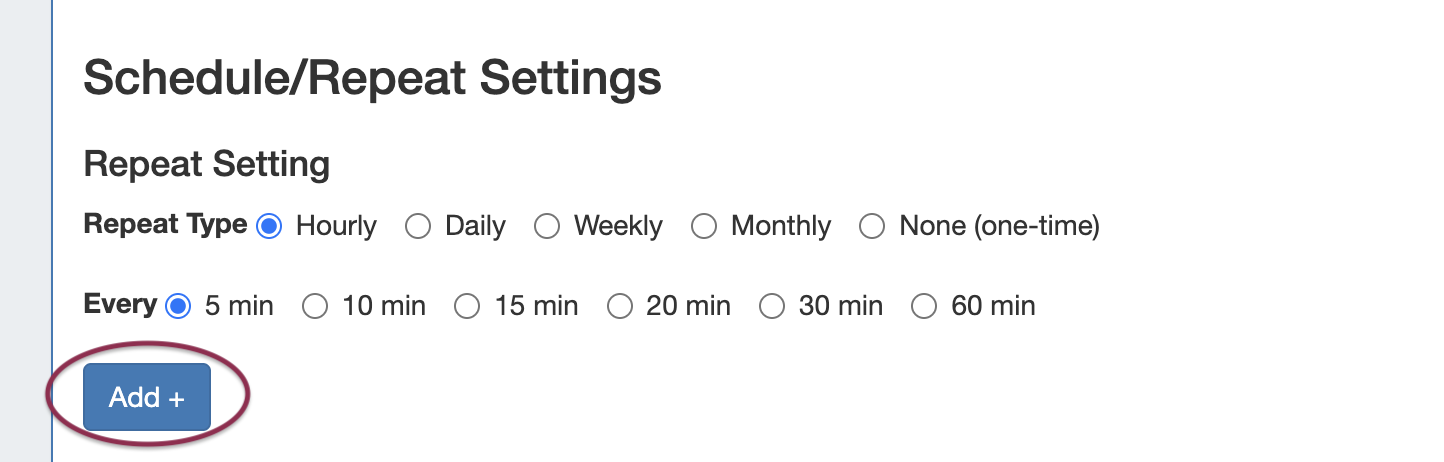
Select repeat settings for the task and click Add
-
Approvals - Delete events older than 1 month: Recommended to repeat once a month
-
Approvals - Process subscription events: Recommended to run every 5-10 minutes
-
-
Click Save Task to save your task settings.
-

Once the task is created, it will display in the Scheduler Task List. From here, you may view task history, view details, manually run the task now, or delete the task.

For more information on setting up Scheduler Tasks, see Scheduler Tab.
Approvals - Daily Use
On a day-to-day basis after initial setup, an Approvals Workflow will be similar to the following (with "Submitter" as the user whose actions require approval, and "Approver" as the admin with the ability to approve/reject the change):
-
Submitter makes an action (either by action type or DNS / DHCP / IPAM Family) that requires approval
-
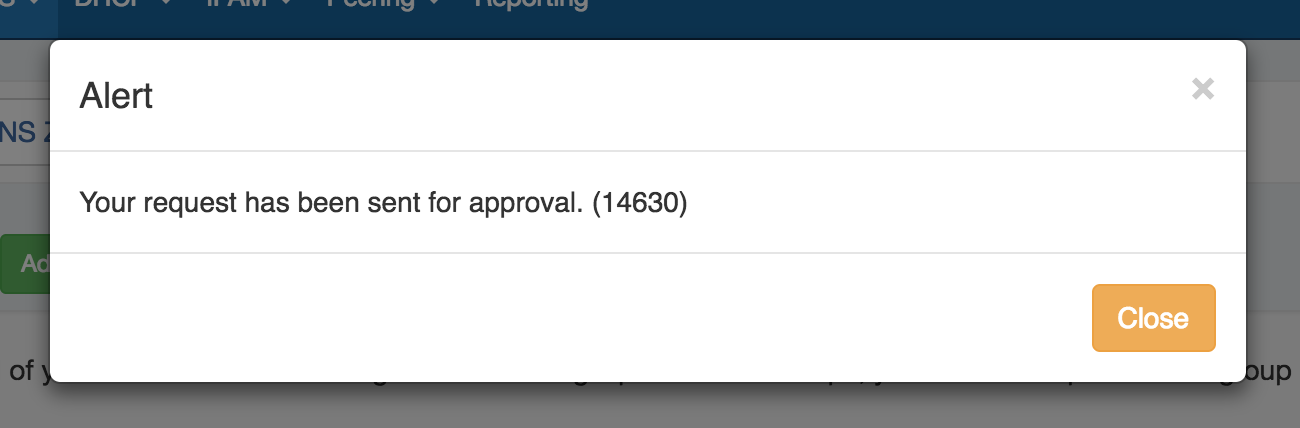
Submitter is notified that their action is pending approval
-
The requested change is sent to the Approvals Tab Pending Approvals list, and also to the Resources Awaiting Approval module for the relevant area (the submitter may see their own submitted action under "Resources awaiting approval", but only Approvers can take approve/reject actions).
-
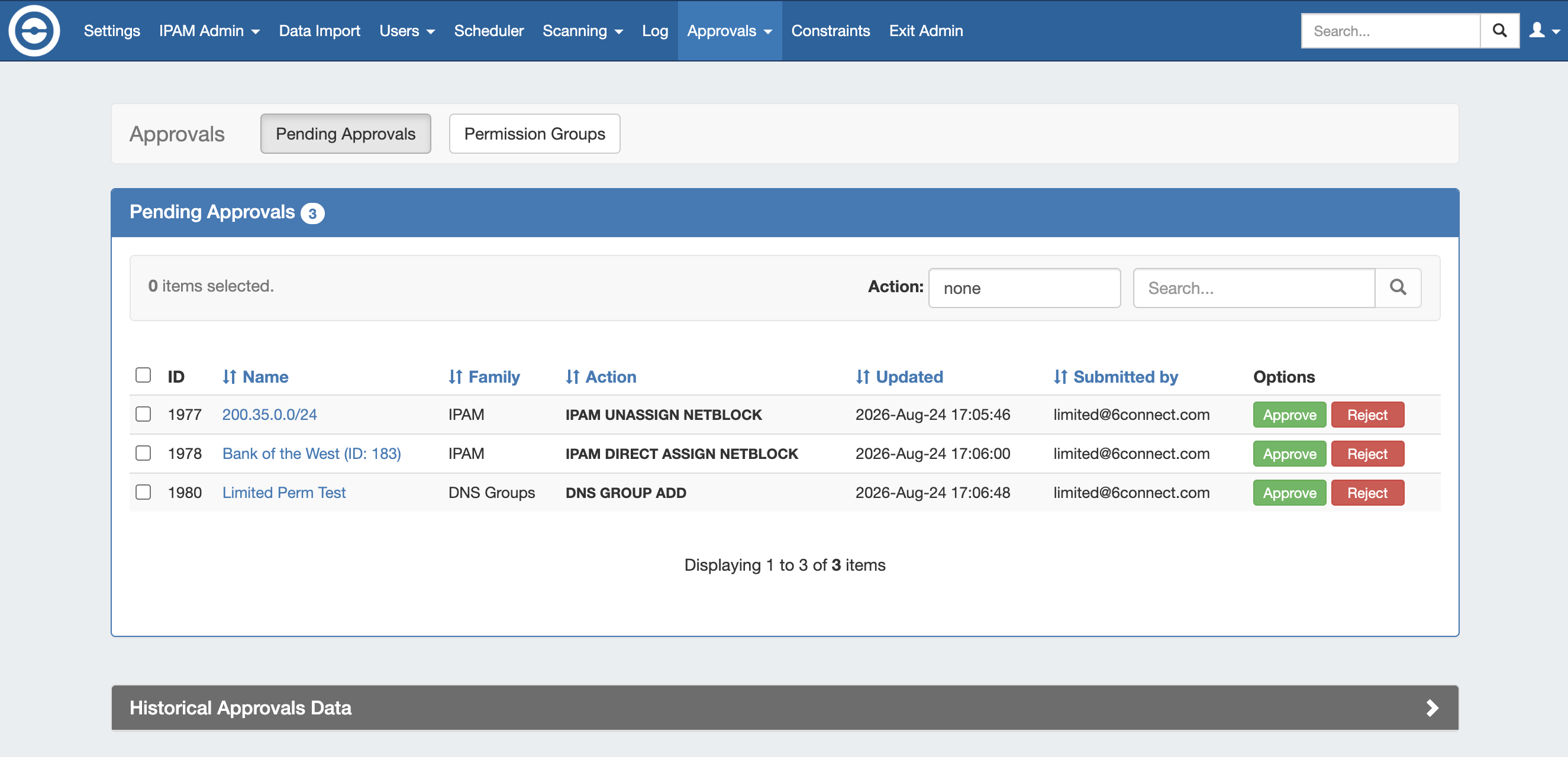
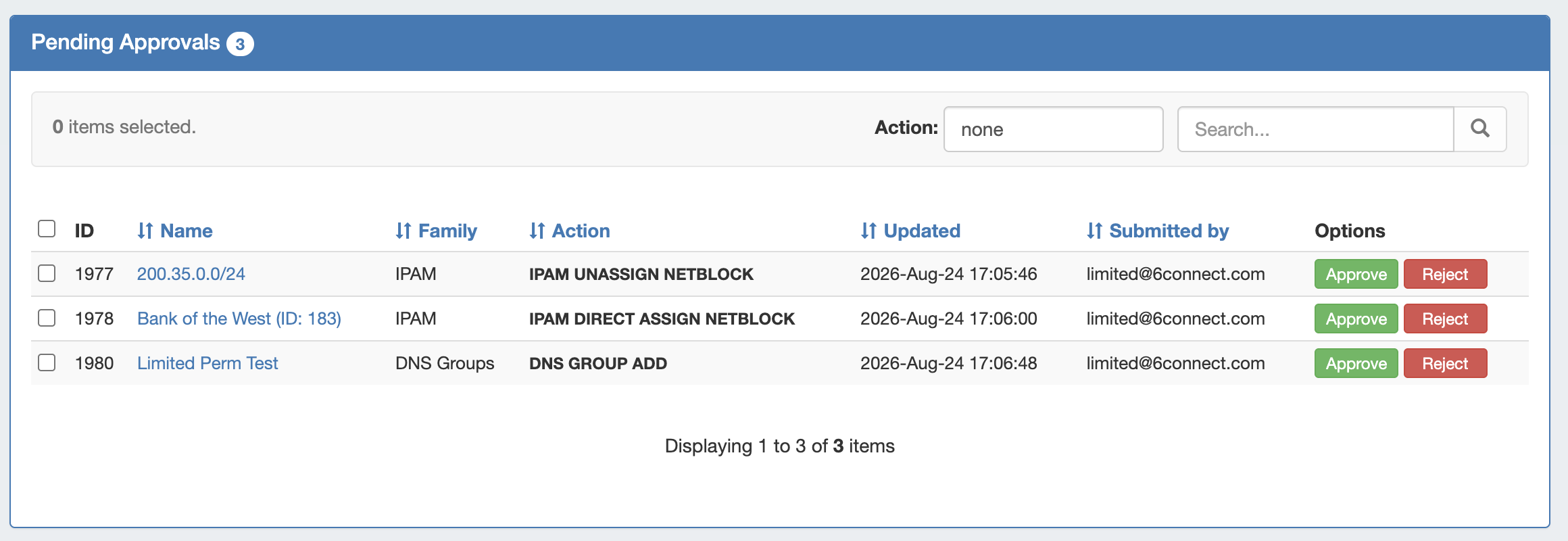
The Pending Approvals list is under the Approvals Tab. It shows Approvals events (change requests) for which the user has the ability to Approve or Deny - it does not show approval requests for all of ProVision or those for other users.
-
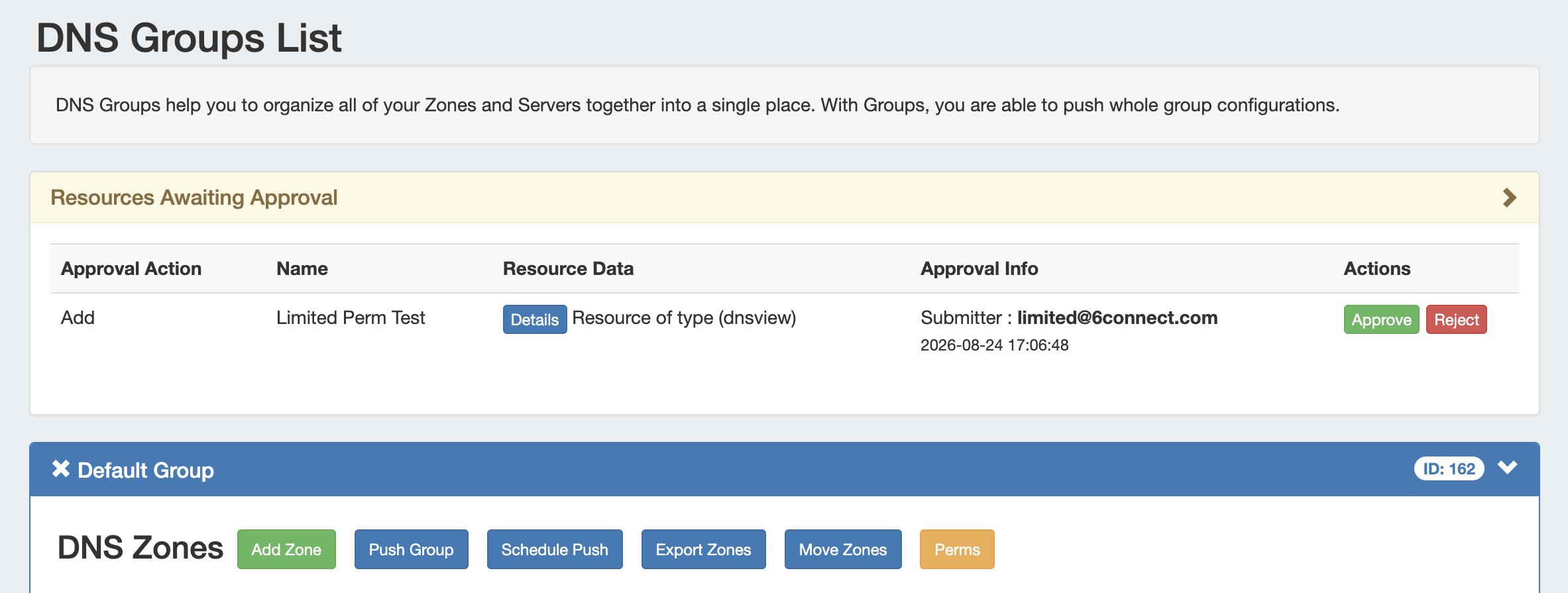
A "Resources Awaiting Approval" module will display in selected DNS / DHCP pages to Users with Admin / Approval permissions, if a change has been submitted on that page that is pending approval by the User's Approval Group.
-
-
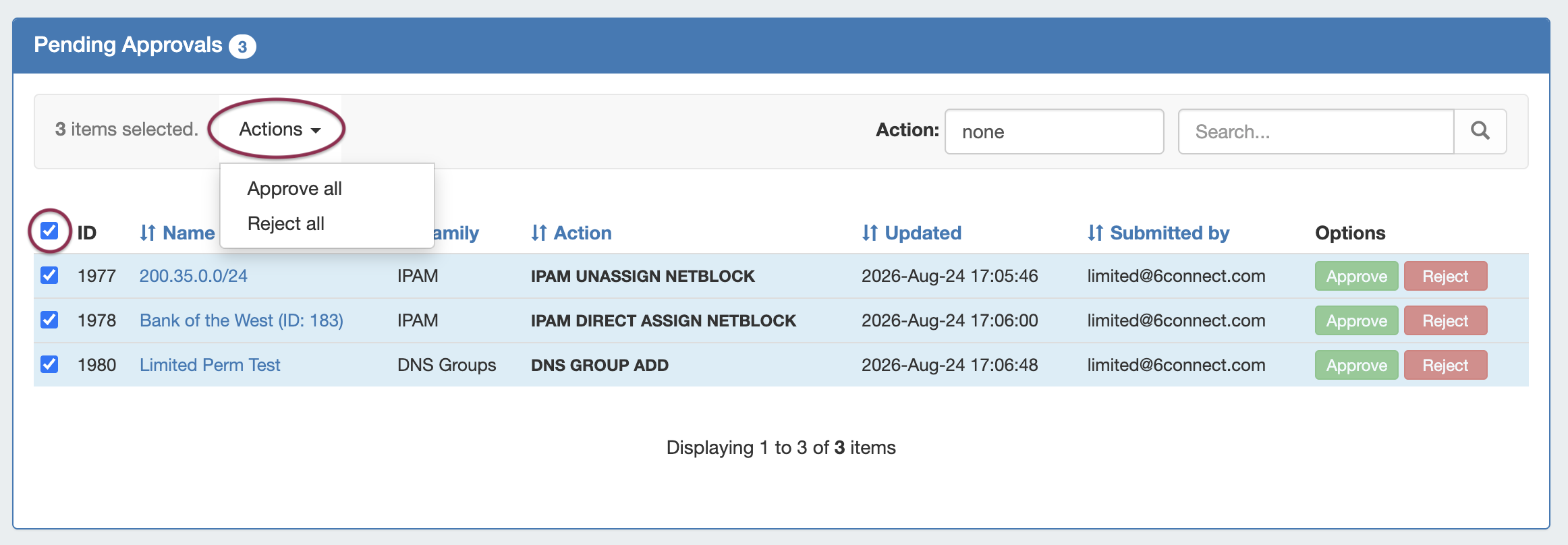
The Approver reviews the change in either their Approvals Tab Pending Approvals list, or the Resources Awaiting Approval module, and chooses to Approve or Reject the change. Events may be approved / rejected individually, or multiple events may be selected for bulk approval / rejection by selecting the desired checkmarks, expanding the "Actions" menu, then selecting either "Approval All" or "Reject All" for the selected events.
-
-
If Approved, and no other groups need to approve it, then the change executes and is saved. A status change notification email is sent, if enabled.
-
If Approved, and is waiting approval from an additional User Group, the change continues to be held as Pending, until the other group responds (Both groups must "Approve" for the change to execute). A status change notification email is sent, if enabled, stating that the change is awaiting another Group.
-
If Rejected, the change is not executed. A status change notification email is sent, if enabled.
-
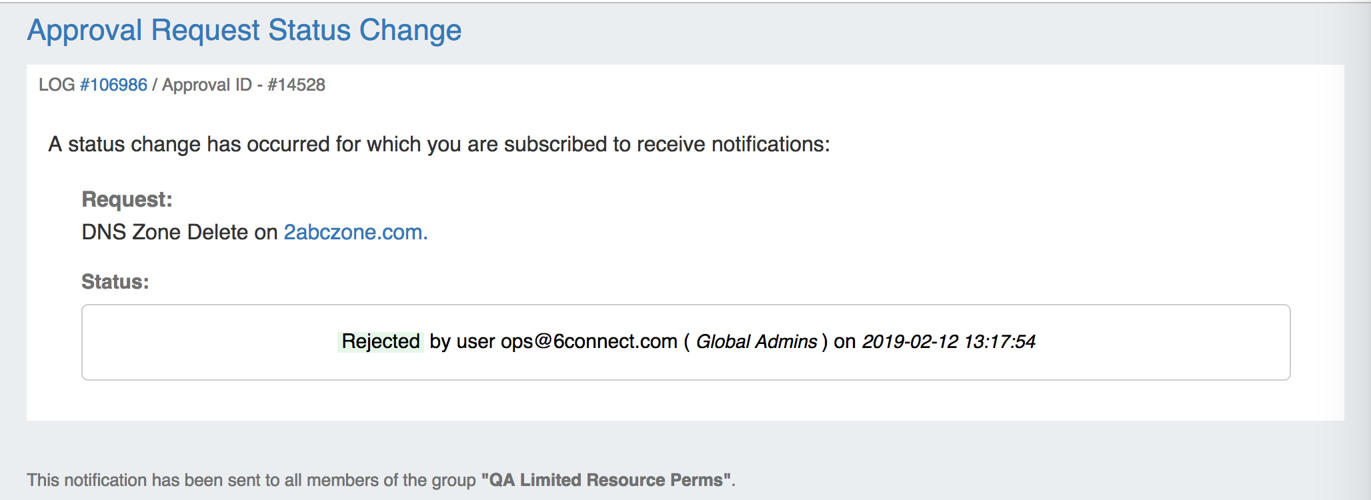
Example Status Change Notification Email: