
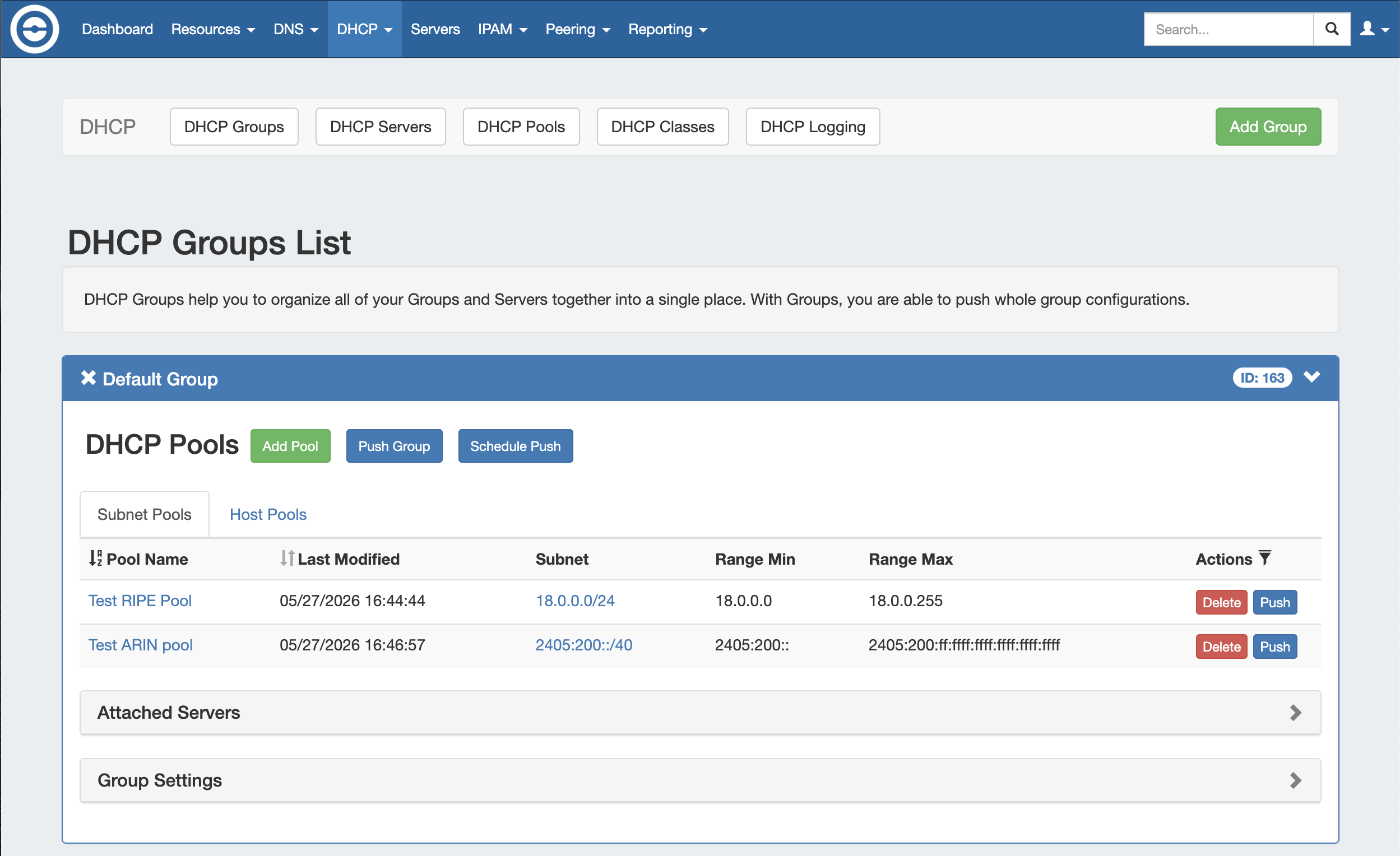
The DHCP tab DHCP Groups List allows you to create, view, and manage groups of DHCP servers and pools. Using groups, you can configure and push selected combinations of pools at one time.
DHCP Groups List Interface
DHCP Navigation
Move between the DHCP Groups, DHCP Servers, DHCP Pools, DHCP Classes, and DHCP Logging pages via the subtab buttons below the main navigation bar.
The right side of the DHCP navigation bar contains the option to create a new DHCP Group by clicking "Add Group".

DHCP Group Container
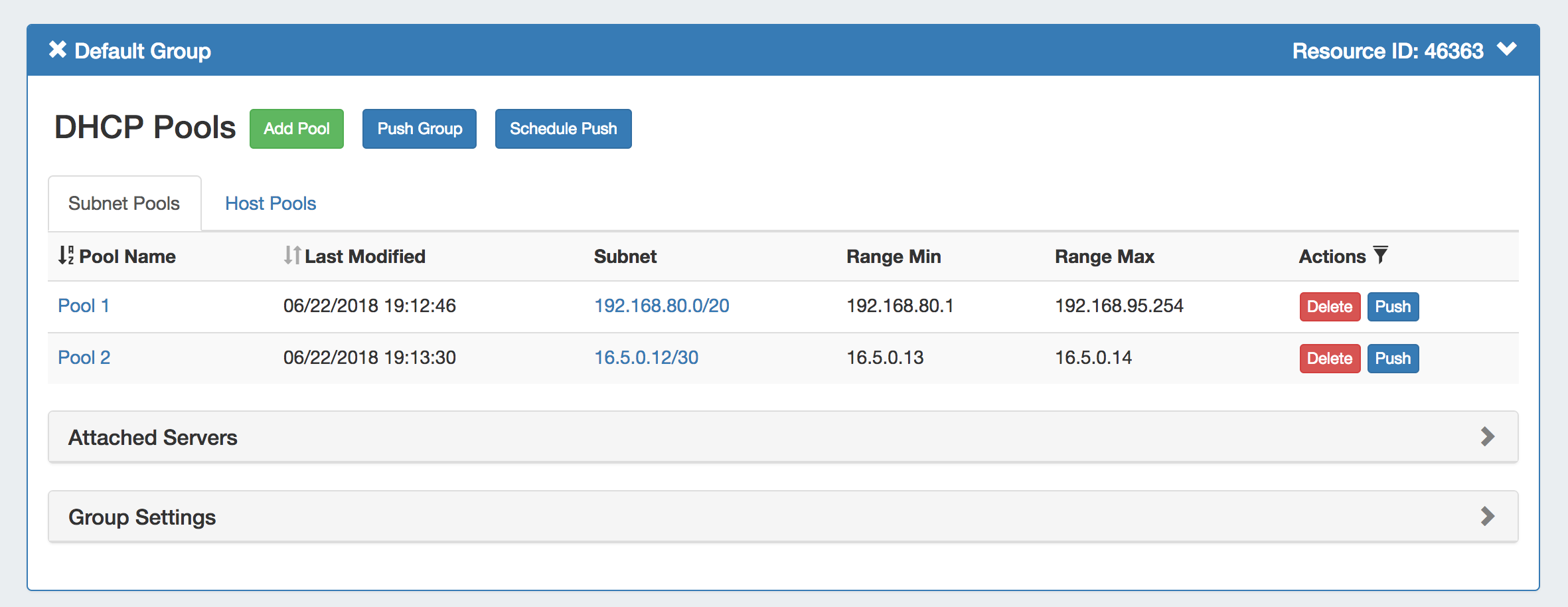
The DHCP Group container displays the DHCP Group information in the top header bar, showing the group name, group id, and visibility controls:
-
Expand or close the group container by clicking on the expansion arrow ( > ) on the far right of the header.
-
Clicking on the X will delete the group and all pools included in the group.
-
Rename the group by clicking on the name, then typing the desired changes and clicking outside of the name.
Expand the following areas for more information on each part of the DHCP Group container:
DHCP Pool List
DHCP Pool List
The group pool list displays subnet and host pools included in the group under separate tabs, and pool information:

-
Subnet / Host Pools Tabs: Lists the subnet or host pools under the group. Click on the "Pool Name" header to sort the pool list (ascending or descending) by name. Click on a pool name to open the pool details page.
-
Last Modified (Sortable): Displays the date and time the pool was last modified. Click on the "Last Modified" header to sort the list by most / least recent modification date.
-
Subnet (or IP): The subnet or IP of the subnet/host pool, respectively.
-
Range Min (or MAC): The starting range address for subnet pools or the MAC for host pools.
-
Range Max: For the subnet list, displays the ending range address for the pool.
-
Actions: Click on the "Actions" header to reveal sortable filters for selected fields. Buttons under the Actions column indicate available actions for each pool:
-
Delete: Deletes the pool from ProVision.
-
Push: Pushes the pool to the associated server.
-
Attached Servers Module
Attached Servers Module

The Attached Servers module displays information on servers attached to the DHCP group. Click on the header title or expand arrow ( > ) to expand or collapse the module.
-
Attached Servers List: Displays the Server Name, Server Backend, Host, Parent Resource, and available actions. Click on the Server Name or Parent Resource link to view details
-
Actions: Buttons under the Actions column indicate available actions for the server:
-
Detach: Detaches the server from the DHCP group.
-
Perms: View or edit permissions for the attached server.
-
-
Attach Sever: Select an available server from the dropdown and click "Attach" to attach to the DHCP group.
Group Settings Module
Group Settings Module
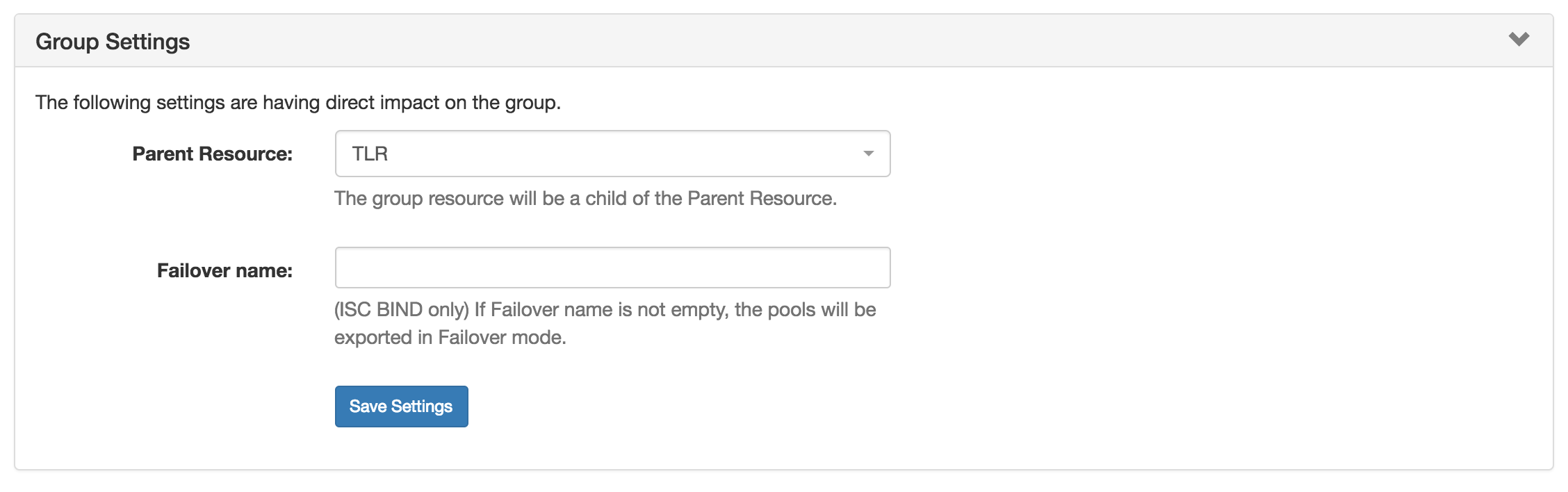
Manage the parent resource and failover (BIND only) for the DHCP group. Click on the header title or expand arrow ( > ) to expand or collapse the module.
-
Parent Resource: The parent resource of the DHCP group. By default, the parent resource is TLR.
-
Failover name: Applicable to ISC BIND Servers only. If provided, the pools will be exported in Failover mode.
-
Save Settings Button: Saves any changes made to the DHCP Group Settings options.
Scheduled Tasks Module
Scheduled Tasks Module

If a scheduled push has been set up for the group, the task information will show in a "Scheduled Tasks" module. Click on the header title or expand arrow ( > ) to expand or collapse the module.
-
Scheduled Tasks List: Displays scheduled tasks applied to the DHCP Group, its repeat settings, and last run time.
-
Actions: Buttons under the Actions column indicate available actions for the tasks:
-
Delete: Click to delete the scheduled task.
-
Working with DHCP Groups
DHCP groups allow for organizing multiple pools together and linking those pools with one or more servers. Pools may be pushed individually, as a group, or at the server level.
A Default Group for pools to be imported or added into is automatically designated. Creating additional groups is completely optional.
Add a Group
Add a Group
Create DHCP groups by clicking the "Add Group" Button, then add subnet or host pools under the group by clicking "Add Pool" for the desired group.
To create a new group, from the DHCP Tab, select the DHCP Groups sub menu. Then, click the "Add Group" button at the top right of the page.

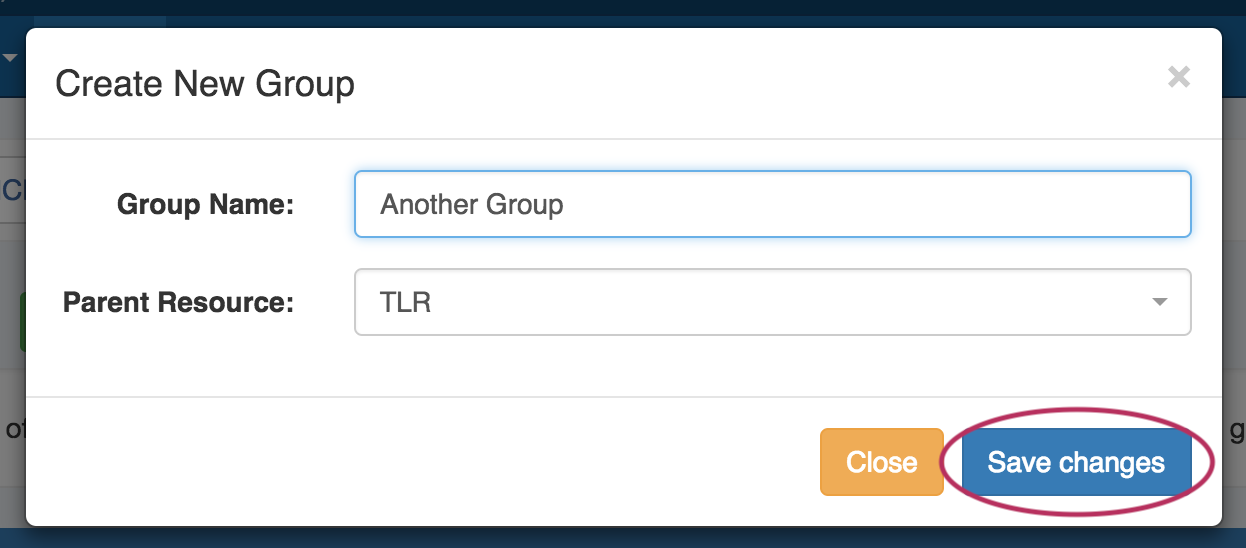
This will open the "Create New Group" dialog.
-
Enter the desired group name and select a parent resource.
-
Click the "Save Changes" button when complete.
The new group will be added to the DHCP Groups List.
View a Group
View a Group
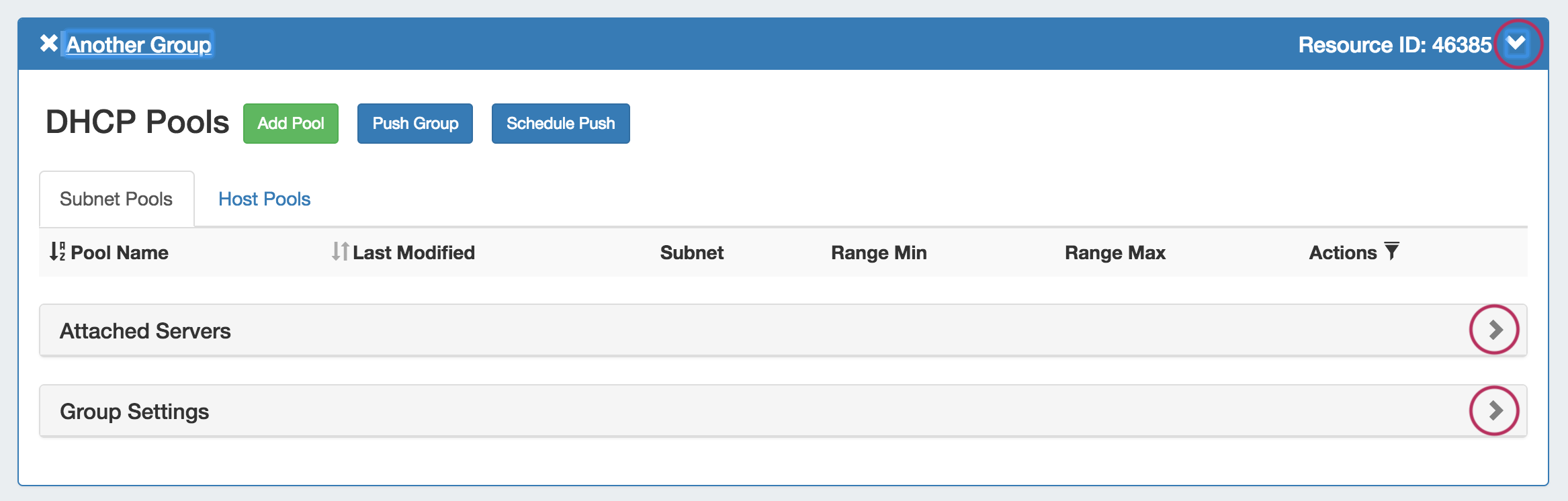
Open the group container for a group by clicking on the expansion arrow at the top right corner of the header.
Information for Attached Servers and Group Settings may also be viewed and edited by clicking on the expansion arrows for each section.
Edit Group Name
Edit Group Name
Edit the name for a group by clicking inside the group's name. A highlight box will appear around the name, and a cursor inside the box.

Edit the text as desired using your mouse or arrow keys to navigate through the text.
When complete, click anywhere outside of the name box, and a confirmation dialog will appear.
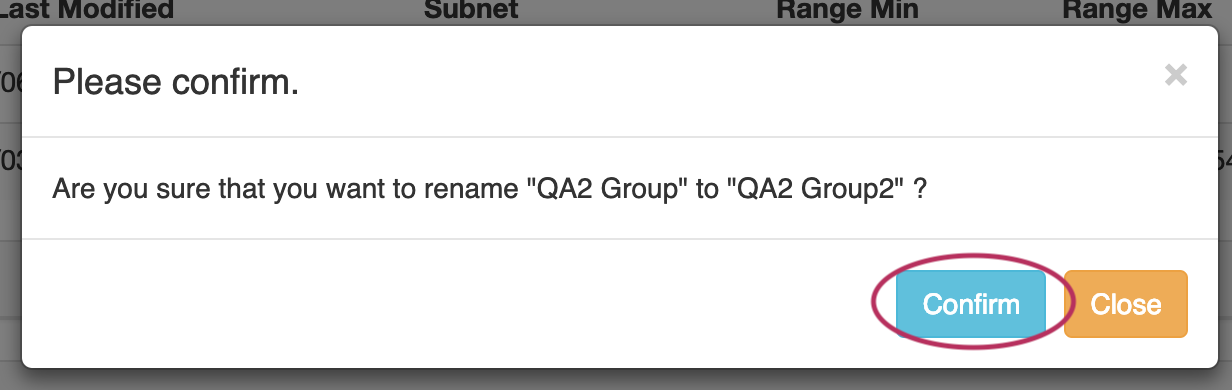
Click "Confirm" to save your changes, or "Close" to exit without saving.
Edit a Group's Settings
Edit a Group's Settings
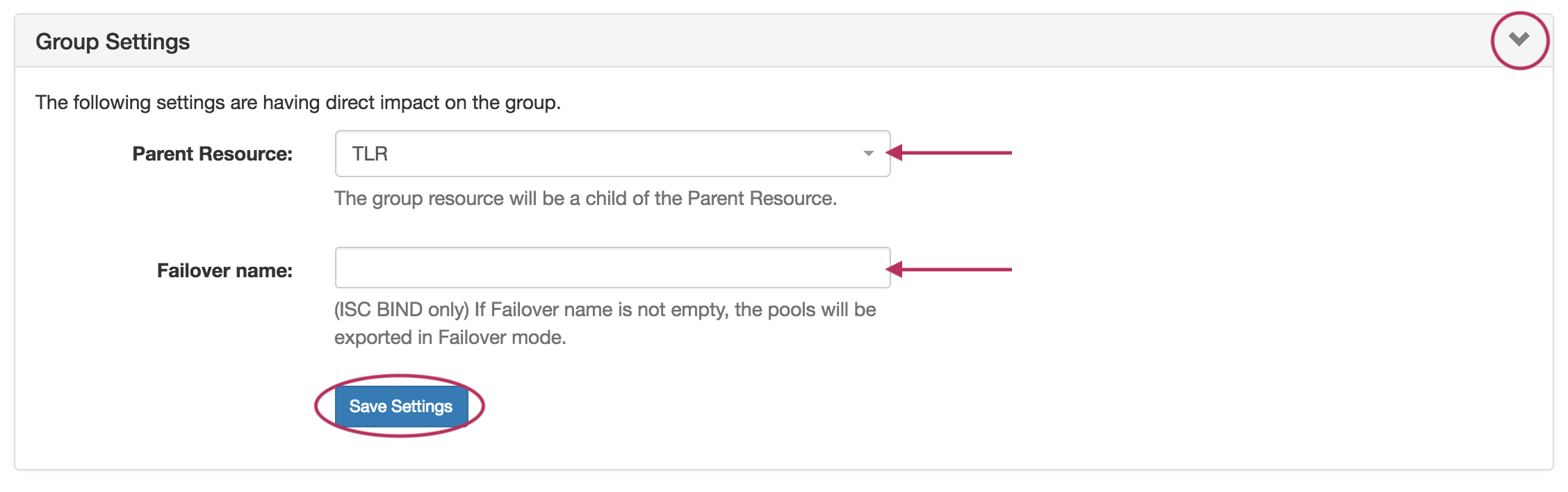
Expand the "Group Settings" module by clicking on the expansion arrow in the upper right corner of the header for the group.
-
Edit Parent Resource: Change the parent resource for the DHCP group by searching and selecting the desired resource from the dropdown box.
-
Edit Failover Name: Edit the Failover name by typing the name directly in the Failover Name input. If the Failover name is not empty, the pools will be exported in Failover mode. NOTE: This is for ISC BIND only.
When done with your edits, be sure to click the "Save Settings" button.
Add Pools to a Group
Add Pools to a Group
To add a new pool to a DHCP group, click the "Add Pool" button inside the desired group.
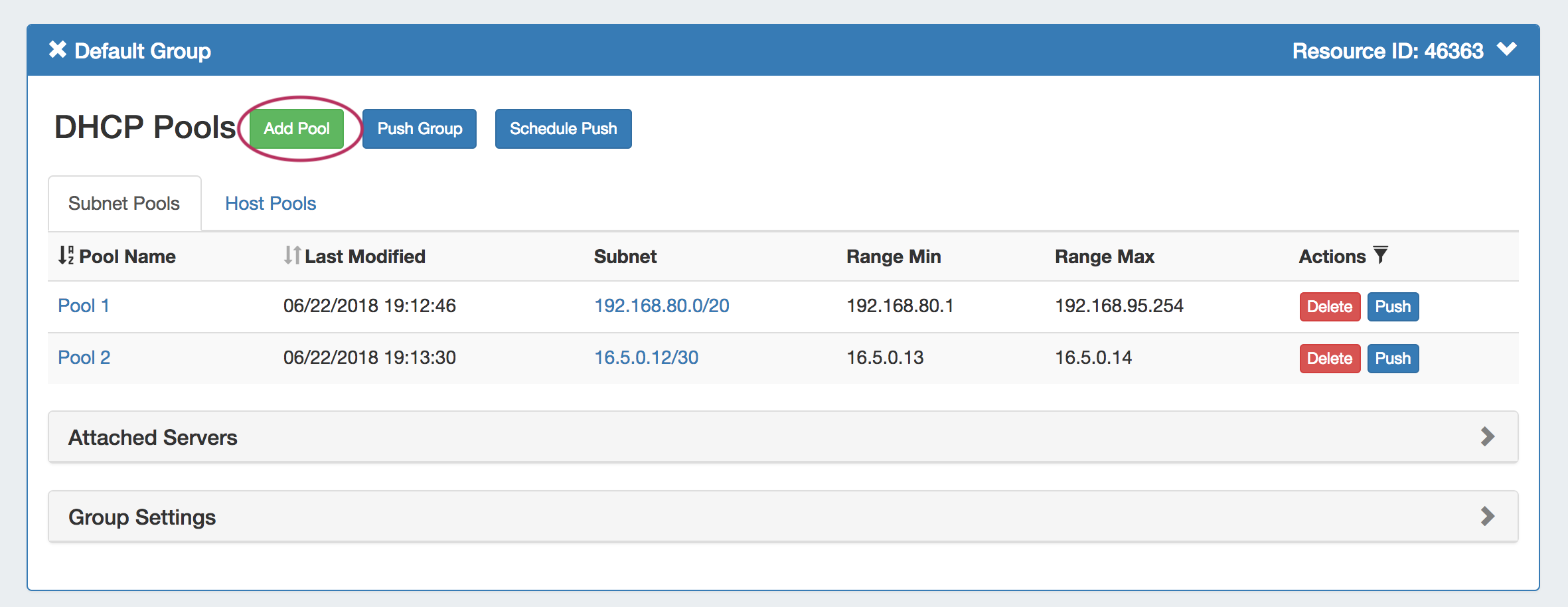
The Create New Pool dialog will open. Select either "Subnet" or "Host" for the Pool Type to enter values for the new pool.
Add a Subnet Pool
Add a Subnet Pool
To add a new subnet pool to a DHCP group, select "Subnet" as the Pool Type. Select the parent resource and type in a subnet name.
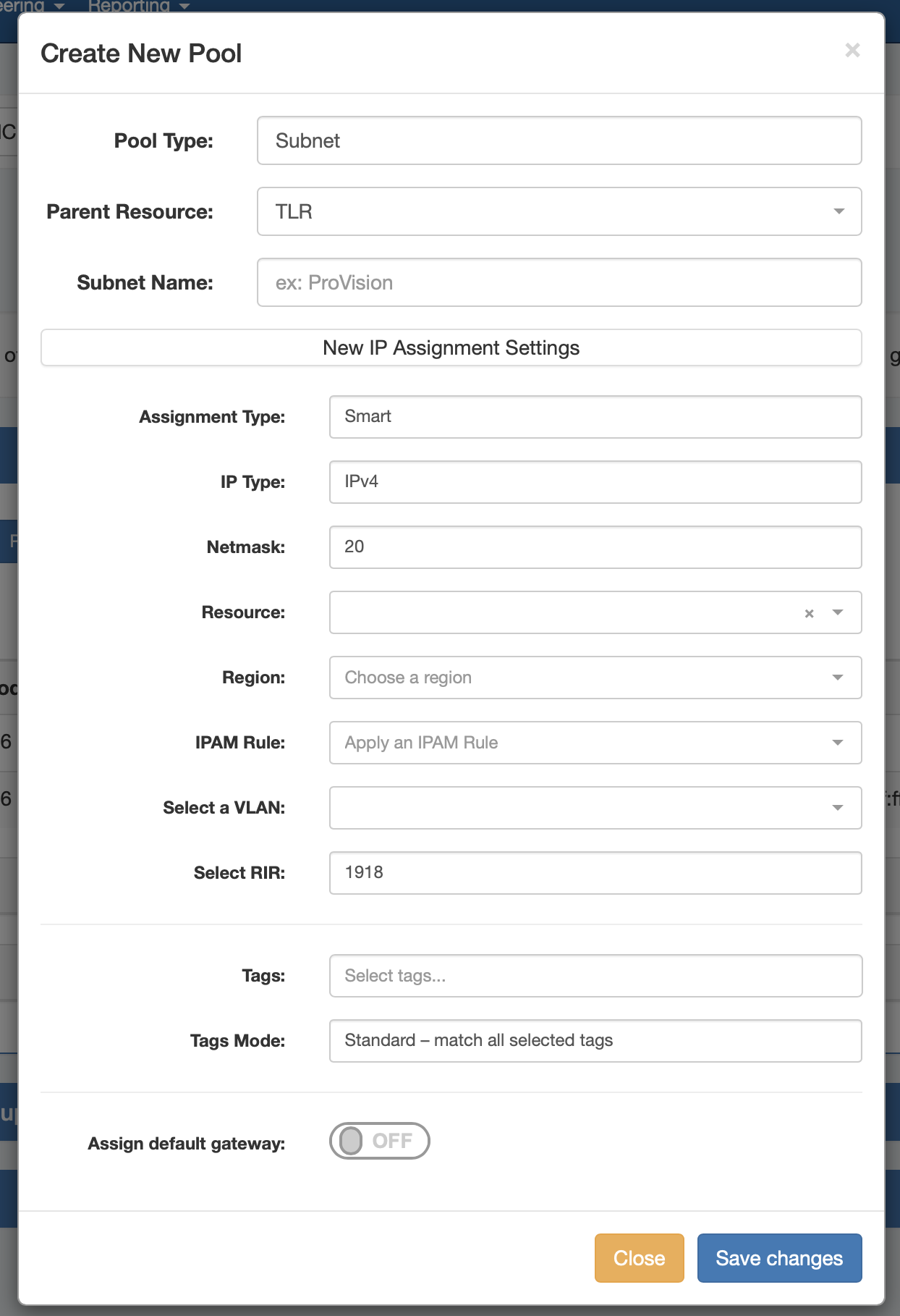
Next, choose an assignment type under "New IP Assignment Settings". ProVision can smart assign a block for the pool that matches your provided criteria, or you may directly assign a specific block.
Smart Assign
To Smart Assign a DHCP pool, select "Smart" for the Assignment type, choose IPv4 or IPv6 for the IP type, then select a netmask and RIR (if other than 1918).
All other fields are optional - Resource, Region, IPAM Rules, and VLAN may be selected to further narrow the block criteria. If desired, toggle "Assign Default Gateway" on.
When done, click "Save Changes". ProVision will choose the first block matching all criteria to assign to the pool.
If no block matches the given criteria, a message will state so. Try either removing some criteria, or ensure that blocks exist in IPAM (with subassignments enabled!) with the given attributes.
Direct Assign
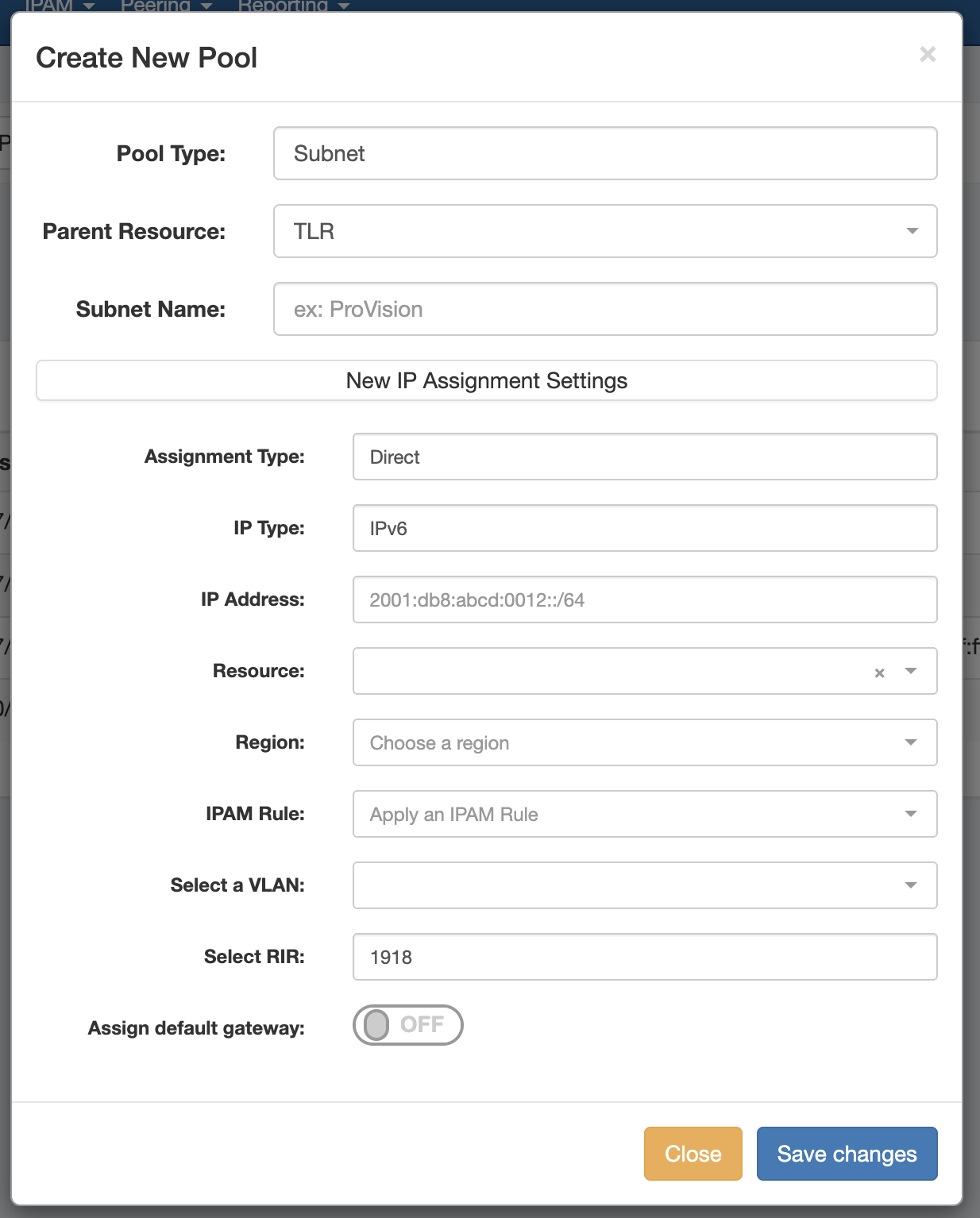
To Direct Assign a DHCP pool, select "Direct" for the assignment type, choose IPv4 or IPv6 for the IP type, then type in the desired IP address. Select an RIR, if it is other than the default 1918.
All other fields are optional - Resource, Region, IPAM Rules, and VLAN may be selected to further narrow the block criteria, if duplicate blocks exist. If desired, toggle "Assign Default Gateway" on.
When done, click "Save Changes". If the typed block exists, with subassignments enabled, and meets any additional criteria, that block will be assigned to the pool.
Add a Host Pool
Add a Host Pool
To add a new host pool to a DHCP group, select "Host" as the pool type. Select the parent resource, and add a hostname and MAC address.
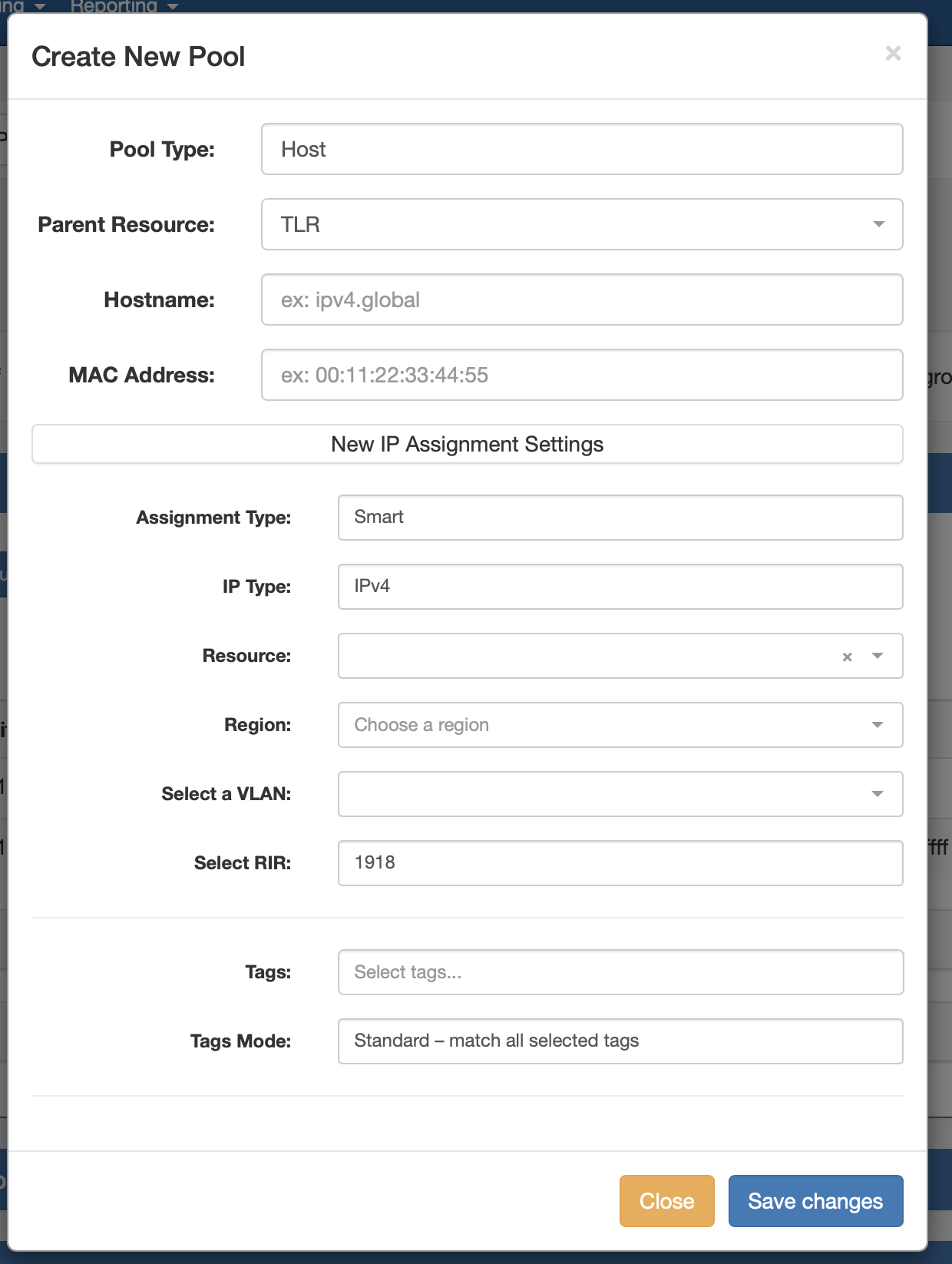
Next, choose an assignment type - you may either have ProVision smart assign a block for the pool that matches your provided criteria, or directly assign a specific block.
Smart Assign
To Smart Assign a DHCP pool, select "Smart" for the assignment type and choose IPv4 or IPv6 for the IP type. Select an RIR, if it is other than the default 1918.
All other fields are optional - Resource, Region, IPAM Rules, and VLAN may be selected to further narrow the block criteria.
When done, click "Save Changes". ProVision will choose the first block matching all criteria to assign to the pool.
If no block matches the given criteria, a message will state so. Try either removing some criteria, or ensure that blocks exist in IPAM (with subassignments enabled!) with the given attributes.
Direct Assign
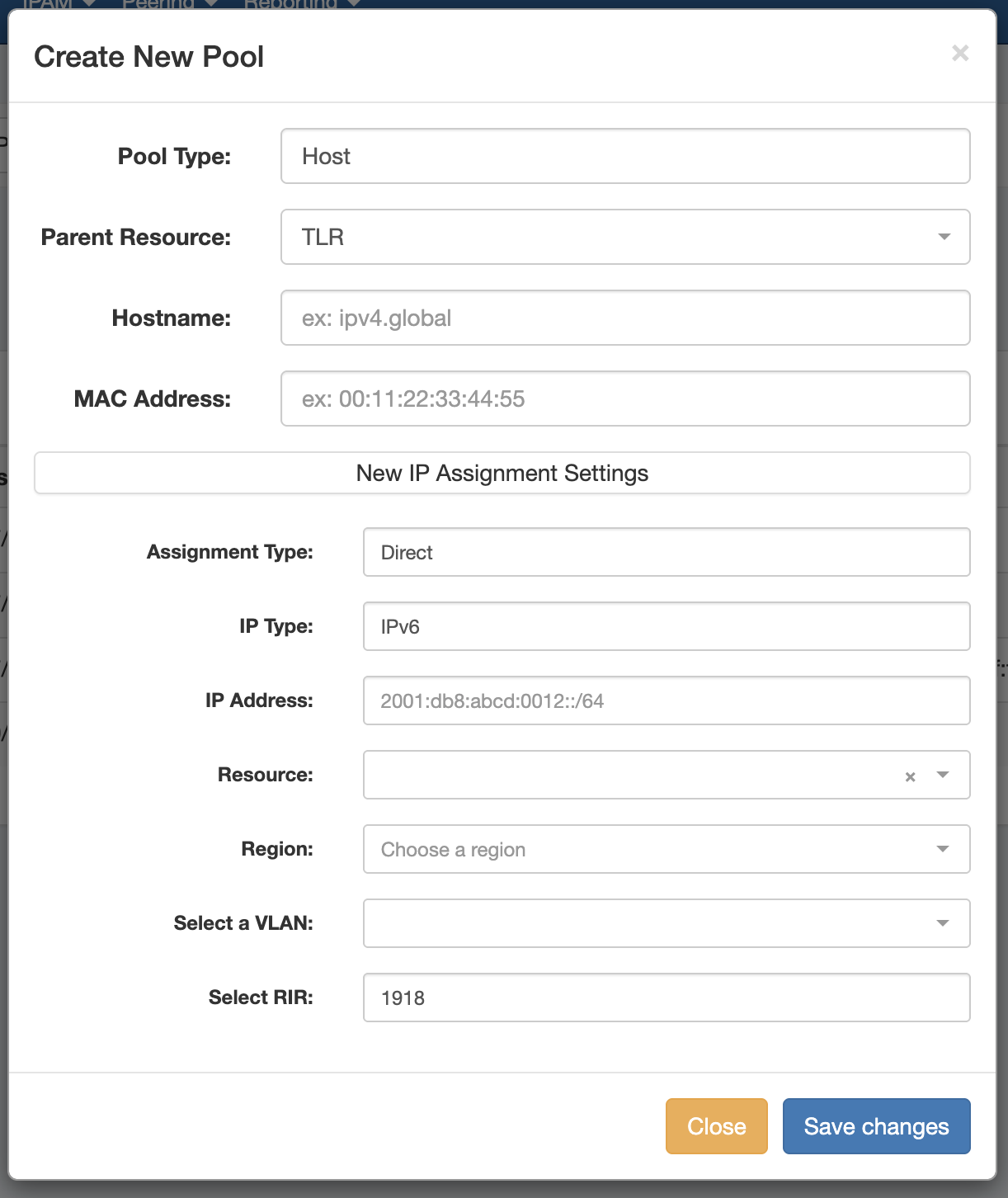
To Direct Assign a DHCP pool, select "Direct" for the assignment type, choose IPv4 or IPv6 for the IP type, then type in the desired IP address. Select an RIR, if it is other than the default 1918.
All other fields are optional - Resource, Region, IPAM Rules, and VLAN may be selected to further narrow the block criteria, if duplicate blocks exist.
When done, click "Save Changes". If the typed block exists, with subassignments enabled, and meets any additional criteria, that block will be assigned to the pool.
Pushing a DHCP Group
Pushing a DHCP Group
Before pushing a group, expand the "Attached Servers" section and verify that the correct server is attached to the DHCP group.
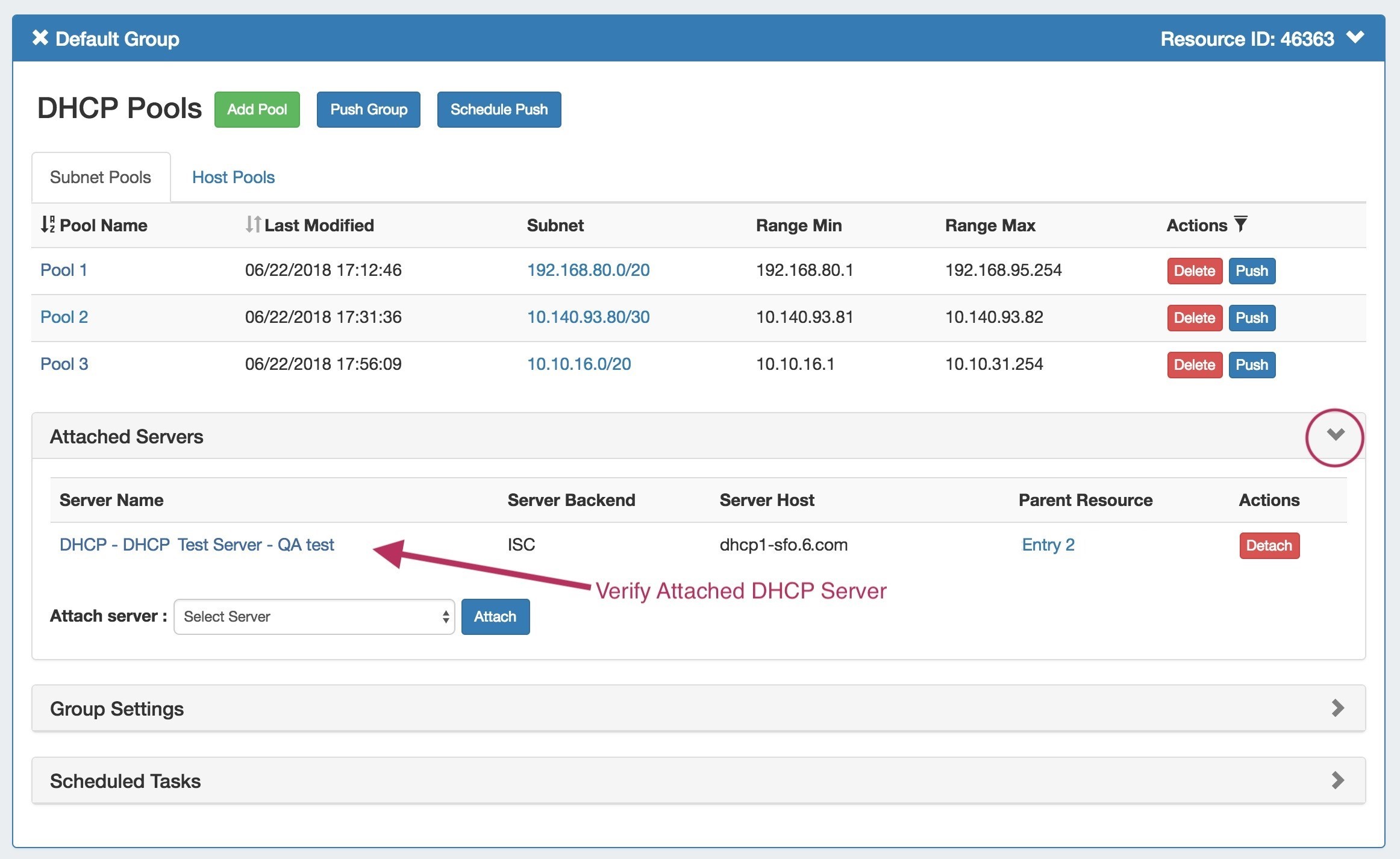
Pools pushes may be performed manually or through a scheduled task.
Manual Group Push
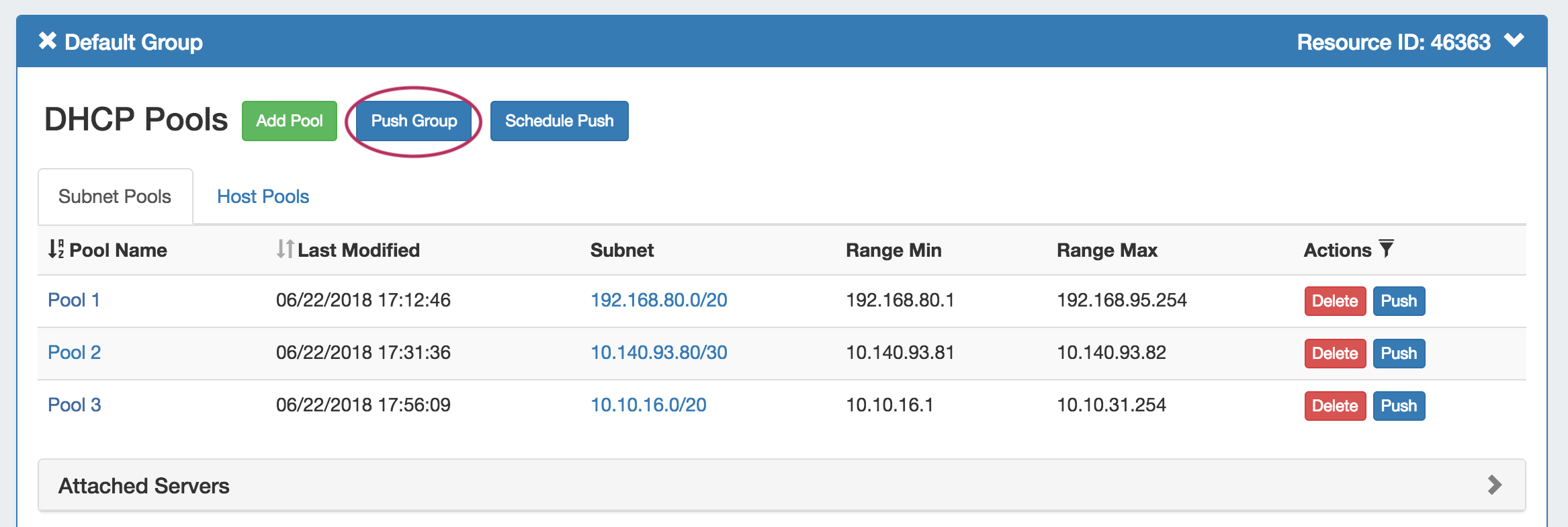
After verifying the attached server, manually push the group by clicking the "Push Group" button under the desired DHCP group.
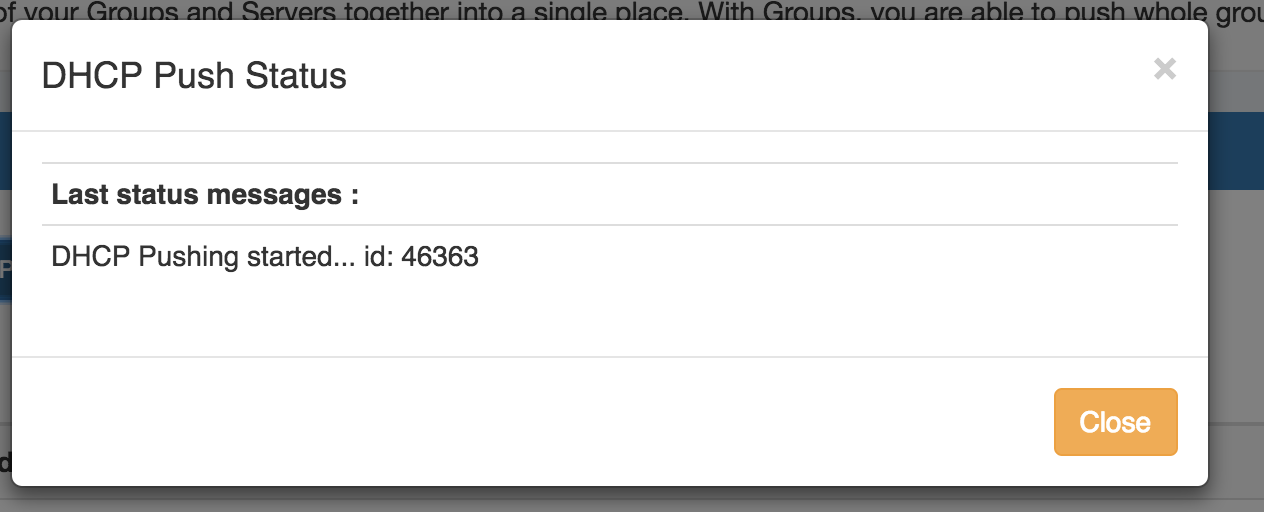
A DHCP Push Status window appears. If successful, a green "Finished DHCP Pushing Request" will appear as the final message.
If errors occur, an error message will show with details on the issue. When complete, hit the "Close" button.
Scheduled Group Push
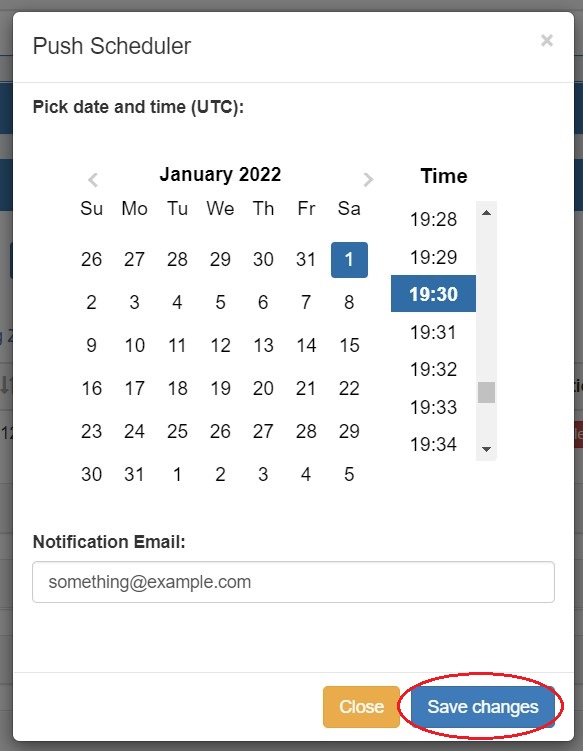
Scheduled pushes may be set up through the "Schedule Push" button for the group.
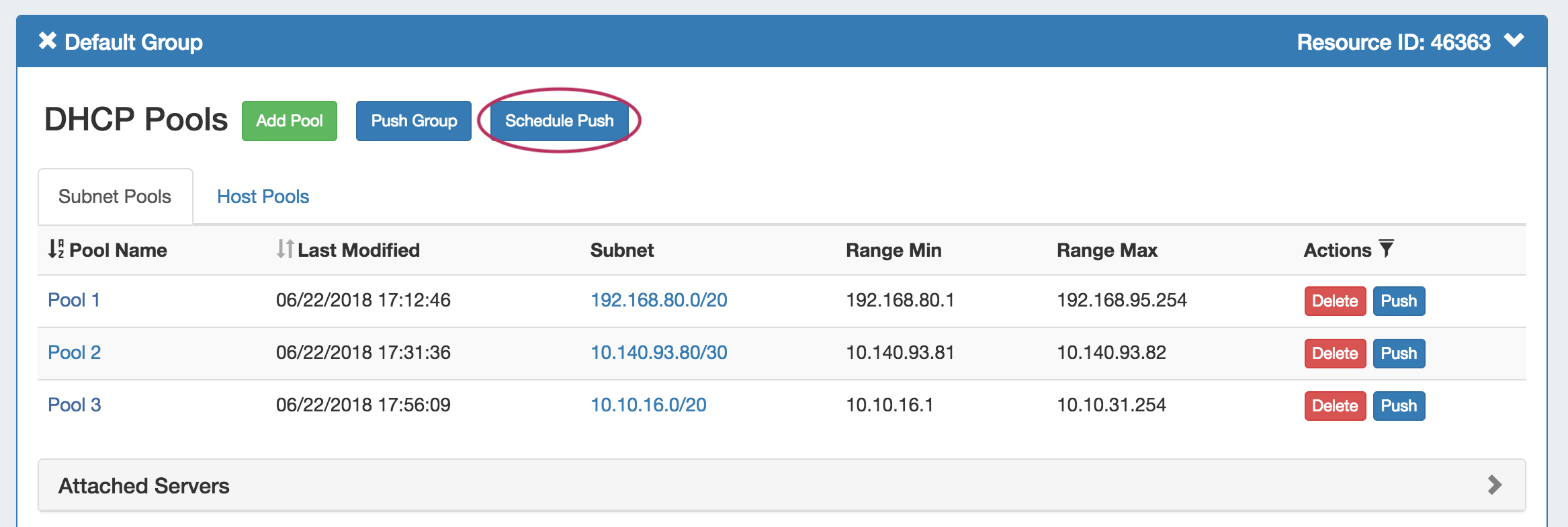
Click "Schedule Push" for the group, then select a date, time (24 hour), add a notification email address, and click "Save changes".
The scheduled task will be shown in both the group details (under "Scheduled Tasks") and the Admin Scheduler task list.
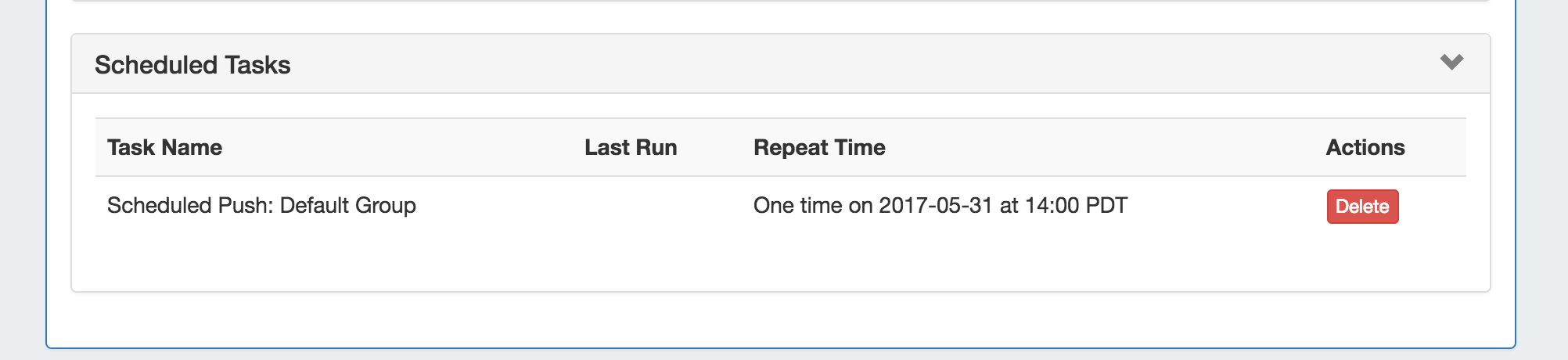
The task may be deleted prior to running by clicking the "delete" button, but will automatically be removed once completed.
Delete a Group
Delete a Group
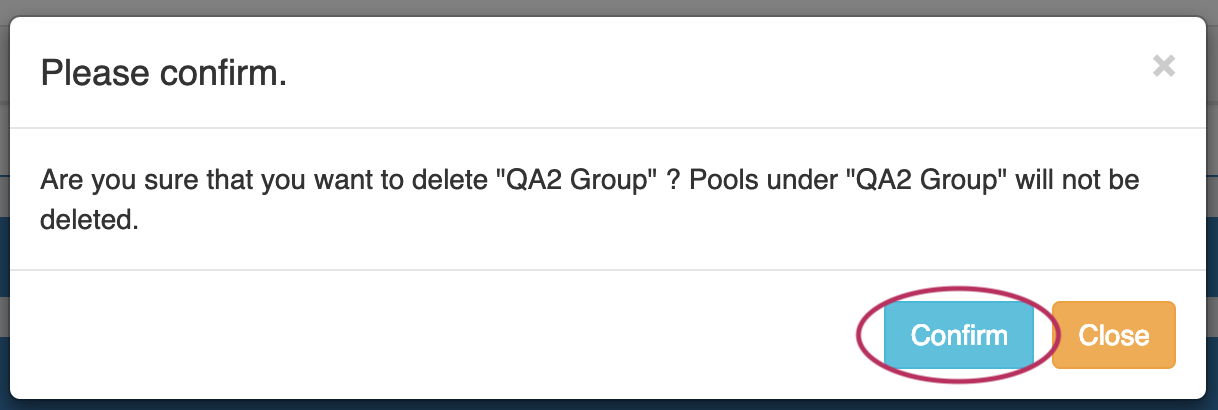
Delete a non-Default Group by clicking on the "X" to the left of the group's name in the DHCP Groups List. When you delete a DHCP group, pools under the group will not be deleted. They will no longer be associated with a DHCP group, and can be managed from the DHCP Pools List.

A confirmation message will appear, click "Confirm" to save your changes, or "Close" to exit without saving.
The Default Group may not be deleted.