
What are Gadgets?
Gadgets display on the Resource Entry page, providing information or actions for various modules. They are best described as self contained webapps; widgets but with more power. Gadgets can have their own fields, HTML templates, and even accompanying scripts and stylesheets. They can interface with the API to display simple information such as the resource section, or they can perform much more complex functions, such as IP assignment in the IPAM Gadget. In order for a gadget to display on a resource entry page, they must first be added to an existing Section.
Adding Gadgets to a Section
Gadgets are enabled per section. This allows for all resources of given section to display the same set of gadgets, tailored to the needs of that resource type. A resource with the "Server" section would have different display and functionality needs than one using the "Resource Holder" section.
Manage a section by going to the Resource Tab → Section list. Open the Action Menu for the section, then click "Edit".
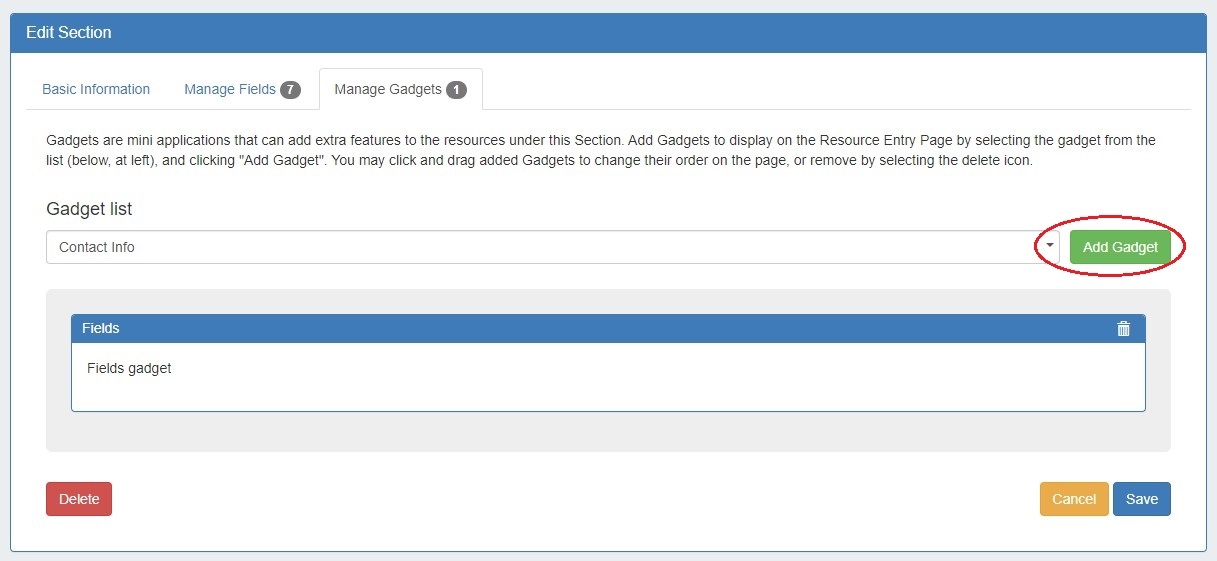
From the Edit Section page, navigate to the "Manage Gadgets" tab. Select the gadget you want to show for that section from the Gadget list, then click "Add Gadget".
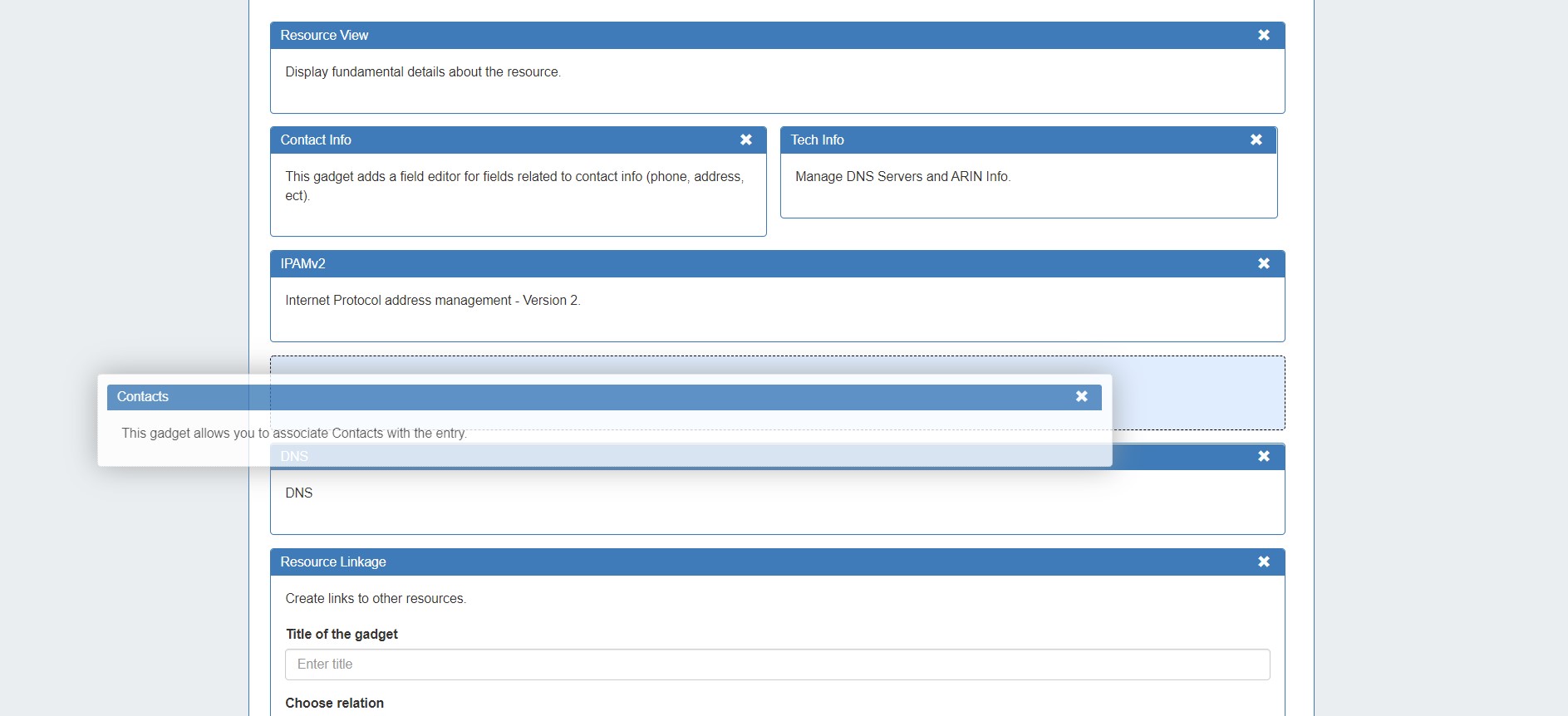
Once added, you may customize the order you wish them to appear on the page by dragging and dropping into the desired order.
When done, click "Save". Once added to the section, gadgets will be visible for all resources of that section.
To view the added gadgets, open the resource entry page for any resource under that section.
For additional details on editing sections and enabling gadgets, see Customizing Sections.
Available Gadgets
A number of gadgets are available to add to the resource entry page, and support various modules. For details on each available gadget, see the following section: