
Export Options
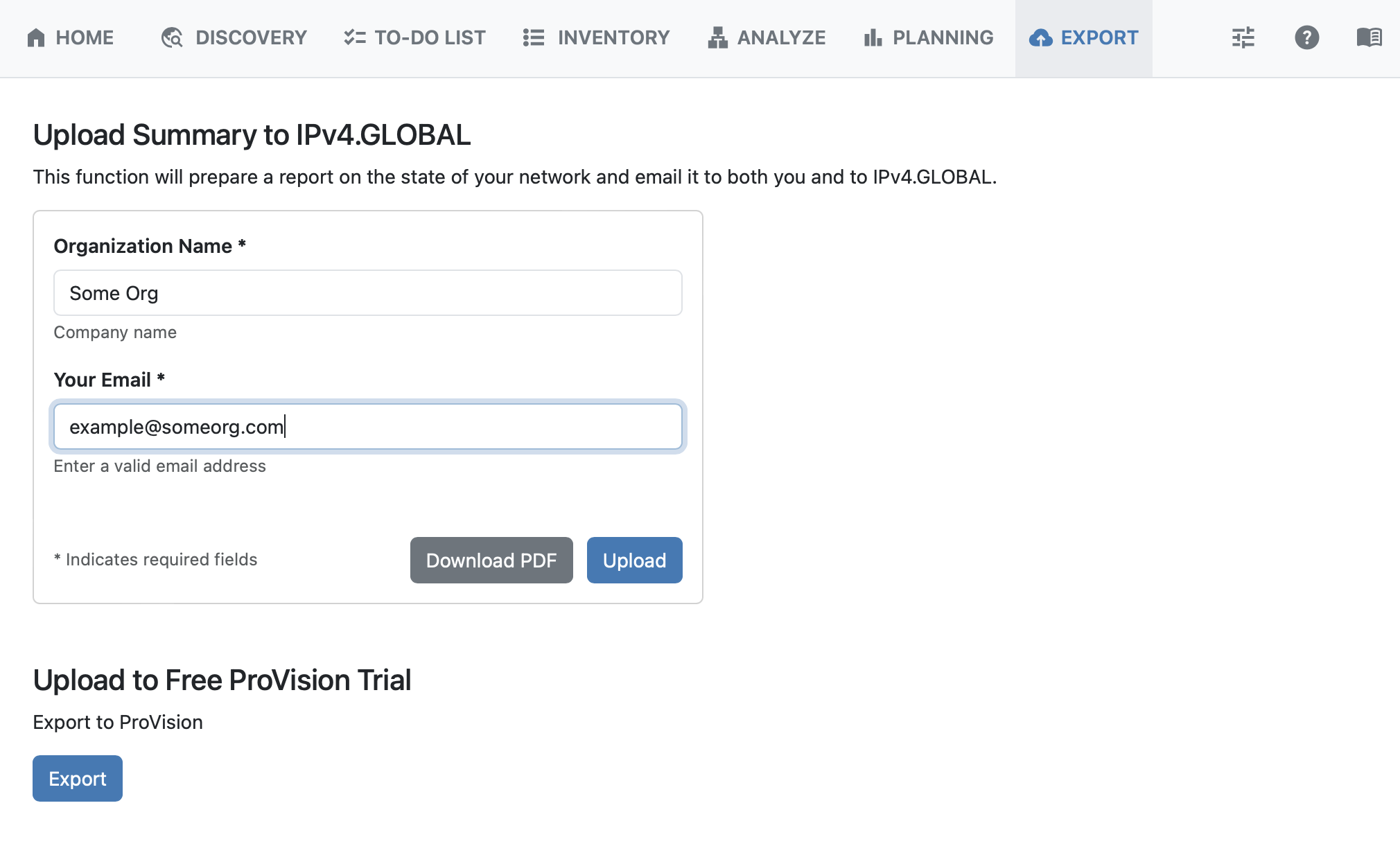
Upload Summary
The Export tab will prepare a report on the state of your network and email it to both you and to Ipv4.GLOBAL.
Enter an Organization Name and an email address and click “Upload” to send the report.
Generate PDF
You may download a PDF of the report by clicking “Download PDF”.
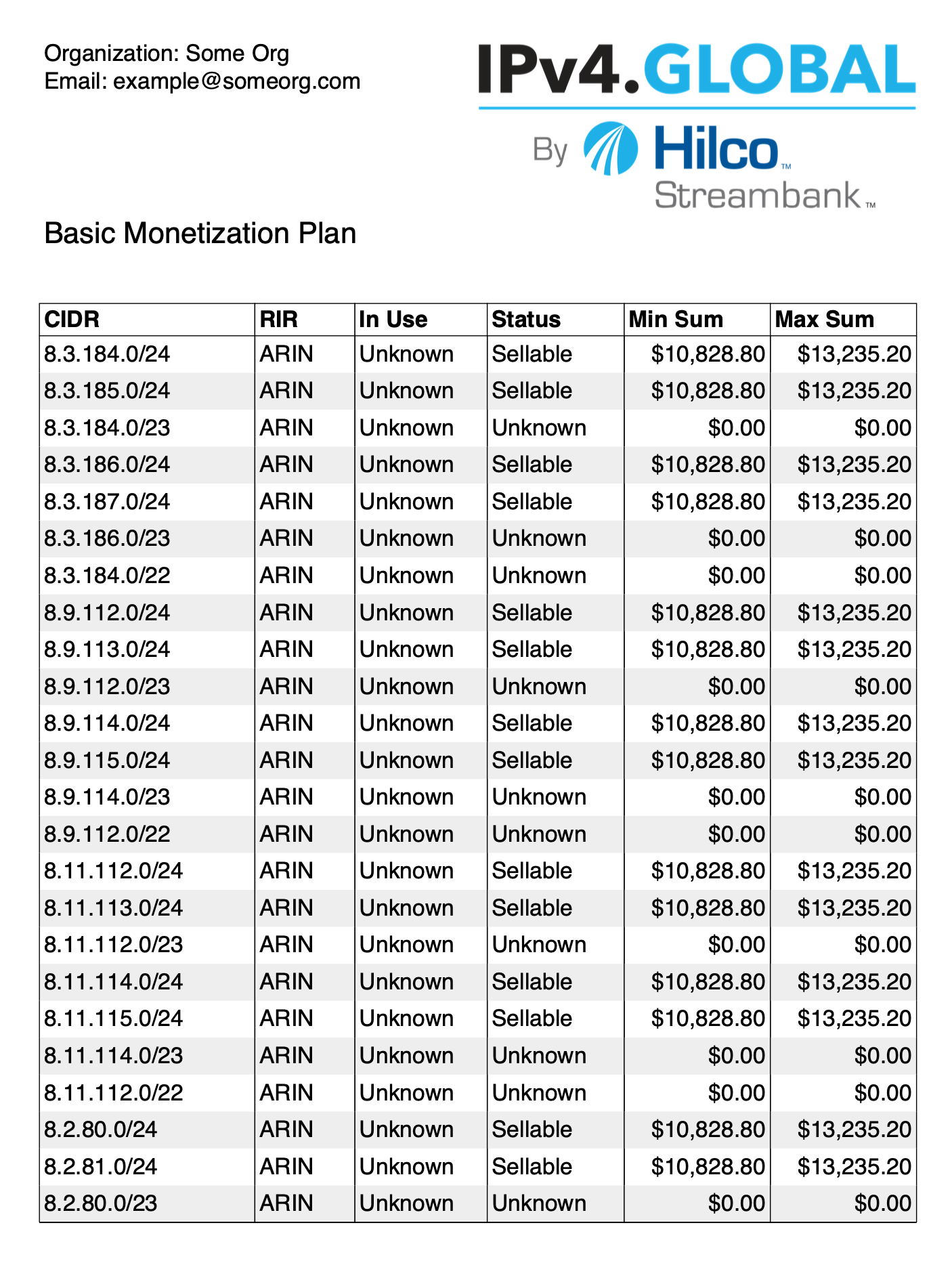
The PDF format will be downloaded as a tabular montetization report, displaying CIDR, RIR, Use, Status, Min Sum, and Max Sum.
Upload to ProVision
If you are a ProVision user, or wish to trial ProVision using the inventory discovered in ReView, click “Export” to export data into your ProVision instance.