
User Management Overview
After installing/gaining access to your new ACP instance, once of the first steps that should be taken is to add appropriate users to ACP.
ACP gives all users equal status ("admin" level) in the system, so consider carefully who should have access to ACP, and add only the necessary users.
Access ACP's User Management page by going to the ACP Actions Menu, then selecting "User Management".
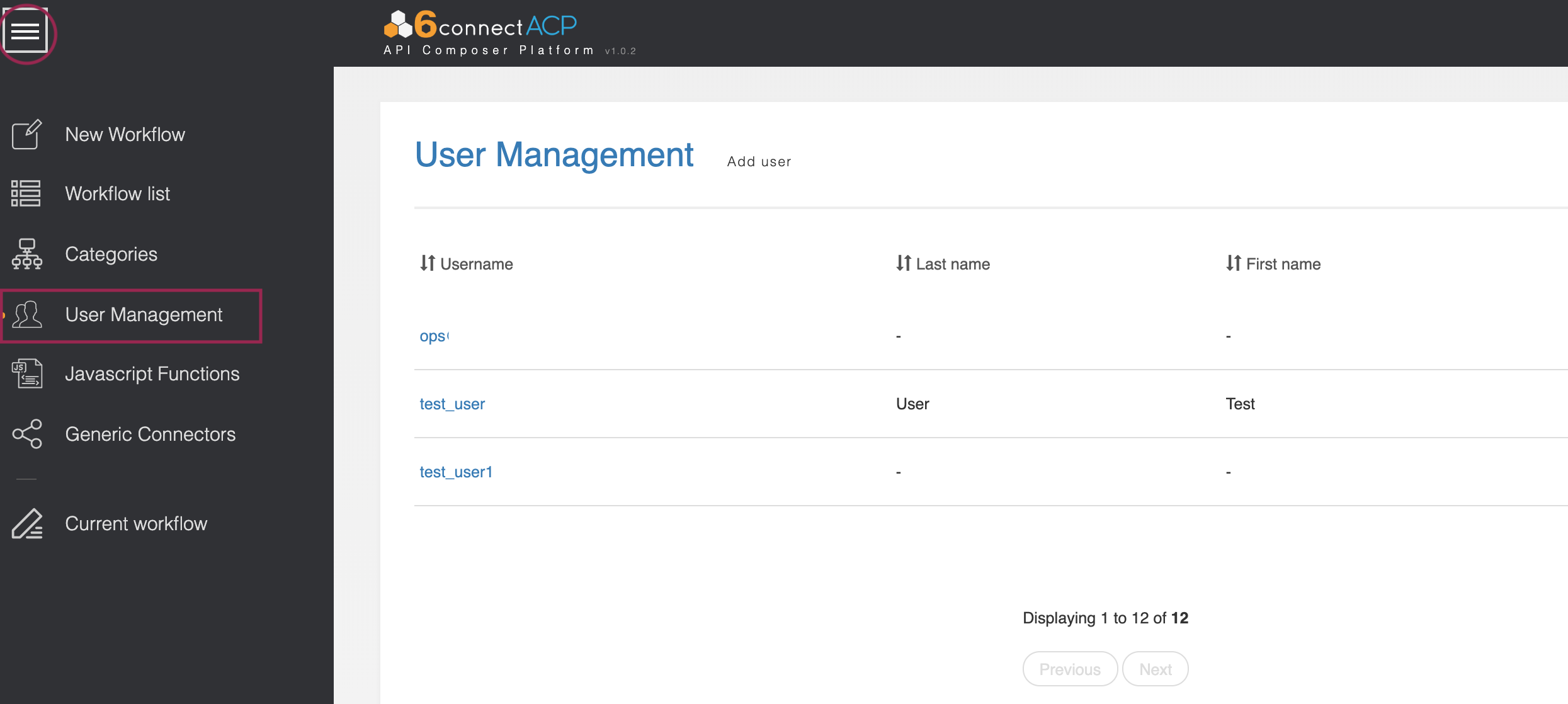
Due to the high-level nature of the actions performed by Workflows, all ACP users are given "Admin" level permissions and the ability to access all areas of the product.
Add a New User
Add a New User
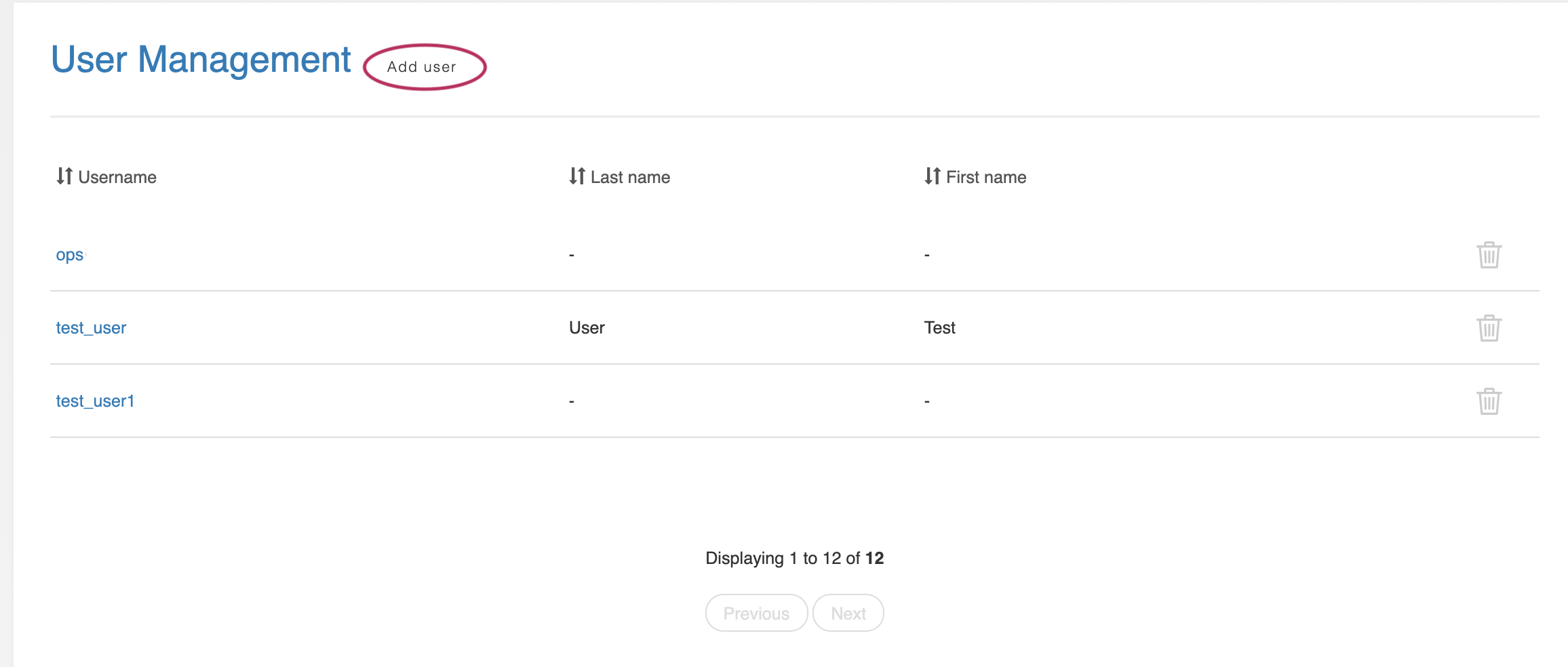
To add a new user, click "Add User" at the top of the page.
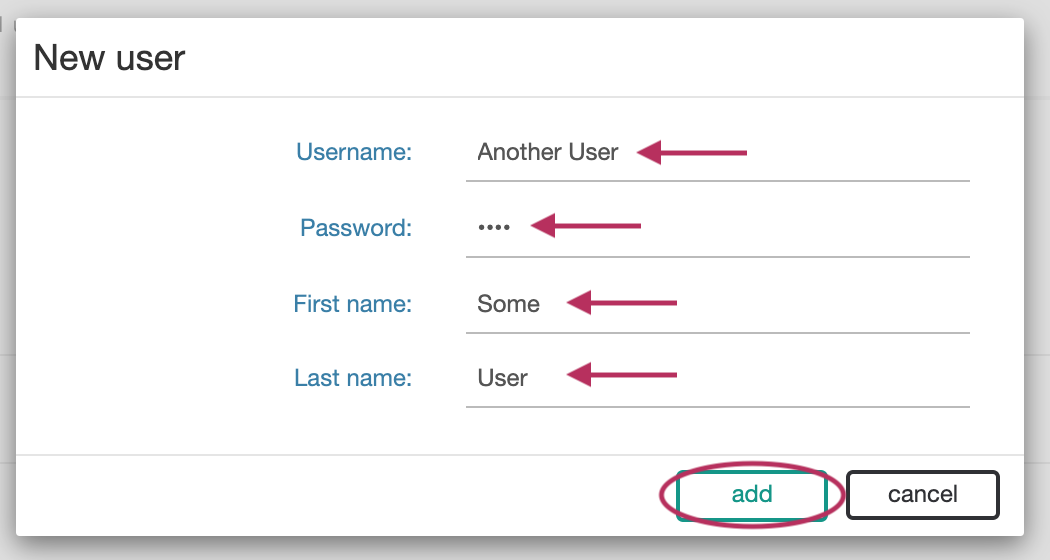
In the window that appears, enter the username, password, first name, and last name for the new user. Click "Add" when complete.
Edit a User
Edit a User
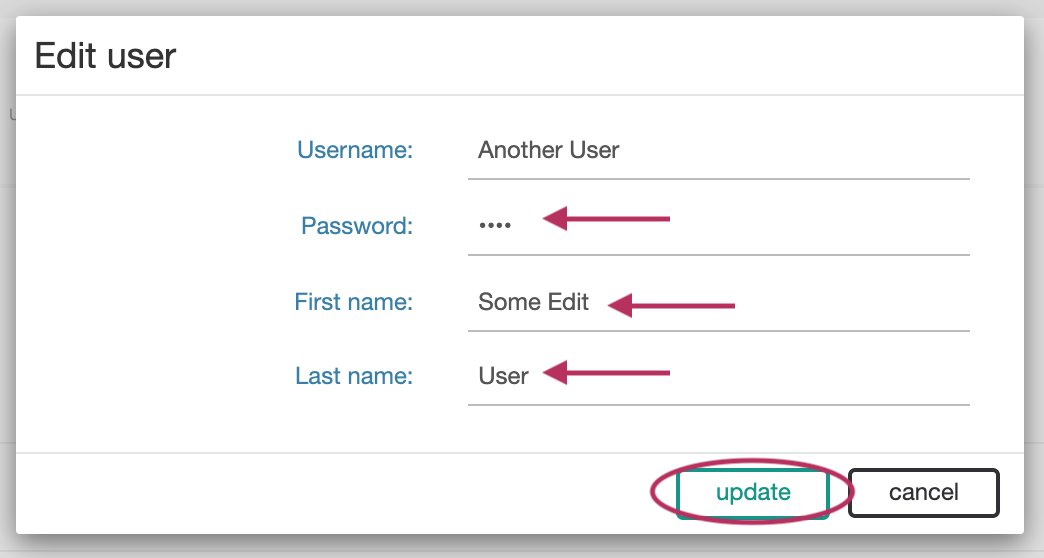
Edit an existing user by clicking on the username, then editing the fields that you wish to change.
Remove a User
Remove a User
To delete a user, click on the delete icon at the end of the row for the user.
