
This section covers a basic overview of the Workflow Steps page elements.
For more in-depth information, see Workflow Options, Initiator Conditions and Iteration, and Executing Workflows and Export.
Workflow Steps Overview
Each Workflow is comprised of one or more steps, with each step representing a single connector/endpoint combination.
These steps appear under the "Workflow Steps" portion of the Workflow page. To add steps, at least one connector needs to have already been applied to the Workflow (see Connectors).
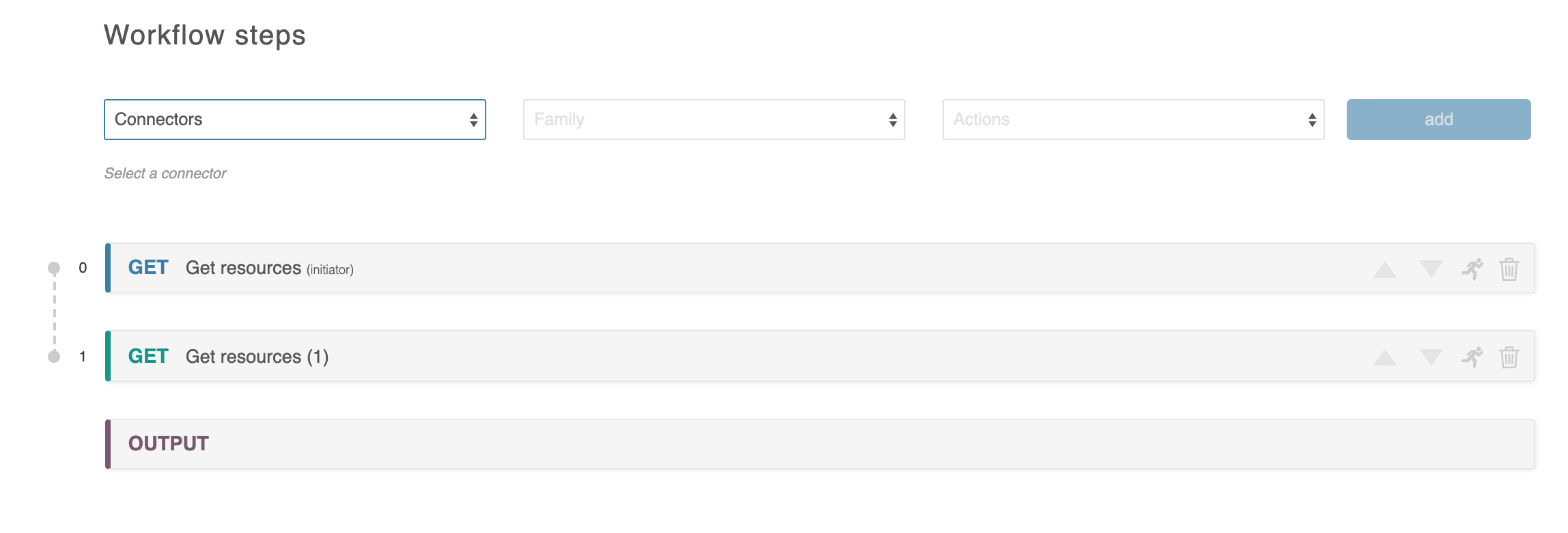
The general order to Workflow steps is:
-
Add a workflow step using the desired connector
-
Add Step Options or Inputs
-
Define the Output
When the first step is added to a workflow, the final step - "Output" will automatically be created.
Workflow Steps UI Elements
Add a Workflow Step
At the top of the "Workflow steps" section is the area to add a new step to the current workflow for a selected connector.
Add a Workflow Step Area
The first box is where you can select the desired connector.
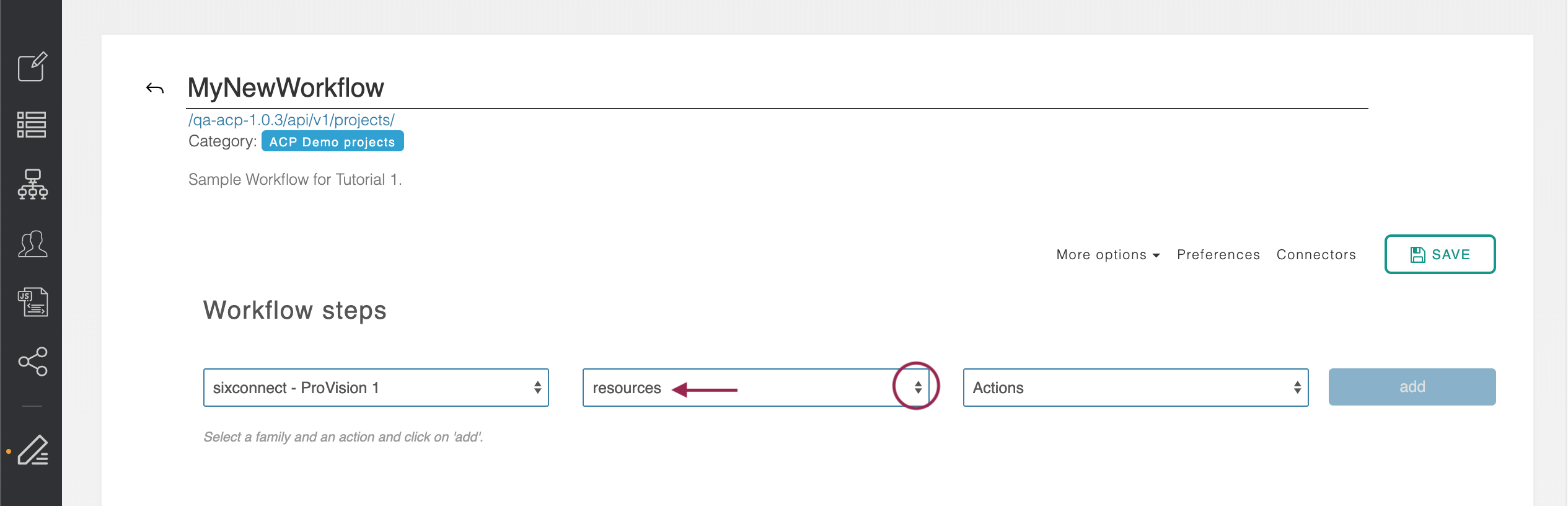
The middle box of the form will pull in all the API Endpoint Families for this product. Select the endpoint family you wish to use.
The final box will pull in all of the specific endpoints belonging to that family. Select the specific endpoint action to perform, then click "add" to create the step.
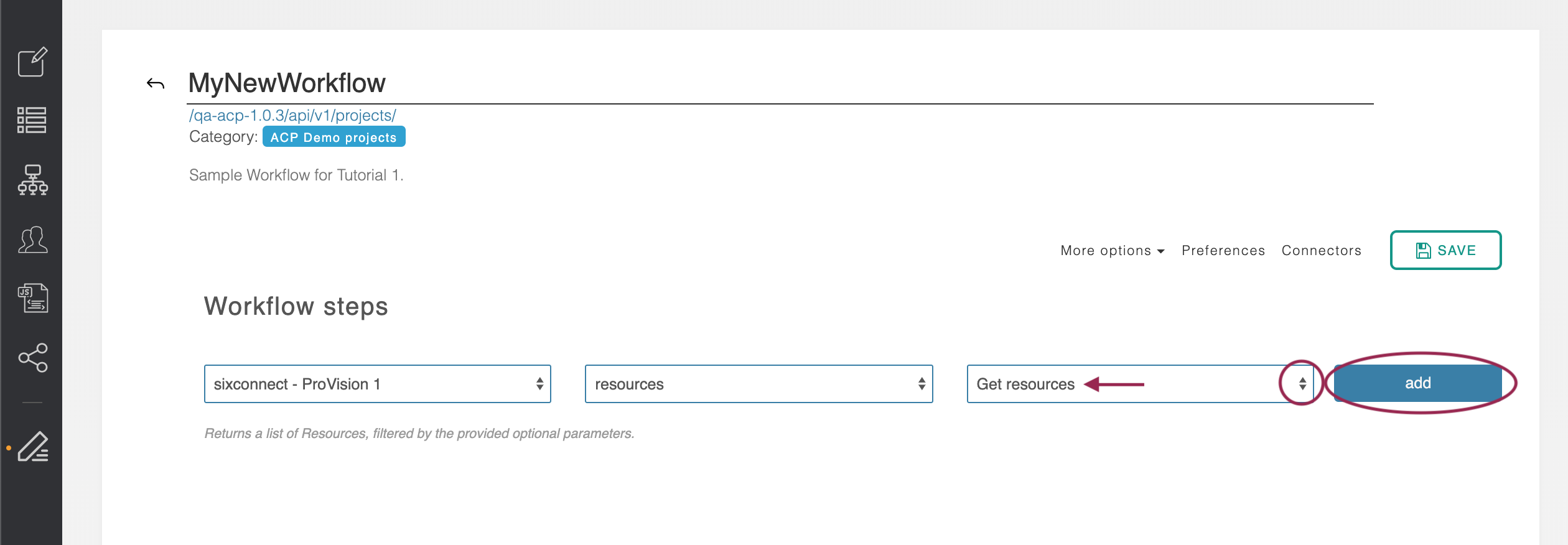
The new step is added to the main ACP work area. An ‘Output’ step is automatically created below it.
At this point - being that a valid step has been added - you can save your new workflow by clicking "Save" near the top right of the Workflow page.
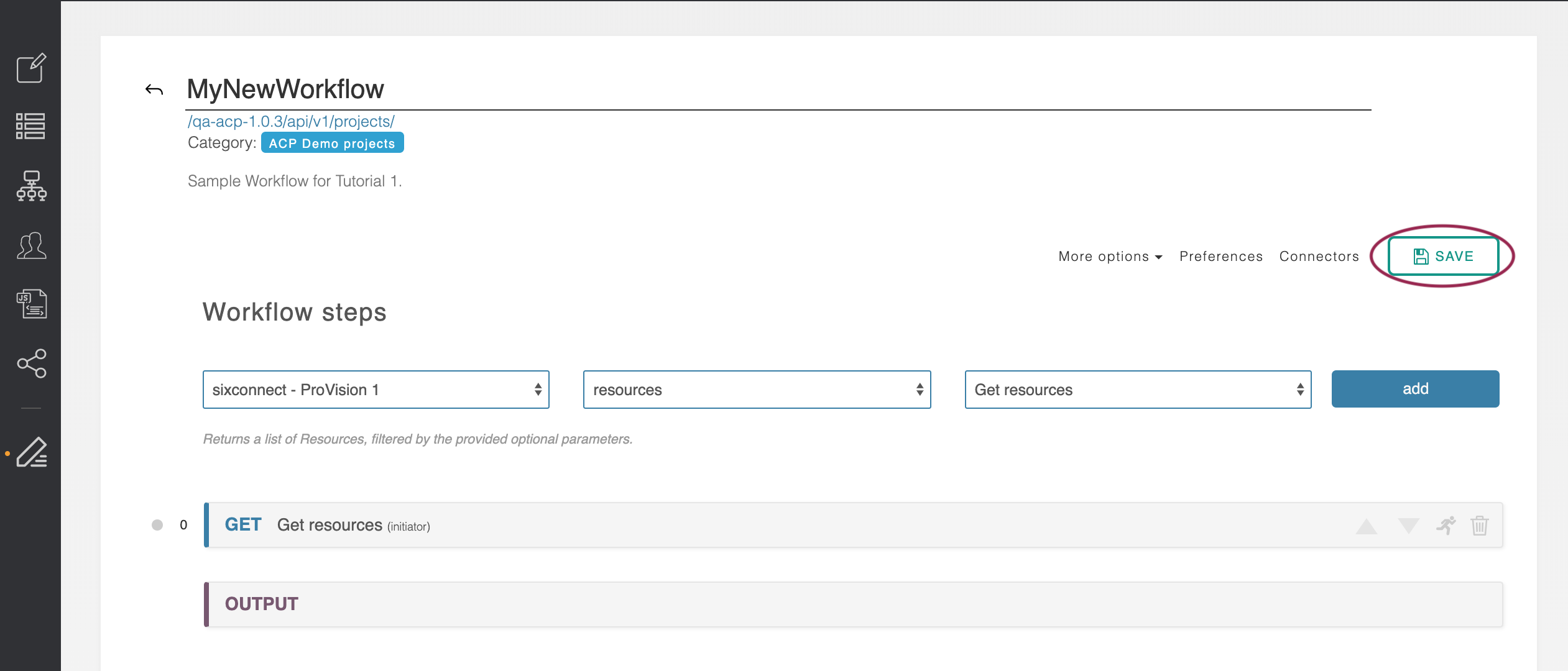
After the first save, the "delete" and "execute" options will become available for the workflow.
The Workflow Step List
Workflows are represented as a series of steps (see ‘Getting Started 3. Connecting Steps’ from the examples library) that are displayed in the 'Workflow steps' area of the Workflow page.
Each step displays as its own color-coded header bar that may be expanded to review or edit details.
Step Workflow Options
Step Workflow Options
Clicking on any step header will expand the step to reveal the individual sections which it uses to define its behavior.
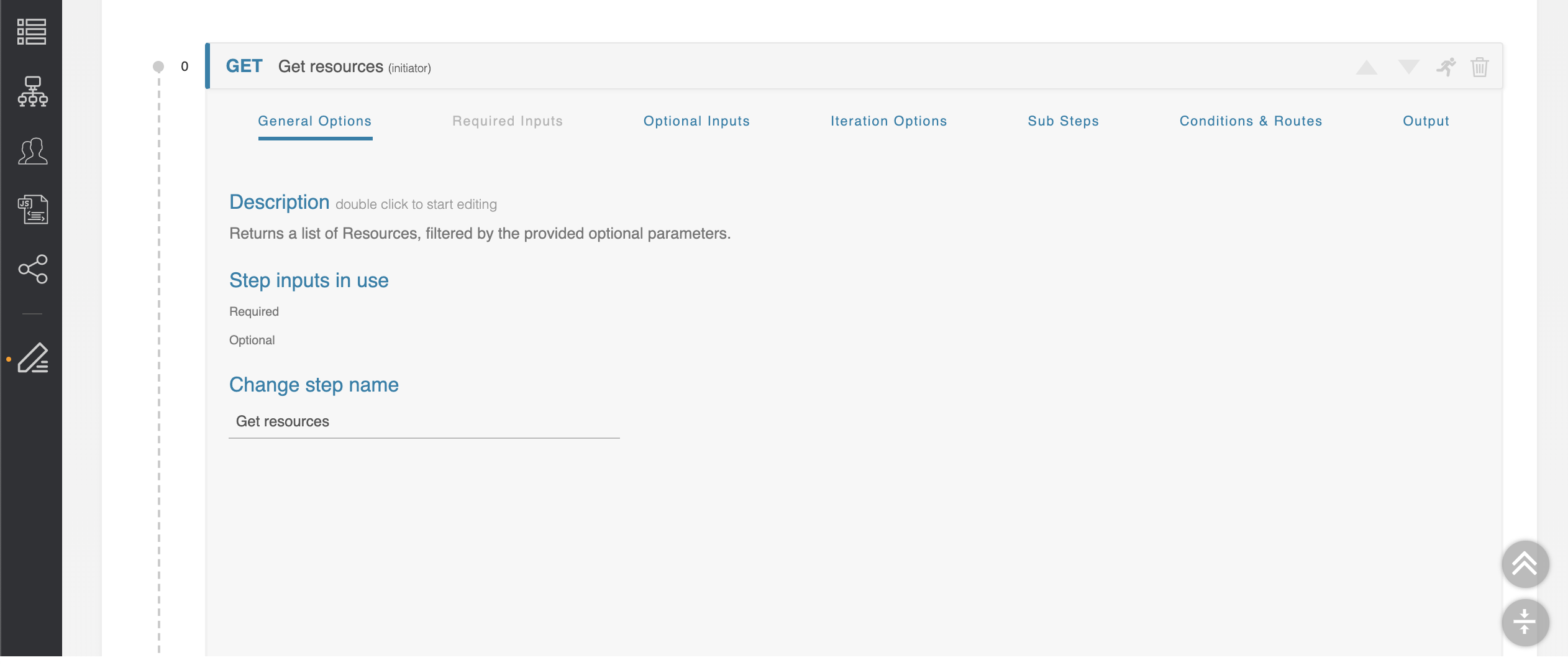
There are seven option tabs available for a workflow step, although not all tabs will be available for all steps.
General Options
The first section is ‘General Options,’ and it contains a field where you can add a description of what the step is trying to accomplish. You can also customize the name of the step. This section also provides a list of user-given inputs used in this step. For more detail, see Workflow Options.
Required Inputs
The ‘Required Inputs’ section contains variables that must be set for the API call to proceed. This section is not always present, as not all API calls have required parameters. For more detail, see Workflow Options.
Optional Inputs
The ‘Optional Inputs’ section contains those parameters that the API call might make use of which are not explicitly required. Some APIs are flexible and allow you to add additional optional parameters not explicitly defined in the API specification. To allow for this, the ‘add input’ button lets you define arbitrary optional inputs to complete the API call. For more detail, see Workflow Options.
Iteration Options
The next section is 'Iteration Options' and deals with how to loop over array responses. For more detail, see Workflow Options, and for advanced information see Initiator Conditions and Iteration.
Sub Steps
The ‘Sub Steps’ section describes how to iterate over an array of return objects, similar to the ‘iteration options’ previously. For more detail, see Workflow Options.
Conditions & Routes
The ‘Conditions & Routes’ section describes the flow-control by which the ACP system chooses what step is next. The logic involved is complicated and is detailed in Workflow Options.
Output
Lastly, the ‘Output’ section shows an example return of the API endpoint, for use in establishing Workflow Links. For more detail, see Workflow Options.
Input Details
All types of inputs have a small ‘?’ to the right of their input area which will supply help text as to what that parameter does. For more details, see the official API documentation for the API service you are using.
All types of inputs can be customized with the following states:
-
Omitted. The default state. This parameter will not be sent with the API call. This option is not available for 'required' parameters.
-
Default value. This parameter will be set to some constant, defined here.
-
User given. This parameter will be supplied by the user executing the ACP Workflow.
-
Workflow link. The input for this parameter is the output of another step. This will be described in greater detail later.
-
Iteration. This parameter becomes available when the Iteration Options section is configured. Inputs set to ‘iteration’ are populated with the iterated run number, starting from zero. This will be described in greater detail in its own section.
-
Function. The input of this parameter will be supplied by the output of a javascript function. This will be described in greater detail later.
Input Workflow Link Details
Input Workflow Links
Setting an Input to be a ‘workflow link’ will indicate that this parameter is to be taken from the results of a previous step, allowing you to add links between steps. The result can come from any previous step so long as it has already run.
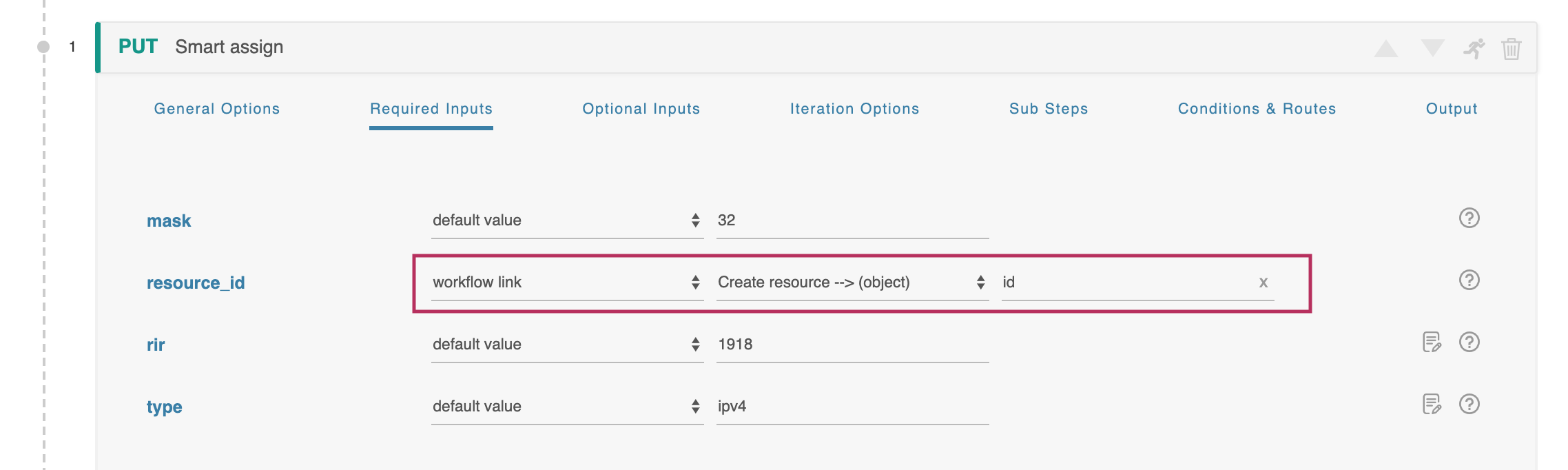
When the ‘workflow link’ option is selected the form expands to gather the necessary information.
The middle drop-down selects what step you will be taking this information from. Once a step is selected, the rightmost ‘property’ box accepts the name of a parameter.
For example, if you are referencing a ProVision Resource GET call you can specify ‘id’ or ‘name’ to feed in the associated value to this parameter.
If the step you are referencing returns an array of items, you can specify which item in the array you reference by way of the syntax ‘index.property’. For example, if an API call returns an array of 3 objects, and you want to reference the id of the last one, you would put ‘2.id’ in the ‘property’ field.
If the parameter name or array index provided does not exist in the corresponding return object, null will be used.
Examples
A simple example of using the ‘workflow link’ parameter can be found in the ACP examples library as ‘Getting Started 3. Connecting Steps.’
Another example can be found in ‘Getting Started 9. Working with Arrays.’ The Output area contains a reference to ‘2’, which indicates the entire 3rd object returned by the ProVision Get Resources query.
Outputs
The Output Step is always the final section in every workflow and determines what data is returned to the user when the workflow is invoked.
The workflow can be configured to return individual fields, entire arrays, individual members of arrays, and the entire body return from the executed steps.
Output Parameter Details
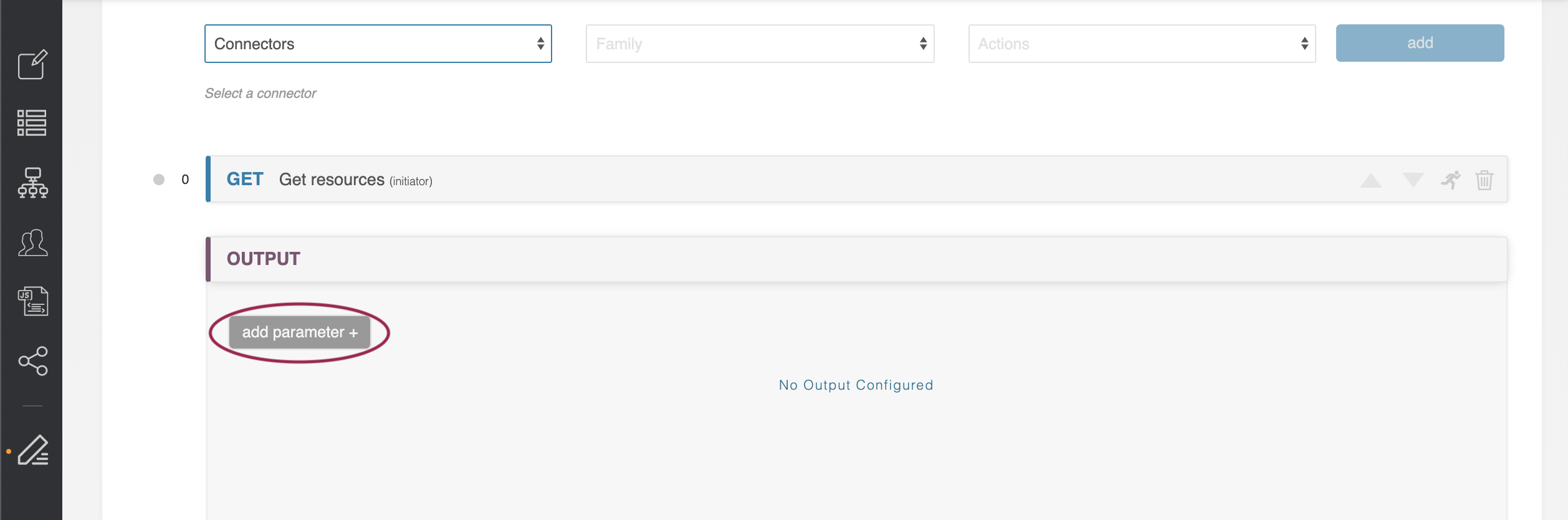
When you expand an output step, the “add parameter” button allows you to populate the Output area with individual return parameters. There is no limit on how many parameters can be returned by a single workflow.
Each Output parameter consists of a number of parts: the parameter name, the parameter type, and the type details. Each parameter requires a distinct name. This is the name used in the return payload.
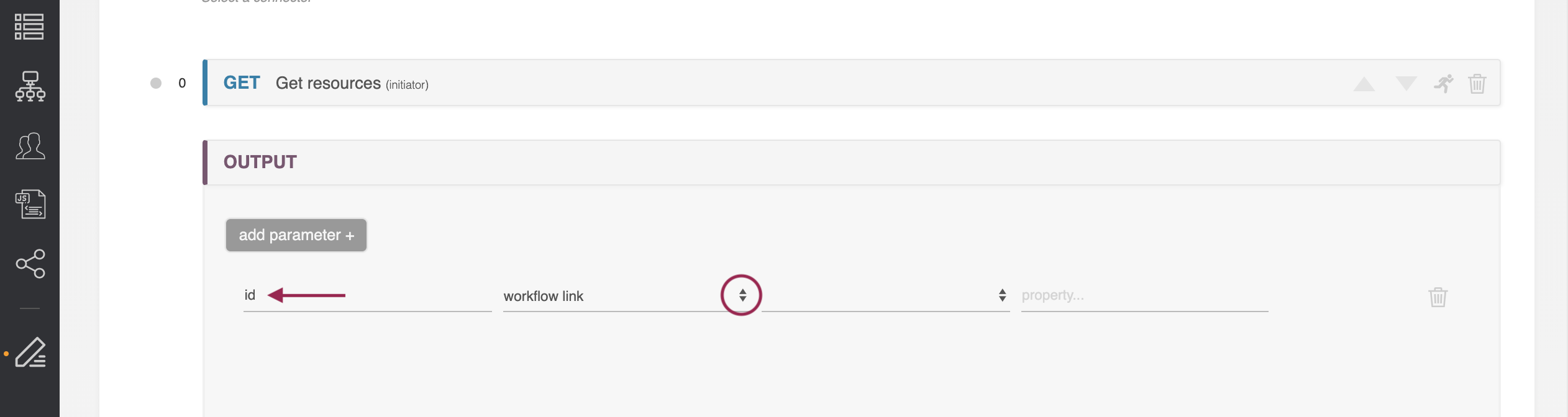
The parameter types field is similar to those in the Optional and Required Parameters section. You can define a parameter to draw its data either from a workflow link, a function, user given data, or a javascript function. These functions are more fully described in the Optional and Required Parameters section.
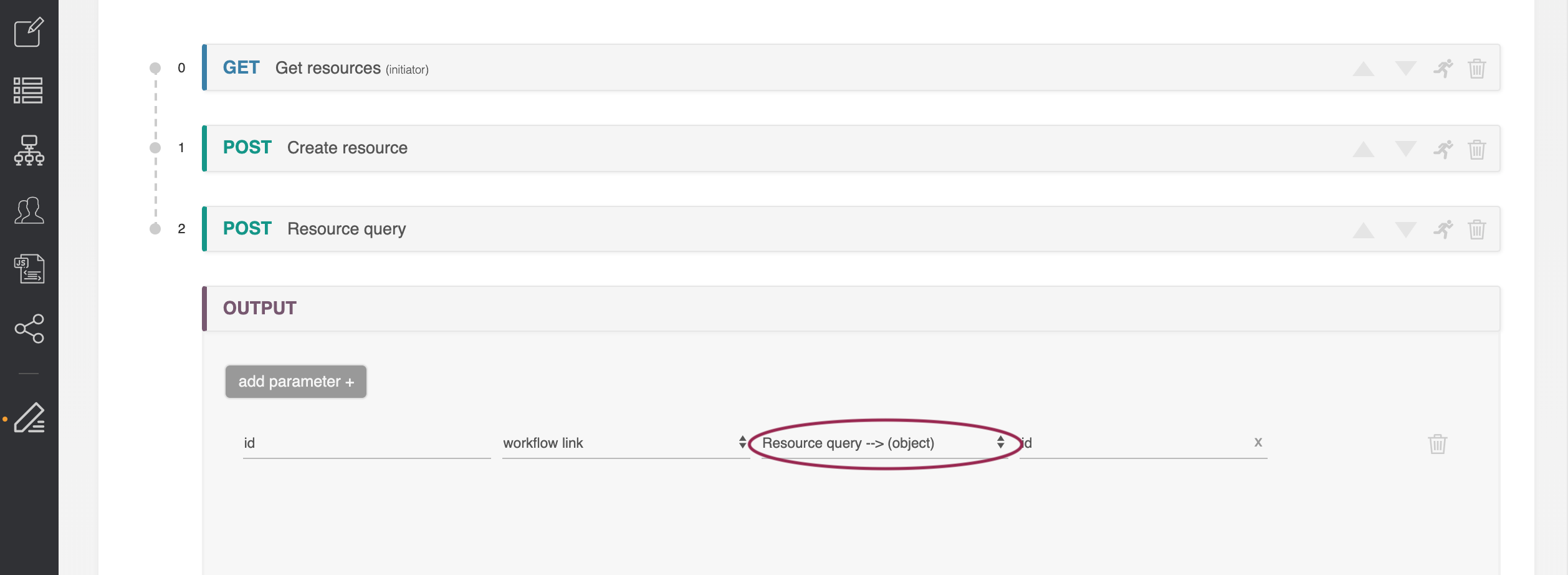
Parameters can be removed by clicking the trashcan on the right.